Sencha Ext JS Pricing and Alternatives in 2026
Sencha Ext JS has been building enterprise web apps since 2007, and a lot of them are still running. It is a whole application framework: grids, trees, forms, charts, layouts, a data package and its own build tool. The reason teams search for Sencha pricing or Sencha alternatives is rarely that Ext JS stopped working. It is usually a renewal quote, a new project that will be written in React or Vue, or a hiring plan that cannot find Ext JS developers.
This guide covers both halves of that decision. First, what Ext JS costs in 2026, what the free Community Edition allows, and what happened to the GPL version. Then eight alternatives, each with its licence, its price, a screenshot and who it suits, plus an Ext JS grid to Tabulator migration example. Prices and licence terms were read from Sencha's store and legal pages on November 21, 2026, so confirm them before you buy. We build Tabulator, a free MIT licensed data grid, and we say so where it matters.
The short answer
- Ext JS Pro costs $1,499 and Ext JS Enterprise costs $1,899 per developer per year. Both are annual subscriptions. The store adds Platinum Support (from $500 a year) to the cart by default.
- The Community Edition is free only for very small users: individuals, startups and non-profits with up to 5 developers and up to $10,000 a year in revenue. It leaves out the Classic toolkit and the data exporter.
- There is no current open source version. Sencha's licensing page says the last GPL v3 release of Ext JS was version 7.0.
- Most of your Ext JS screens are grids? Use Tabulator. It is MIT licensed with grouping, summaries, editing, tree data, clipboard and Excel export included, and it has no seats, no licence key and no private npm registry.
- Want another all in one widget framework? Webix and DHTMLX Suite are the closest in style, both with perpetual licences. Kendo UI, DevExtreme and Syncfusion are the big commercial suites.
- Rewriting in React? A component library such as MUI plus a data grid replaces most of Ext JS. AG Grid Community is a free grid until you need its Enterprise features.
How much does Sencha Ext JS cost?
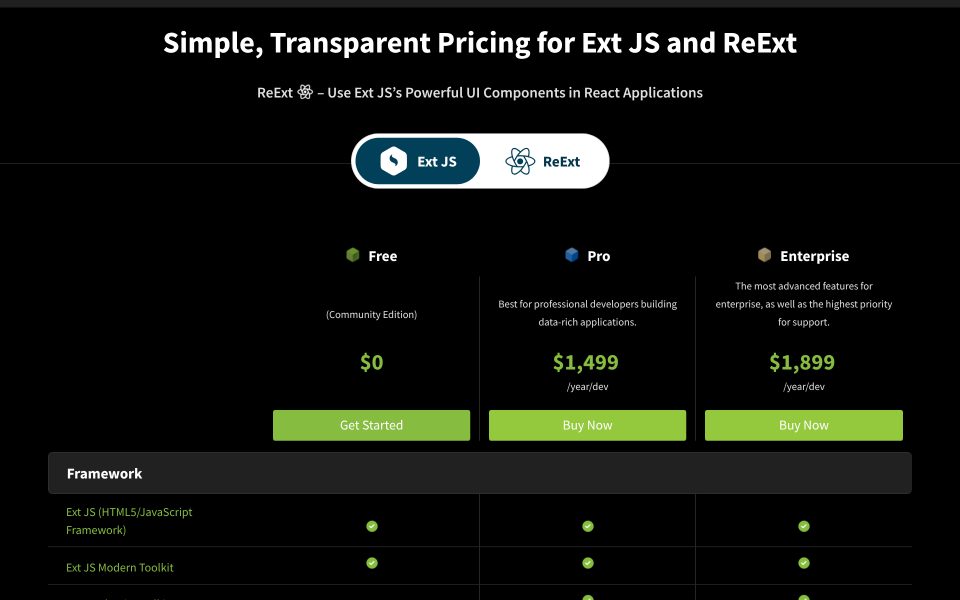
Sencha's pricing page now redirects to the Sencha Store, which lists three editions. The two paid ones are priced per developer, per year.
| Edition | Price | What the store's feature table shows |
|---|---|---|
| Community Edition | $0, with eligibility limits | Modern toolkit, grids, pivot grids, charts, trees, calendar, themes. No Classic toolkit, no ReExt, no Exporter, no maintenance and support |
| Pro | $1,499 per developer per year | Modern and Classic toolkits, ReExt for React, the component set, one year of maintenance, support and new releases. No Exporter |
| Enterprise | $1,899 per developer per year | Everything in Pro plus the Exporter (data export). The pricing card promises "the highest priority for support", and the store FAQ lists Sencha Test |
A few details from Sencha's pages change the real number:
- It is a subscription. The store FAQ says the annual model "requires an annual renewal for continued access to software updates and support."
- Export is an Enterprise feature. The Exporter row is ticked for Enterprise only. If your grids need an "Export to Excel" button built with Sencha's exporter, budget for $1,899 a seat, not $1,499.
- ReExt is the same price. ReExt, which lets you use Ext JS components inside a React app, is listed at $1,499 (Pro) and $1,899 (Enterprise) per developer per year and is included with those Ext JS licences.
- Platinum Support is added by default. Clicking Buy Now puts the licence and a Platinum Support line in the cart. You can remove it.
- The online store stops at 10 developers. The quantity field has a maximum of 10. Larger teams, OEM use and multi year discounts go through sales.
- The trial has a catch. The 30 day trial is of the Enterprise edition, and Sencha's licensing page says "You cannot develop during a trial period and continue development beyond that period."
What a team actually pays
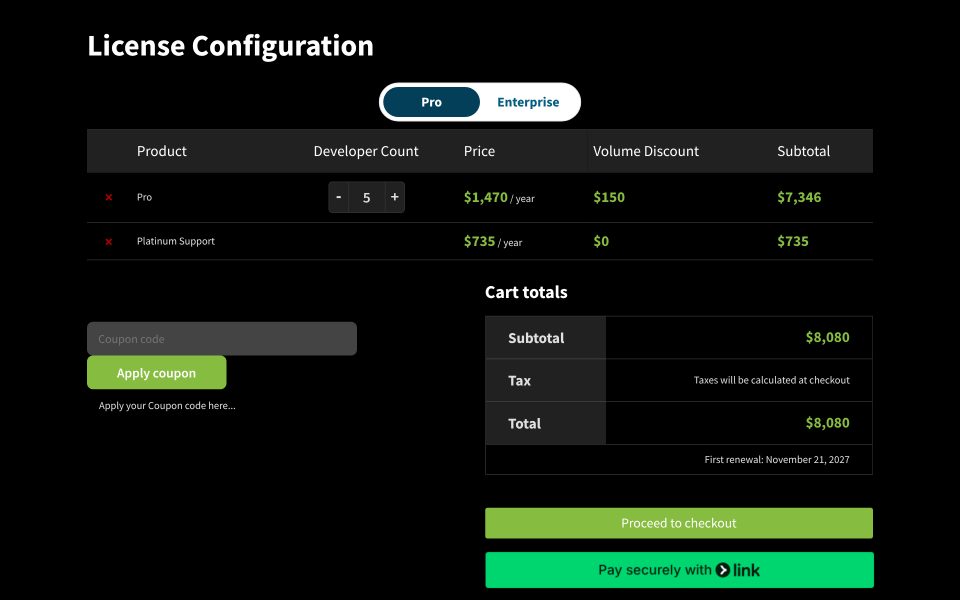
We changed the developer count in the store's licence configurator to read the totals. A small volume discount starts at 4 developers (about 1%) and reaches about 4% at 9 to 10.
| Developers | Pro, per year | Enterprise, per year | Enterprise over 3 years |
|---|---|---|---|
| 1 | $1,499 | $1,899 | $5,697 |
| 3 | $4,497 | $5,697 | $17,091 |
| 5 | $7,346 | $9,306 | $27,918 |
| 10 | $14,391 | $18,231 | $54,693 |
These are licence totals before tax and without Platinum Support. The three year column assumes the price does not change at renewal. The Platinum Support line was $500 a year for one developer, $735 for five Pro developers and $1,440 for ten when we checked. Count every developer who writes code against Ext JS, including contractors.
Is Ext JS free? The Community Edition
There is a free edition, and its limits are tight. The Ext JS Community Edition page describes it as free for "freelancers, startups, students, and non-profits", with these rules:

- Individuals: free until your revenue passes $10,000 a year.
- Startups and non-profits: up to 5 developers and up to $10,000 a year in revenue.
- Internal company apps: allowed "only if your total company revenue is under $10K/year. Otherwise, a commercial license is required."
- You apply for it. The FAQ says "Apply and register. If approved, you'll get a 1-year license".
- It installs from Sencha's registry. You "get access to our Sencha hosted npm repository to install Ext JS npm packages and tooling."
- Modern toolkit only. The store's feature table shows no Classic toolkit, no ReExt and no Exporter in the Community Edition.
For comparison, Syncfusion's free community licence allows up to $1 million in revenue. A $10,000 ceiling means the Community Edition suits learning, prototypes and side projects. Almost any business with a salary to pay is over the line. And because most long lived Ext JS apps are written with the Classic toolkit, the Community Edition is not a way to keep an existing app running for free.
Ext JS and the GPL
Ext JS used to be dual licensed, and "ext js gpl" is still a common search. Sencha's GPL licensing page states the current position:

- The last GPL release was Ext JS 7.0. "The last of release of Sencha Ext JS under a GPL v3 license was version 7.0." The current version is Ext JS 8.0, which is commercial only.
- GPL v3 means your app is GPL too. "You must release your source code for free" and "You must license your application under GPL v3."
- No closed source distribution. "You cannot include Sencha Ext JS or Sencha GXT in a closed source distribution under this license."
- You cannot switch later. "If you start with a GPL license, you cannot convert to a commercial license simply by purchasing one."
So the GPL route is real, but it freezes you on a 7.0 era codebase and requires you to publish your application's source under the same licence. For an internal tool that is never distributed, read the GPL carefully with whoever handles licensing for you. For a product you ship to customers, it is rarely an option. An MIT licensed library has none of these conditions.
Why teams look for a Sencha alternative
- Per developer, per year cost. Ten developers on Enterprise is about $18,000 a year at list price, every year.
- No practical free tier. The Community Edition stops at $10,000 in revenue and the GPL version stopped at 7.0.
- Hiring. Ext JS has its own class system, layout system and MVVM architecture. New hires usually know React, Vue or Angular instead.
- A framework, not a component. Ext JS wants to own the page. Using only its grid inside another framework means carrying the whole runtime, or buying ReExt.
- Tooling. Builds run through Sencha Cmd or Sencha's npm packages, installed from a private registry that needs a login in every CI pipeline.
- The app is mostly grids. Many Ext JS apps are data screens: a grid, a form and a toolbar. That is a much smaller problem than the one Ext JS was bought to solve.
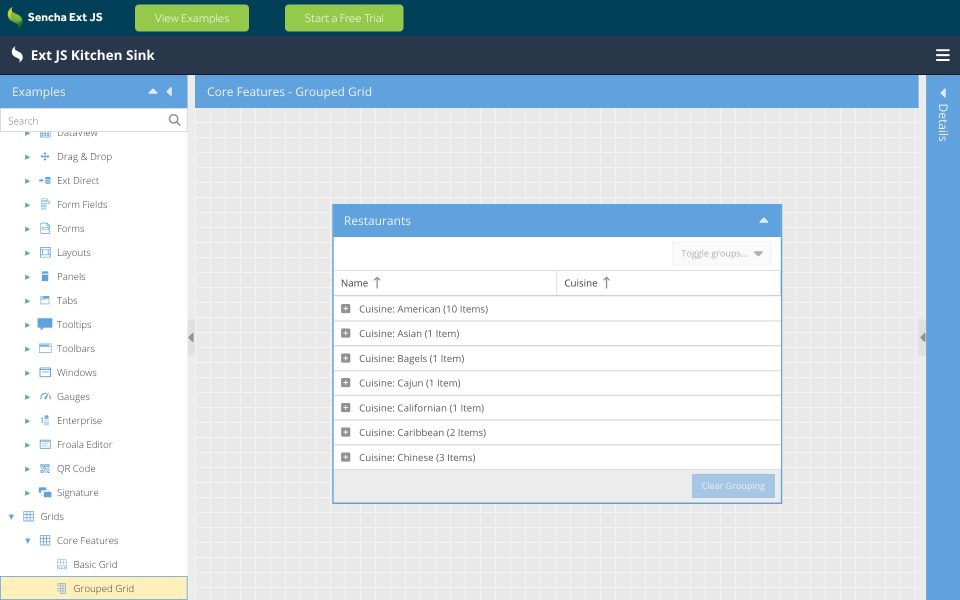
None of this makes Ext JS a bad product. If you have a large, stable Ext JS app and a team that knows it, the licence is often cheaper than a rewrite. The alternatives below are for new work, and for moving off one screen at a time.
Sencha alternatives compared
| Library | What it replaces | Licence | Price |
|---|---|---|---|
| Tabulator | The Ext JS grid, tree grid and editing | MIT | Free |
| AG Grid | The Ext JS grid and pivot grid | MIT (Community), commercial (Enterprise) | Enterprise from $999 per developer |
| Webix | The whole widget framework | GPL v3 (Standard), commercial (Pro) | From $848, team packs $2,499 to $9,499, perpetual |
| DHTMLX Suite | The whole widget framework | GPL v2 (Standard), commercial (PRO) | Suite $799 to $6,999, perpetual |
| Kendo UI | The component suite | Commercial | $799 to $1,299 per developer per year |
| DevExtreme | The component suite | Commercial | $899.99 per developer, renewals $449.99 |
| Syncfusion | The component suite | Commercial, free community licence | From $959 per developer per year |
| React with MUI and MUI X | The framework and its components | MIT (core), commercial (Pro, Premium) | Core free, Data Grid Pro and Premium per developer |
| Ext JS (for reference) | n/a | Commercial, limited Community Edition | $1,499 to $1,899 per developer per year |
1. Tabulator: a free alternative to the Ext JS grid
Tabulator is an MIT licensed JavaScript data grid with no runtime dependencies, no paid tier, no licence key and no seat count. It installs from the public npm registry and is free for commercial production use by any number of developers. Try it here: sort a column, edit a cell, page through the rows.
The grid features that Ext JS apps lean on are in the box:
- Multi column sorting, header filters, pagination, and remote (server side) sorting, filtering and pagination (sorting, filtering, pagination)
- Cell editing with built in editors and validation (editing, validation)
- Row grouping with group summaries, and column calculations for table totals (grouping, calculations)
- Tree data, the equivalent of an Ext JS tree grid, and nested tables for row detail (tree data)
- Frozen (locked) rows and columns, column visibility, nested column headers and movable rows and columns (frozen columns, columns)
- Cell range selection and clipboard copy and paste with Excel, like the Ext JS spreadsheet selection model (range selection, clipboard)
- Download to CSV, JSON, XLSX, PDF and HTML, plus printing, with no higher tier (downloads)
- Virtual DOM rendering for large datasets, the equivalent of the buffered renderer (virtual DOM)
- Saved column layout, sort and filters, like a stateful grid (persistence)
Tabulator works with plain JavaScript and has guides for React, Vue and Angular, so the same grid code survives whichever framework you move to.
Migrating an Ext JS grid to Tabulator
Most Ext.grid.Panel options map to a Tabulator option. Here is a typical Classic toolkit grid with a locked column, grouping with summaries, a checkbox selection model, cell editing and column filters:
// Ext JS (Classic toolkit)
Ext.create("Ext.grid.Panel", {
  renderTo: "grid",
  height: 420,
  store: {
    fields: ["id", "customer", "country",
      { name: "shipped", type: "date", dateFormat: "Y-m-d" },
      { name: "total", type: "number" }],
    data: orders,
    groupField: "country",
  },
  selModel: { selType: "checkboxmodel" },
  features: [{ ftype: "groupingsummary" }],
  plugins: [{ ptype: "cellediting", clicksToEdit: 1 }, { ptype: "gridfilters" }],
  columns: [
    { text: "Order", dataIndex: "id", width: 110, locked: true },
    { text: "Customer", dataIndex: "customer", flex: 1, editor: "textfield", filter: "string" },
    { text: "Country", dataIndex: "country", flex: 1, filter: "list" },
    { xtype: "datecolumn", text: "Shipped", dataIndex: "shipped", format: "m/d/Y" },
    { xtype: "numbercolumn", text: "Total", dataIndex: "total", align: "right",
      editor: "numberfield", renderer: Ext.util.Format.usMoney,
      summaryType: "sum", summaryRenderer: Ext.util.Format.usMoney },
  ],
});
The same grid in Tabulator. Sorting is on by default, and filters and editors are set per column. This snippet was run against Tabulator 6.7.1 in Chromium:
// Tabulator (MIT, public npm, no licence key)
import { TabulatorFull as Tabulator } from "tabulator-tables";

const table = new Tabulator("#grid", {
  data: orders,
  index: "id",
  height: 420,               // gives the table a scroll area, so rows are virtualized
  layout: "fitColumns",
  groupBy: "country",
  columnCalcs: "both",       // totals per group and for the whole table
  selectableRows: true,
  columns: [
    { formatter: "rowSelection", titleFormatter: "rowSelection", hozAlign: "center",
      headerSort: false, frozen: true, width: 44 },
    { title: "Order", field: "id", width: 110, frozen: true },
    { title: "Customer", field: "customer", headerFilter: "input", editor: "input" },
    { title: "Country", field: "country", headerFilter: "list",
      headerFilterParams: { valuesLookup: true, clearable: true } },
    { title: "Shipped", field: "shipped",
      formatter: (cell) => new Date(cell.getValue()).toLocaleDateString("en-US", { timeZone: "UTC" }) },
    { title: "Total", field: "total", hozAlign: "right", editor: "number",
      formatter: "money", formatterParams: { symbol: "$" },
      bottomCalc: "sum", bottomCalcFormatter: "money", bottomCalcFormatterParams: { symbol: "$" } },
  ],
});

// Replaces a store "update" or grid "edit" listener
table.on("cellEdited", (cell) => saveOrder(cell.getRow().getData()));
A quick mapping for the rest of a typical configuration:
| Ext JS grid | Tabulator |
|---|---|
store.data | data |
proxy with remoteSort, remoteFilter, pageSize and a pagingtoolbar | ajaxURL with sortMode: "remote", filterMode: "remote", pagination: true and paginationMode: "remote" |
Model idProperty | index |
text, dataIndex | title, field |
flex | layout: "fitColumns" with widthGrow per column |
locked: true | frozen: true |
hidden: true | visible: false |
renderer, xtype: "numbercolumn", "datecolumn", "templatecolumn" | formatter (built in or a custom function) |
cellediting plugin with a column editor | editor per column |
rowediting plugin | editor per column, or your own form fed by row.getData() and row.update() |
gridfilters plugin, column filter | headerFilter per column, or table.setFilter() |
groupField, grouping feature | groupBy (and setGroupBy() at runtime) |
summary and groupingsummary features, summaryType | bottomCalc or topCalc per column, with columnCalcs |
bufferedRenderer, buffered store | Virtual DOM is on by default when the table has a height, progressiveLoad for remote data |
checkboxmodel selection model | selectableRows with a rowSelection formatter column |
spreadsheet selection model with the clipboard plugin | selectableRange with clipboard: true |
gridexporter plugin, saveDocumentAs() (Enterprise) | table.download("xlsx", ...), table.download("csv", ...), table.download("pdf", ...) |
Ext.tree.Panel with columns | dataTree: true |
rowexpander, rowwidget plugins | rowFormatter, optionally with a nested table |
stateful, stateId | persistence |
edit, selectionchange listeners | cellEdited, rowSelectionChanged events |
| Sencha npm registry login, Sencha Cmd build | npm install tabulator-tables |
XLSX and PDF downloads use SheetJS and jsPDF, which you include alongside Tabulator. The export guide shows the setup, and the filter, sort and search guide covers the remote modes that replace an Ext JS proxy.
Moving one screen at a time
You do not have to rewrite an Ext JS app in one go. Tabulator only needs a DOM element, so it can live inside an existing Ext JS panel while the rest of the app stays as it is. The usual pattern is a small Ext.Component subclass that creates the table in its afterrender listener using cmp.getEl().dom, calls table.redraw() on resize, and calls table.destroy() before the component is destroyed. Replace the busiest grid first, keep the store and server API you already have by passing the same JSON to data or ajaxURL, and then repeat screen by screen. When the last Ext JS grid is gone, the remaining forms and layouts are a much smaller job to port to React or Vue.
Best for: teams whose Ext JS app is mostly data grids, and teams starting a new project who want Ext JS level grid features with no seat count, no renewal and no private registry. If you need a vendor relationship, Tabulator offers optional commercial support, and the library stays free either way.
Trade-off: Tabulator is a grid, not an application framework. It does not replace Ext JS layouts, forms, charts, the calendar or the MVVM architecture, so you pair it with a framework such as React or Vue and other libraries for those parts. It also has no built in pivot grid (the pivot table guide shows a small helper that fills that gap).
2. AG Grid
AG Grid is the best known JavaScript data grid. AG Grid Community is MIT licensed and covers sorting, filtering, pagination, cell editing, pinned columns and CSV export. Row grouping, aggregation, pivoting, tree data, range selection, clipboard, Excel export and the server side row model are in AG Grid Enterprise.
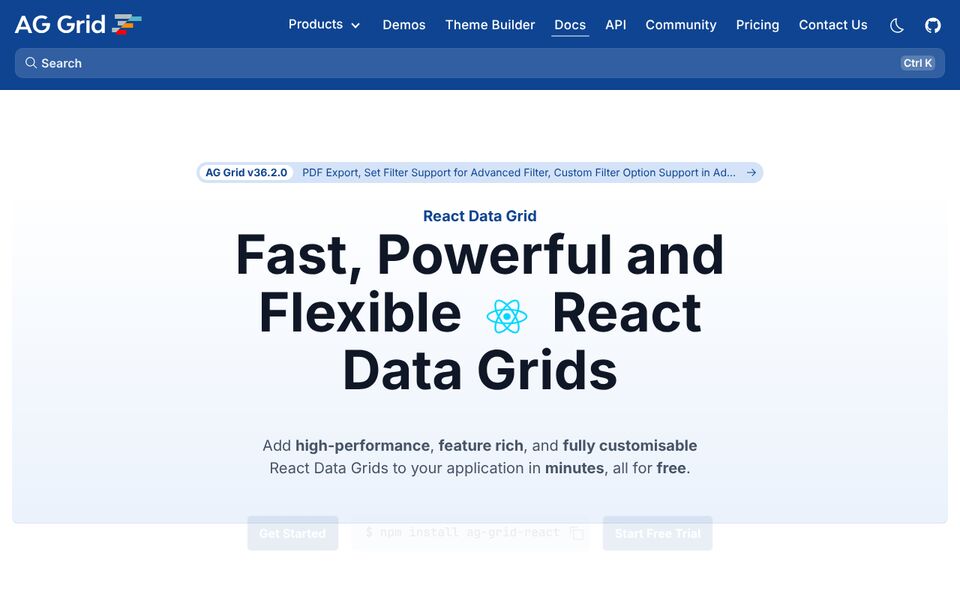
Enterprise is licensed per developer: from $999 per developer for a single application, read from its licence configurator in November 2026, with customer facing and larger deployments quoted by sales. Our AG Grid pricing breakdown has the details.
Best for: teams replacing Ext JS grids and pivot grids who can budget for Enterprise. Trade-off: the features Ext JS grids use most (grouping with summaries, tree data, Excel export, copy and paste) are Enterprise, so you swap one per developer licence for another. See AG Grid alternatives and TanStack Table vs AG Grid for more.
3. Webix
Webix is the closest thing to Ext JS in style: a self contained widget framework where you describe the whole UI as a JavaScript config of nested views, with a DataTable, tree, forms, layouts, charts and "complex widgets" such as a pivot, spreadsheet, Kanban and file manager. Teams that like the Ext JS way of building screens usually feel at home.

The Webix licensing page describes its model as "One-time purchase. One year of updates. Perpetual commercial license." It listed a Custom pack from $848, a Company pack at $2,499 (one project, whole team), a DevTeam pack at $3,999 (5 developers, unlimited projects) and an Unlim pack at $9,499. Renewals get a 30% discount while the subscription is active. Webix Standard is a free edition under GPL v3, with the same source sharing conditions as the old Ext JS GPL releases.
Best for: teams that want to keep the "one framework for everything" model with a perpetual licence and a lower total cost. Trade-off: it is another proprietary, config driven framework with a small hiring pool, so it solves the cost problem and keeps the others. Our tree grid comparison looks at its TreeTable. For every pack, the standalone Webix Grid price list and the GPL limits, see our Webix pricing guide.
4. DHTMLX Suite
DHTMLX Suite is another long running widget library with a Grid, tree grid, forms, layouts, charts and windows, alongside separate Gantt, Scheduler, Spreadsheet and Pivot products. Like Ext JS it predates the React era. Its Grid page lists built in TypeScript definitions and integration guides for React, Angular and Vue.
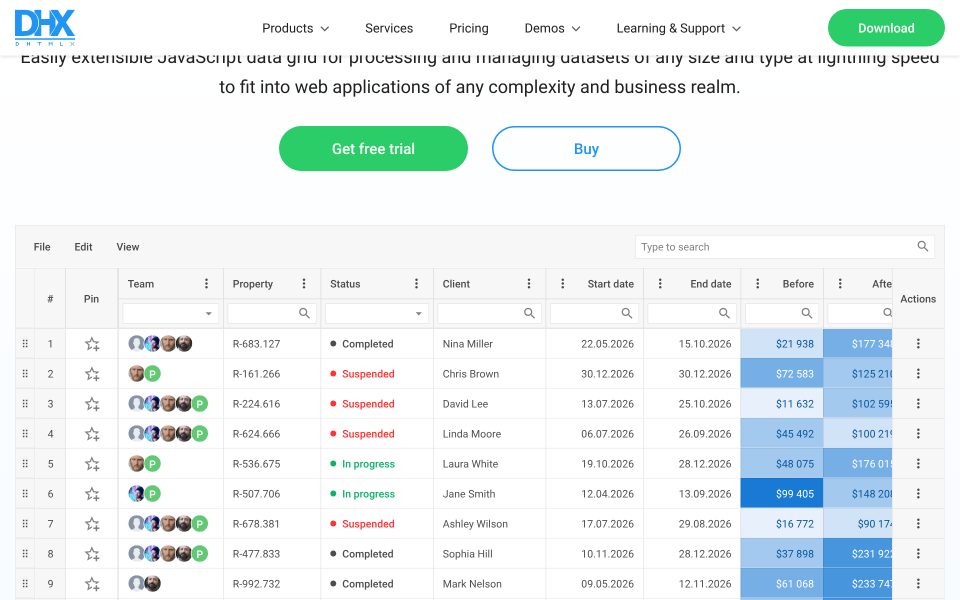
DHTMLX licences are perpetual: its licence page says "Pay once - use forever", with one year of support and updates. On November 21, 2026 the Grid alone was listed at $749 (Individual, 1 developer), $1,599 (Commercial, 5 developers), $3,199 (Enterprise, 20 developers) and $6,599 (Ultimate), and the full Suite at $799, $1,699, $3,499 and $6,999. The Standard edition of the Grid is available under GPL v2 for open source projects.
Best for: teams that also need a Gantt chart or scheduler from the same vendor, and prefer team based perpetual pricing over per seat subscriptions. Trade-off: PRO features and SaaS use depend on the tier, and the free edition is GPL. The JavaScript spreadsheet library guide covers its Spreadsheet product.
5. Kendo UI
Kendo UI from Progress Telerik is a commercial suite of 450+ components with native versions for jQuery, Angular, React and Vue. For a team leaving Ext JS for one of those frameworks but wanting a single vendor for the grid, scheduler, charts, editor and Gantt, it is the most direct swap.
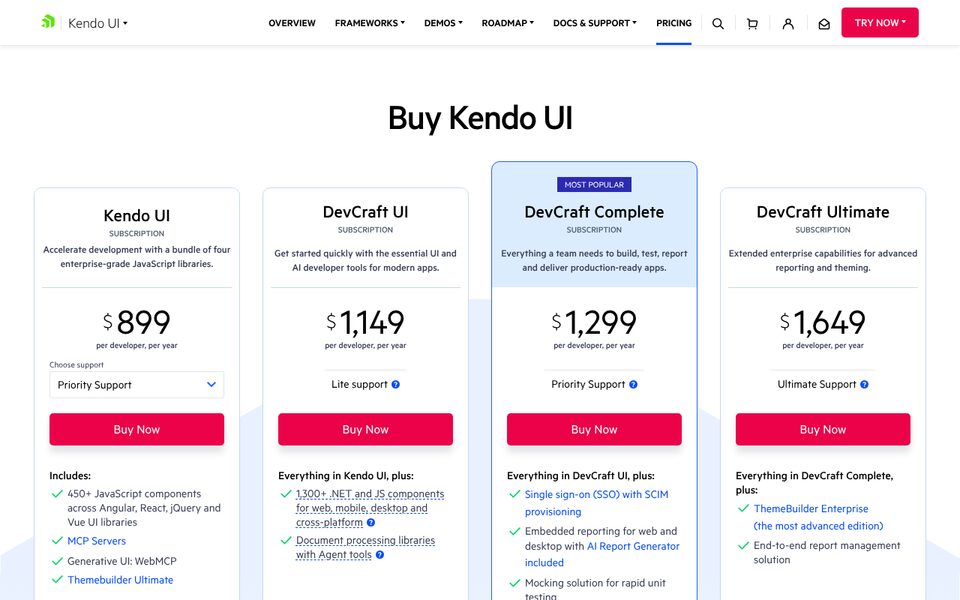
Kendo UI costs $799 to $1,299 per developer per year depending on the support plan. The recommended $899 plan is under half the price of Ext JS Enterprise. It needs a licence key in every build. Our Kendo UI alternatives and pricing guide has the full breakdown.
Best for: teams that want a full commercial suite on a mainstream framework. Trade-off: still a per developer annual subscription with no free grid outside the limited KendoReact Free tier.
6. DevExtreme
DevExtreme from DevExpress is a commercial suite for jQuery, React, Angular and Vue. Its DataGrid, TreeList, PivotGrid, Scheduler and form components cover most of what an Ext JS business app uses.
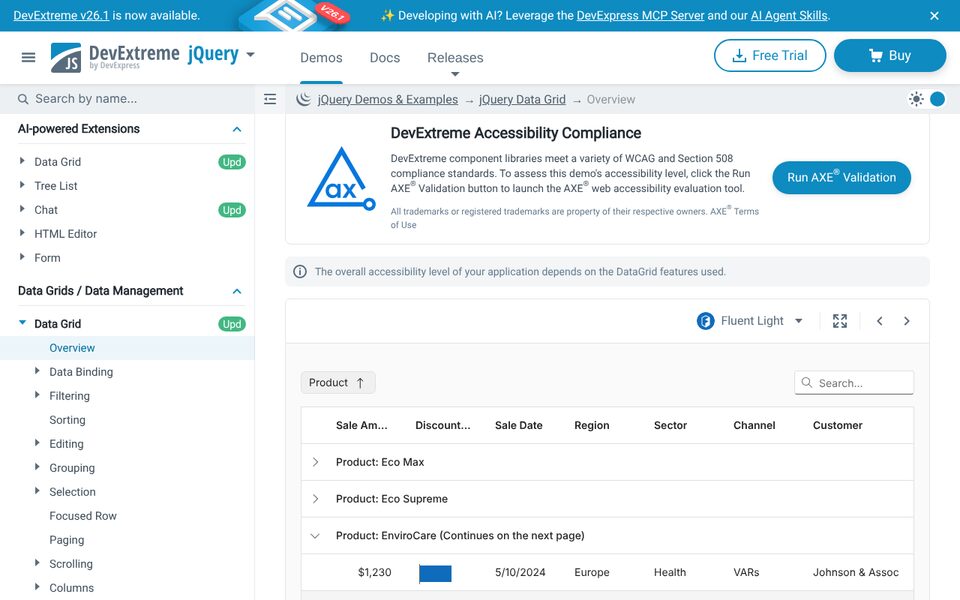
The DevExtreme Complete licence was $899.99 per developer with renewals at $449.99 when we read it on November 17, 2026. That is under a quarter of the Ext JS Enterprise price from the second year on.
Best for: teams that want a suite with lower renewals, especially alongside DevExpress .NET tools. Trade-off: a per developer licence with no free production tier. The jQuery data grid comparison covers its grid in more depth.
7. Syncfusion
Syncfusion sells more than 1,600 components for JavaScript, React, Angular, Vue and Blazor, including a Data Grid, Tree Grid, Pivot Table, Scheduler, Gantt and Spreadsheet.
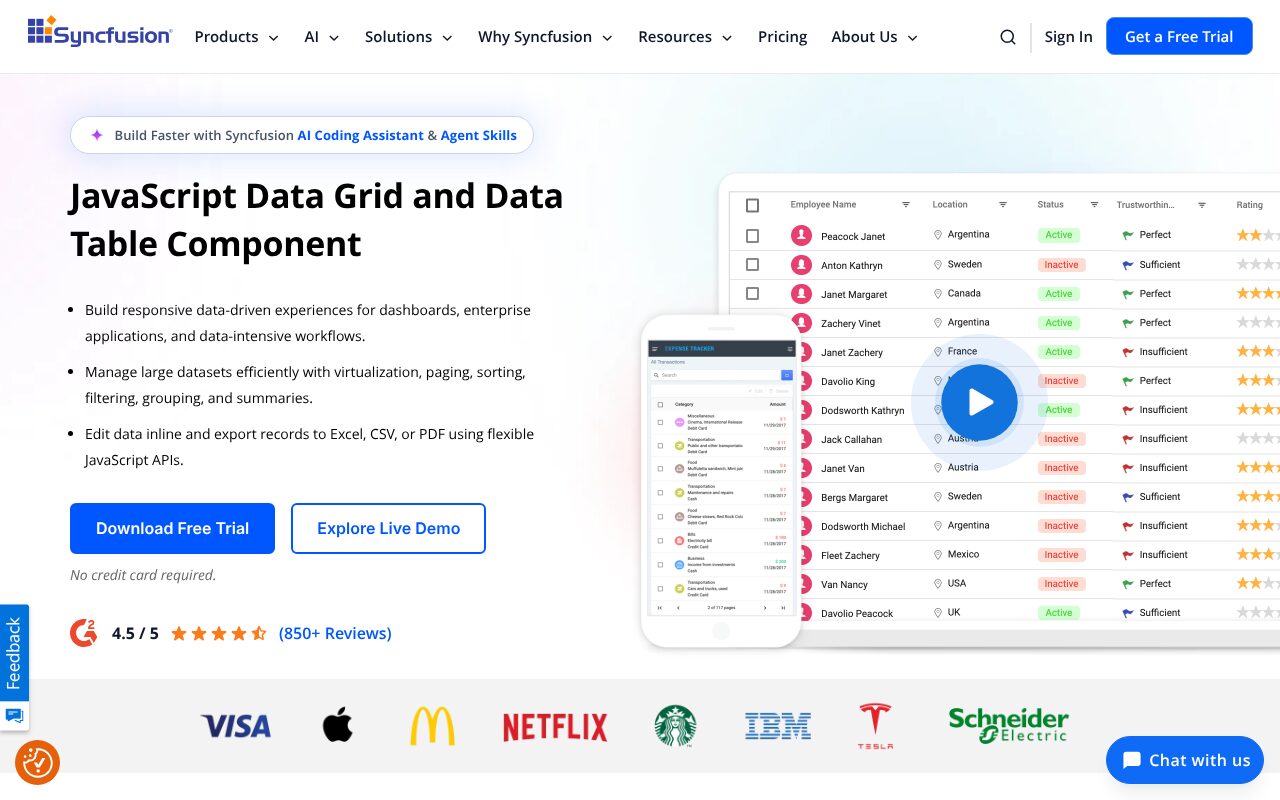
When we read its pricing on November 13, 2026, the Grid SDK was $959 and the UI Component Suite $1,199 per developer per year. Its community licence is free for companies under $1 million in revenue with 5 or fewer developers and 10 or fewer employees, a ceiling 100 times higher than the Ext JS Community Edition's. The Syncfusion alternatives and pricing guide covers the eligibility rules.
Best for: small companies that qualify for the community licence and want a wide suite. Trade-off: once you outgrow the community licence, it is a per developer subscription with a licence key.
8. React with MUI and MUI X (the rewrite route)
Many teams leave Ext JS by leaving the "one vendor framework" model altogether: React (or Vue or Angular) for the application, a component library for forms, dialogs and layout, and a data grid for the data screens. MUI is the most common React choice. Its core components are MIT licensed, and MUI X Data Grid has a free Community version with paid Pro and Premium tiers.

In MUI X, column pinning and tree data are Pro, and row grouping, aggregation and Excel export are Premium. See the MUI X pricing breakdown for the 2026 numbers. You can also pair MUI's free core with a free grid: Tabulator has a React guide, and the best React table libraries post compares the options.
Best for: teams that have decided to rewrite and want the largest hiring pool. Trade-off: it is a rewrite. Ext JS gave you layouts, data stores and components from one place, and here you assemble and maintain those choices yourself.
Ext JS vs React: do you have to rewrite?
Not all at once. The practical options, from least to most change:
- Stay and renew. If the app is stable and the team knows Ext JS, the licence may be the cheapest line in the budget.
- Replace the grids in place. Host a standalone grid such as Tabulator inside your existing Ext JS panels. You learn the new grid on real screens, and the grid code carries over to whatever framework comes next.
- Run both. Build new screens in React or Vue next to the Ext JS app and route between them. Sencha's ReExt goes the other way, putting Ext JS components inside React, and it needs a Pro or Enterprise licence.
- Rewrite. Usually only worth it when the app needs a redesign anyway.
Which Sencha alternative should you pick?
- Your app is mostly grids and you want to stop paying per developer: Tabulator. Free for any team size, with grouping, summaries, tree data, clipboard and Excel export included.
- You want to migrate gradually: Tabulator inside your existing Ext JS panels, one screen at a time.
- You want another all in one widget framework with a perpetual licence: Webix or DHTMLX Suite.
- You want a commercial suite on React, Angular or Vue: Kendo UI, DevExtreme (lower renewals) or Syncfusion (if you qualify for the community licence).
- You need pivoting and integrated charts in the grid and can pay for it: AG Grid Enterprise.
- You are rewriting in React: MUI for the components, with MUI X or a free grid for the data screens.
For a broader look at the market, see the best JavaScript table libraries and the JavaScript grid library guide, plus the framework lists for Angular and Vue. If your Ext JS grids hold a lot of rows, the large dataset benchmark compares seven grids at up to a million rows.
Frequently asked questions
How much does Sencha Ext JS cost?
As of November 21, 2026, the Sencha Store lists Ext JS Pro at $1,499 and Ext JS Enterprise at $1,899 per developer per year. A small volume discount starts at 4 developers. Five Enterprise developers came to $9,306 a year and ten to $18,231, before tax and optional Platinum Support.
Is Ext JS free to use?
Only in narrow cases. The Community Edition is free for individuals earning under $10,000 a year and for startups and non-profits with up to 5 developers and up to $10,000 a year in revenue. It includes the Modern toolkit only. Everyone else needs a Pro or Enterprise licence.
Is Ext JS open source?
Not the current version. Sencha's licensing page says the last release of Ext JS under GPL v3 was version 7.0. Using a GPL version means releasing your application's source code under GPL v3, and you cannot later convert that project to a commercial licence simply by buying one.
Is Ext JS still being used?
Yes. Sencha released Ext JS 8.0 and still sells and supports it, and many enterprise apps built on it are in production. Most new projects start on React, Angular or Vue, which is why hiring is a common reason to migrate.
What is the best alternative to Ext JS?
It depends on what you use. For the grid, Tabulator is a free MIT licensed option and AG Grid is the main commercial one. For a similar all in one widget framework, Webix and DHTMLX Suite are closest. For a commercial suite on a modern framework, look at Kendo UI, DevExtreme and Syncfusion.
What is the difference between Ext JS Pro and Enterprise?
The store's feature table shows the Exporter (data export) in Enterprise only, and Sencha's FAQ says Enterprise adds components such as Sencha Test and higher support priority. Both include the Modern and Classic toolkits and ReExt.
Who are Sencha's competitors?
For UI component suites: Progress Telerik (Kendo UI), DevExpress (DevExtreme), Syncfusion, Webix and DHTMLX. For data grids specifically: AG Grid, Tabulator, Handsontable and MUI X. Sencha GXT, its Java framework, competes with Vaadin.
Can I replace only the Ext JS grid?
Yes. A standalone grid only needs a DOM element, so it can render inside an existing Ext JS panel. That lets you move the data screens to a free grid first and port the rest of the app later.
Get started with Tabulator
If the Ext JS licence no longer fits, try Tabulator on one grid first. Follow the install guide, browse the examples, or read the setup options to map the rest of your grid config. The source is on GitHub.