Best jQuery Data Grid Plugins in 2026 (Free and Paid)
If you maintain a jQuery application, you probably need a data grid that fits into it today without forcing a rewrite. Maybe the old grid plugin stopped getting updates, maybe a licence changed under you, or maybe the product manager wants inline editing, Excel export and frozen columns by the end of the sprint.
This guide compares the jQuery data grid plugins that still matter in 2026. For each one you get the licence, the price if there is one, whether it is still maintained, and a screenshot. Release dates and versions were checked against npm and each project's site in November 2026. If you are not tied to jQuery, the best JavaScript table libraries guide and the JavaScript grid library checklist cover the wider field.
The short answer
- Want a free, maintained grid with editing, grouping, export and a jQuery wrapper? Use Tabulator. It is MIT licensed with no paid tier.
- Enhancing existing server rendered tables with search and paging? DataTables core is MIT. Inline editing (Editor) is a premium extension.
- Need sorting only, on a plain HTML table? tablesorter is small and still released.
- Already on jqGrid? Free jqGrid has not had a release since 2018 and the current jqGrid (Guriddo) is commercial. Plan a move.
- Buying a full UI suite anyway? Kendo UI for jQuery or DevExtreme, both per developer and paid.
What to look for in a jQuery grid plugin
Most specs for a business grid boil down to the same list. Before you pick, check each candidate against it:
- Licence and cost. Several well known jQuery grids moved from MIT to commercial or non-commercial licences. Read the licence, not the README badge from 2014.
- Maintenance. A grid that has not shipped a release in years will not get fixes for new browser behaviour, accessibility or security issues.
- Editing. Inline cell editing with validation is the feature most often locked behind a paid tier.
- Data size. Paging works for anything. Smooth scrolling through tens of thousands of rows needs virtual rendering.
- Remote data. Server side paging, sorting and filtering, with a clear request format.
- Export. CSV, Excel and PDF downloads are a common "small" request that can eat a week.
- A way off jQuery. If the front end might move to React, Vue or plain JavaScript later, a grid that works without jQuery saves you a second migration.
Comparison table
Licences and prices were checked on each project's site or repository in November 2026. Vendors change prices often, so confirm before you commit.
| Grid | Licence | Cost | Inline editing | Latest release | Needs jQuery |
|---|---|---|---|---|---|
| Tabulator | MIT | Free | Yes, built in | 6.7.1 (Oct 2026) | No, optional wrapper |
| DataTables | MIT core | Free core, Editor is premium | Paid Editor extension | 3.1.5 (Oct 2026) | No longer required |
| Guriddo jqGrid JS | Commercial | From $239 per developer | Yes | Commercial releases | Yes |
| Free jqGrid | MIT or GPL v2 | Free | Yes | 4.15.5 (Aug 2018) | Yes |
| SlickGrid (6pac) | MIT | Free | Yes | 6.0.0 (Nov 2026) | No, removed in v4 |
| jsGrid | MIT | Free | Yes | 1.5.3 (Dec 2016) | Yes |
| EasyUI DataGrid | Freeware (non-profit) or commercial | $449 commercial licence | Yes | Active | Yes |
| tablesorter (Mottie fork) | MIT or GPL v2 | Free | Via widget | 2.32.0 (Aug 2024) | Yes |
| Kendo UI for jQuery Grid | Commercial | From $799 per developer per year | Yes | Active | Yes |
| DevExtreme DataGrid | Commercial | From $899.99 per developer | Yes | 26.1 (Oct 2026) | No, jQuery is one of several integrations |
Tabulator: a free jQuery data grid with everything included
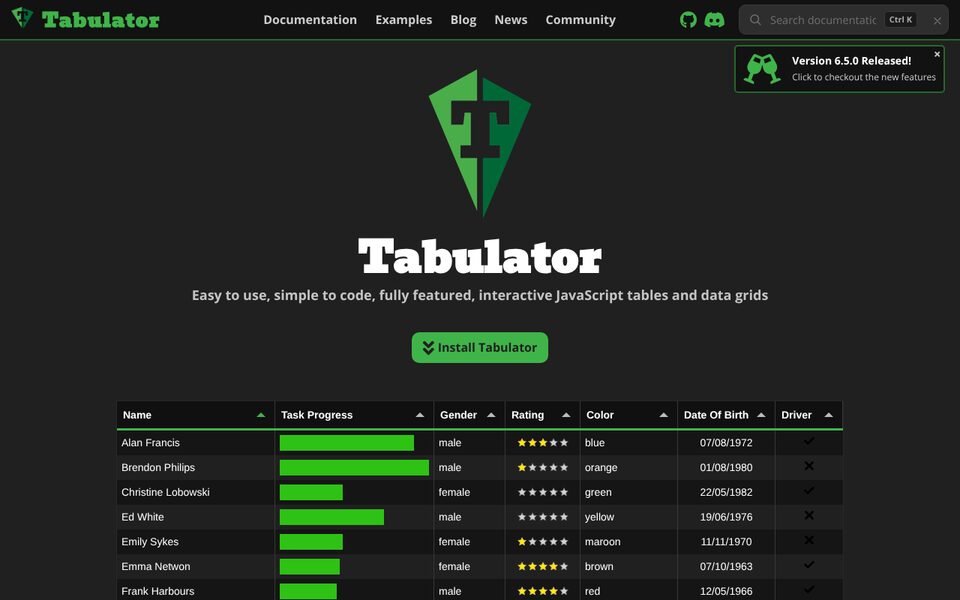
Tabulator is an MIT licensed JavaScript data grid. The core has no dependencies, and it ships an optional jQuery wrapper, so you can create and control a table the jQuery way in an existing app while the grid itself stays framework free. Every feature is in the one package: there is no Pro tier and no licence key.
This is a live Tabulator table. Sort a column, edit a cell, and page through the rows:
What you get for free:
- Inline editing with built in editors (input, number, list, date, tick and cross) and validation
- Sorting, header filters, and local or remote pagination
- Virtual DOM rendering for large datasets
- Row grouping, tree data, and frozen rows and columns
- Downloads to CSV, JSON, XLSX, PDF and HTML, plus clipboard copy and paste
- Movable rows and columns, cell range selection, undo and redo
- Building a grid from an existing HTML
<table>, which matters a lot in server rendered jQuery apps
Using Tabulator with jQuery
The wrapper uses the jQuery UI widget factory, so include jQuery and jQuery UI first, then Tabulator, then the wrapper:
<link href="https://unpkg.com/tabulator-tables@6.7.1/dist/css/tabulator.min.css" rel="stylesheet">
<script src="https://code.jquery.com/jquery-3.7.1.min.js"></script>
<script src="https://code.jquery.com/ui/1.14.1/jquery-ui.min.js"></script>
<script src="https://unpkg.com/tabulator-tables@6.7.1/dist/js/tabulator.min.js"></script>
<script src="https://unpkg.com/tabulator-tables@6.7.1/dist/js/jquery_wrapper.js"></script>
Then create the grid on a selector and call methods by name:
$("#orders").tabulator({
  ajaxURL: "/api/orders",
  layout: "fitColumns",
  pagination: true,
  paginationSize: 20,
  columns: [
    { title: "Order", field: "id", width: 90, sorter: "number" },
    { title: "Customer", field: "customer", headerFilter: "input" },
    { title: "Status", field: "status", editor: "list",
      editorParams: { values: ["Open", "Shipped", "Cancelled"] } },
    { title: "Total", field: "total", formatter: "money", hozAlign: "right" },
  ],
});

// Call any table method through the widget
$("#orders").tabulator("setFilter", "status", "=", "Open");
$("#orders").tabulator("download", "xlsx", "orders.xlsx");
Because the wrapper is a thin layer, you can also drop it later and use new Tabulator("#orders", {...}) with the same options. That gives you a path off jQuery without touching the grid configuration. Tabulator has React, Vue and Angular guides too.
Best for: jQuery apps that need a full featured grid now and a clean route to a modern front end later. Trade-off: the wrapper needs jQuery UI. If your app does not already load it, using Tabulator directly with a plain selector is simpler, and it still sits happily next to jQuery code.
Migrating from jqGrid to Tabulator
jqGrid's colModel maps closely to Tabulator's column definitions. A typical jqGrid setup:
$("#orders").jqGrid({
  url: "/api/orders",
  datatype: "json",
  colNames: ["Order", "Customer", "Total"],
  colModel: [
    { name: "id", width: 90, sorttype: "int" },
    { name: "customer", editable: true },
    { name: "total", align: "right", formatter: "currency" },
  ],
  rowNum: 20,
  pager: "#pager",
  sortname: "id",
  sortorder: "asc",
});
The same grid in Tabulator:
new Tabulator("#orders", {
  ajaxURL: "/api/orders",
  pagination: true,
  paginationMode: "remote",
  paginationSize: 20,
  initialSort: [{ column: "id", dir: "asc" }],
  columns: [
    { title: "Order", field: "id", width: 90, sorter: "number" },
    { title: "Customer", field: "customer", editor: "input" },
    { title: "Total", field: "total", hozAlign: "right", formatter: "money" },
  ],
});
| jqGrid | Tabulator |
|---|---|
colNames + colModel.name | columns[].title + columns[].field |
sorttype | sorter |
editable: true | editor: "input" (or number, list, date and more) |
align | hozAlign |
rowNum + pager | pagination + paginationSize (the pager is built in) |
sortname + sortorder | initialSort |
url + datatype: "json" | ajaxURL |
loadonce | Default behaviour: load once, then page, sort and filter locally |
One thing to adjust on the server: in remote mode Tabulator expects a response shaped like {"last_page": 12, "data": [...]}, where jqGrid used total, page and rows. You can either change the endpoint or map the response with the ajaxResponse callback. The filter, sort and search guide walks through remote mode in detail.
DataTables
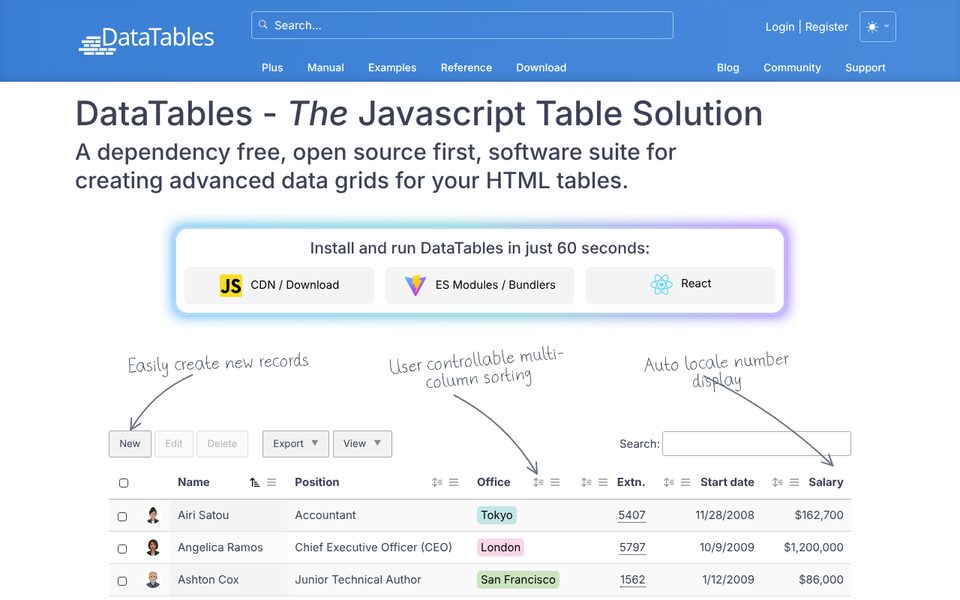
DataTables is the best known jQuery table plugin, and for good reason: point it at an existing <table> and you get search, sorting and paging in one line. The core is MIT and actively developed (3.1.5 shipped in October 2026), and the project now describes itself as dependency free, so new code does not need jQuery.
Best for: read only tables in server rendered pages. Trade-off: inline editing comes from Editor, a premium extension (see DataTables Editor pricing), and features such as buttons, fixed columns and row grouping are separate extensions to assemble. We cover the options in detail in DataTables alternatives.
jqGrid (Guriddo) and Free jqGrid
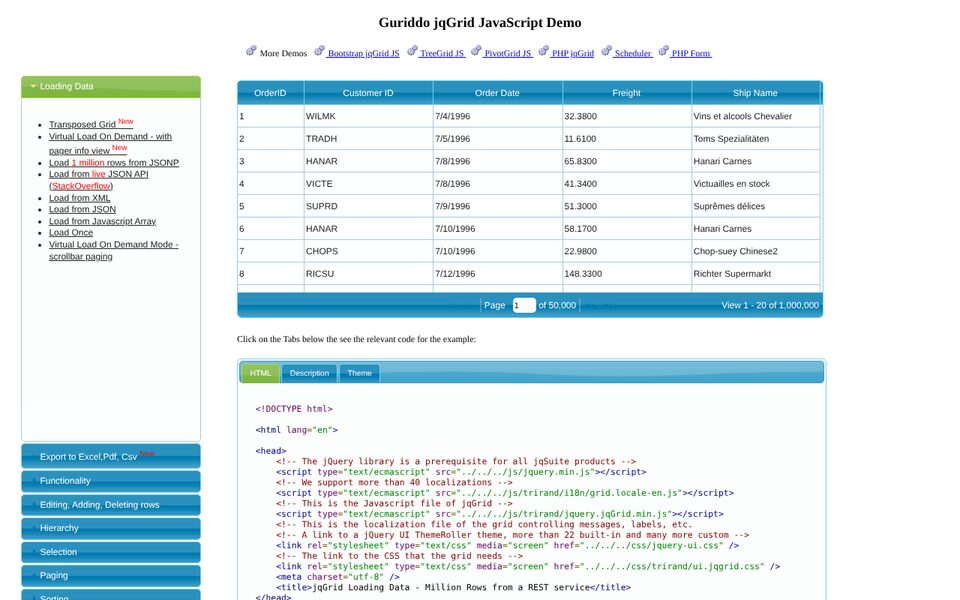
jqGrid was the default jQuery grid for years. Its story explains why so many teams search for a jqGrid alternative today. The original project was MIT and GPL up to version 4.7.0 in December 2014. After that the licence changed, and the product is now sold as Guriddo jqGrid JS: $239 for a standard single developer licence or $359 with a subscription, with multi developer and enterprise pricing on request. A free licence exists only for non-commercial use under Creative Commons BY-NC 3.0.
The community responded with Free jqGrid, a fork of 4.7.0 under MIT or GPL v2. It is capable, but its last npm release is 4.15.5 from August 2018.
Best for: existing jqGrid apps where paying for Guriddo is cheaper than a migration. Trade-off: the free fork is effectively unmaintained, and the maintained version is commercial. For a new build, neither is a good default.
SlickGrid
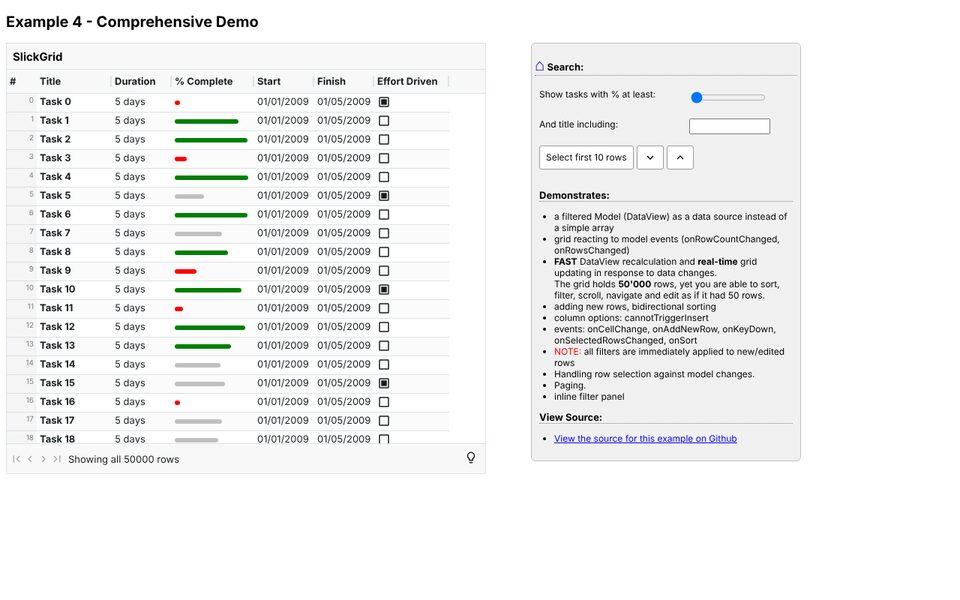
SlickGrid was built for speed, using virtual rendering long before most grids did. The original repository went quiet, and the 6pac fork carries it on under MIT. It is very much alive (6.0.0 shipped in November 2026), but it is no longer a jQuery plugin: jQuery was made optional in v4 and the project is now dependency free. For framework wrappers the same maintainers point to SlickGrid-Universal.
Best for: developers who want a fast, low level grid and are happy to wire features together. Trade-off: it is lower level than Tabulator or DataTables. Things like export and rich editors take more of your own code, and older SlickGrid code written against the jQuery API needs updating for current versions.
jsGrid
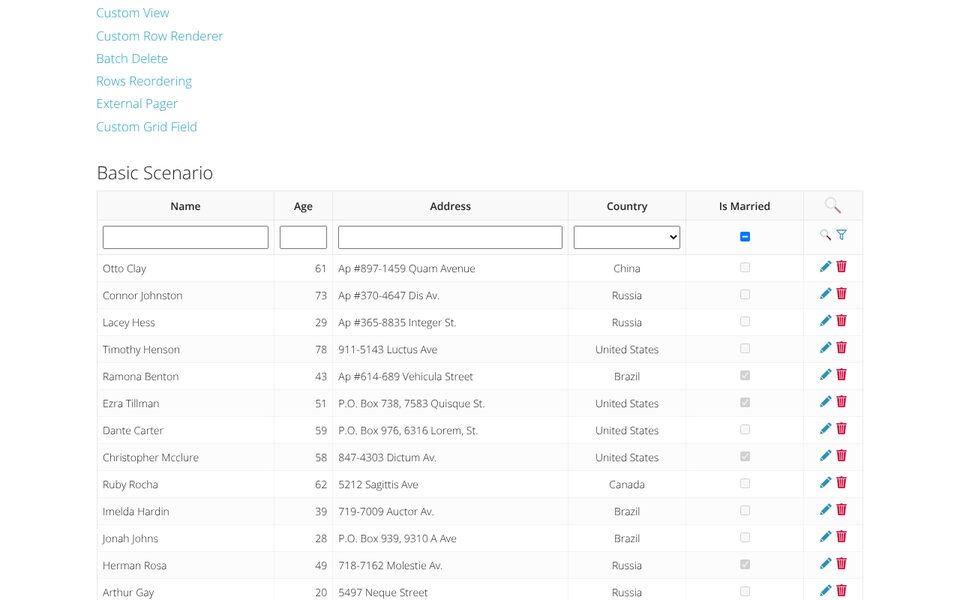
jsGrid is a lightweight MIT jQuery grid with a friendly CRUD model: a controller object with loadData, insertItem, updateItem and deleteItem methods, plus a filter row and edit buttons out of the box. It requires jQuery 1.8.3 or later.
Best for: small admin screens where a quick CRUD grid is enough. Trade-off: the last release is 1.5.3 from December 2016. There is no virtual rendering, no export and no active maintenance. If you like its CRUD model, Tabulator's editable table setup covers the same ground with a current codebase.
jQuery EasyUI DataGrid
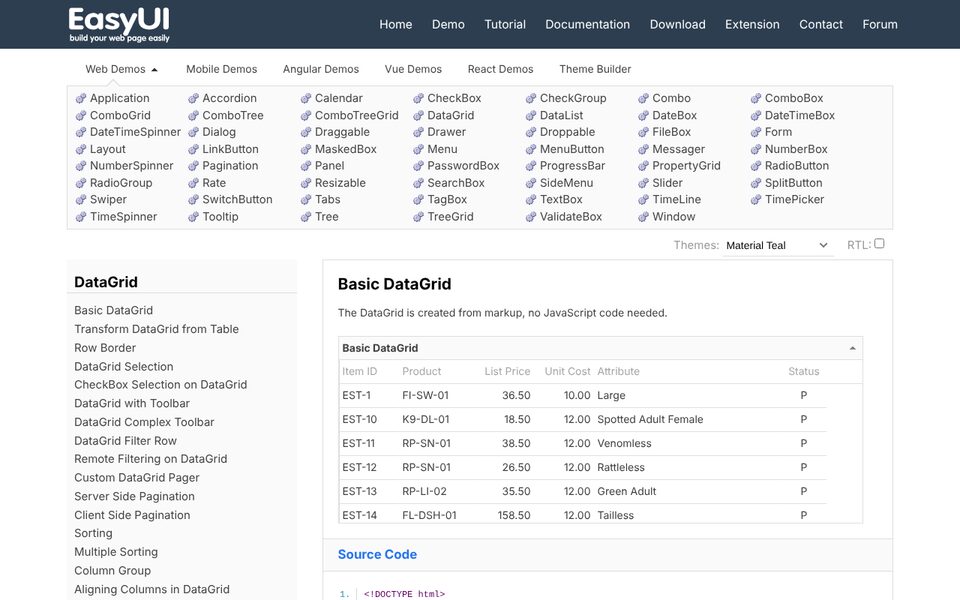
EasyUI is a full jQuery widget suite, and its DataGrid supports editing, grouping, frozen columns, a pager and remote data. It also has a markup first style that will feel familiar to jQuery developers: you can declare much of a grid in HTML attributes.
Best for: teams already using other EasyUI widgets. Trade-off: the free edition is a freeware licence for non-profit projects, and government entities are excluded. Commercial use needs the $449 commercial licence (up to five developers, one year of updates, renewal at 50%). Read the licence before shipping it in a product.
tablesorter
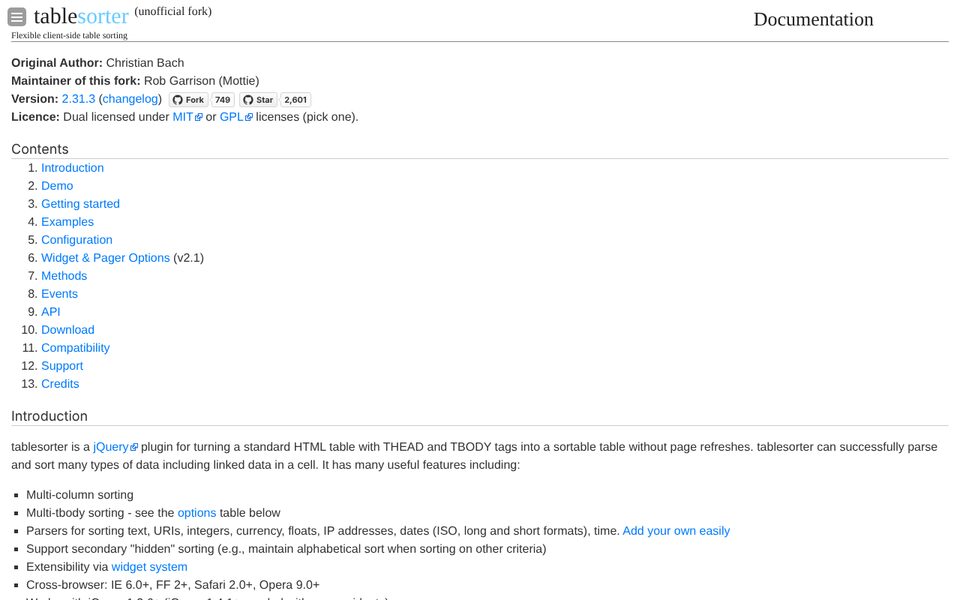
tablesorter turns an existing HTML table into a sortable one, and the Mottie fork adds widgets for filtering, paging, sticky headers and basic editing. It is dual licensed MIT or GPL v2 and still gets occasional releases (2.32.0 in August 2024).
Best for: adding sorting and a filter row to a static table with minimal code. Trade-off: it is a table enhancer, not a data grid. There is no virtual rendering and no JSON first data model, so it struggles once a table gets large or highly interactive. See how to filter, sort and search a table in JavaScript for where the plain approach runs out.
Kendo UI for jQuery Grid

Kendo UI for jQuery from Progress Telerik has one of the most complete jQuery grids: grouping, aggregates, Excel and PDF export, virtual scrolling and a large set of themes. It is part of the Kendo UI bundle, sold as a subscription from $799 per developer per year (Lite Support), $899 with Priority Support and $1,299 with Ultimate Support.
Best for: enterprise teams who want a supported suite of jQuery widgets, not just a grid. Trade-off: cost scales per developer, every year. For a five person team that is roughly $4,000 to $4,500 a year before you ship a line of code. If you are leaving Kendo, the Kendo UI alternatives guide has a Kendo Grid to Tabulator option map.
DevExtreme DataGrid
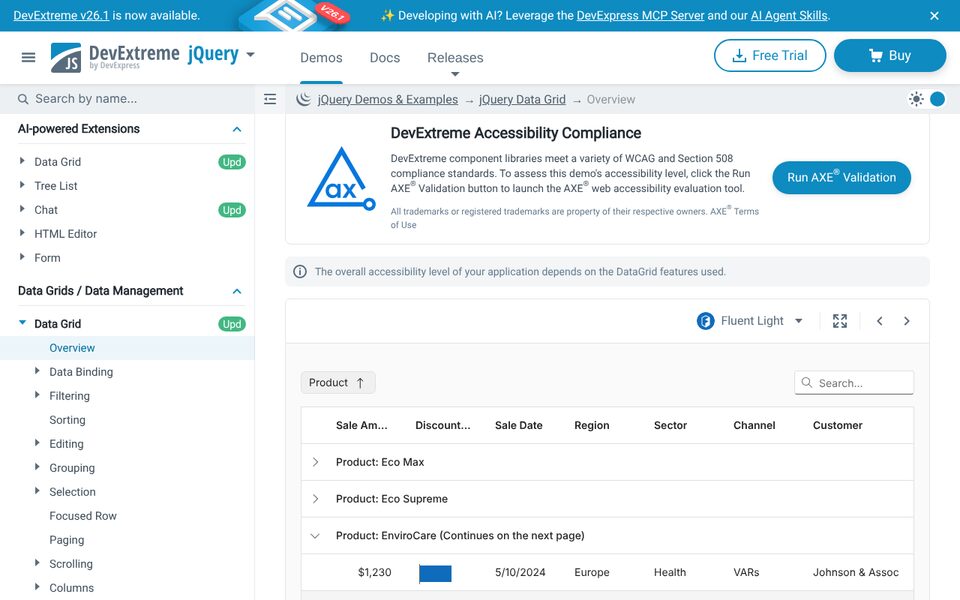
DevExtreme from DevExpress offers a jQuery API alongside Angular, React and Vue. Its DataGrid is feature rich, with grouping, master detail, editing and export. DevExtreme Complete is listed at $899.99 per developer, with renewal at $449.99, and each developer needs a licence.
Best for: teams that want a commercial grid with first party support and might move frameworks later. Trade-off: like Kendo, it is a paid, per developer suite. For the wider picture on paid grids, see Syncfusion alternatives and pricing and AG Grid pricing.
Which jQuery data grid should you pick?
- New feature work in a jQuery app, no budget for licences: Tabulator. You get editing, grouping, export and virtual rendering under MIT, and the same configuration works without jQuery later.
- Read only tables on server rendered pages: DataTables core, or tablesorter if you only need sorting.
- Stuck on Free jqGrid or jsGrid: both are years past their last release. Migrate while the app still works, using the jqGrid mapping above as a starting point.
- Raw speed with your own UI on top: SlickGrid.
- Company standard is a commercial suite: Kendo UI or DevExtreme, priced per developer.
Frequently asked questions
What is the best free jQuery data grid?
For most projects, Tabulator. It is MIT licensed, actively maintained, has an official jQuery wrapper, and includes inline editing, grouping, frozen columns, virtual rendering and Excel and PDF export at no cost. DataTables core is a good free choice for read only tables.
Is jqGrid still free?
Not for commercial use. jqGrid was MIT and GPL up to 4.7.0 (December 2014). The current product, Guriddo jqGrid JS, costs $239 per developer for a standard licence and is free only for non-commercial use. The free fork, Free jqGrid, is MIT or GPL but has not had a release since 2018.
What is a good jqGrid alternative?
Tabulator is the closest free match: a JSON driven grid with column models, remote paging, inline editing and a built in pager. The migration table above maps the common jqGrid options to their Tabulator equivalents.
Is jsGrid still maintained?
No release has shipped since version 1.5.3 in December 2016. It still works with jQuery, but new projects should pick a maintained grid.
Do I still need jQuery for a data grid?
No. Tabulator, DataTables, SlickGrid and DevExtreme all run without jQuery now. Tabulator's jQuery wrapper exists for convenience in existing jQuery apps, not because the grid needs it.
Can I make an editable table with jQuery?
Yes. You can hand roll one with contenteditable, but validation, keyboard navigation and saving changes add up quickly. See the editable table in JavaScript tutorial for the plain approach and the Tabulator version side by side.
Get started with Tabulator
Follow the install guide, read the jQuery support page, and browse the examples. The source is on GitHub. Need rows users can reorder? See drag and drop table rows. Need an export button? See how to export a table to Excel, CSV and PDF.