Kendo UI Alternatives for Data Grids in 2026 (Plus Pricing)
Kendo UI from Progress Telerik is one of the oldest and most complete JavaScript component suites. Its data grid is the reason most teams bought it, and it is a good grid. The reason teams search for a Kendo UI alternative is usually something else: a renewal that went up with the headcount, a licence key warning after a routine package update, or a project that only ever needed the grid and is paying for 450 components to get it.
This guide covers both halves of that decision. First, what Kendo UI costs in 2026, what the free options really include, and what happens when a licence lapses. Then seven data grid alternatives, each with its licence, its price, a screenshot and who it suits, plus a Kendo Grid to Tabulator migration example. Prices and licence terms were read from Telerik's own pages on November 17, 2026, so confirm them before you buy. We build Tabulator, a free MIT licensed grid, and we say so where it matters.
The short answer
- Kendo UI costs $799 to $1,299 per developer per year, depending on the support plan. It is a subscription, and Telerik no longer sells new perpetual licences online.
- The Kendo UI Grid is not free. Kendo UI Core (Apache 2.0) leaves out the grid, and KendoReact Free has a grid without grouping, multi column sorting, Excel or PDF export, row virtualization or clipboard.
- Want a free, MIT licensed grid with no seats, no licence key and no renewal? Use Tabulator. Grouping, editing, range selection, clipboard and export are all included, and it has a jQuery wrapper for existing Kendo for jQuery apps.
- Want another commercial suite? DevExtreme ($899.99 per developer, renewals $449.99) or Syncfusion ($959 per developer per year for the Grid SDK).
- Want a grid that is free until you need enterprise features? AG Grid Community, or MUI X Data Grid for React.
- Only enhancing server rendered tables? DataTables core is MIT.
- Want to build the table UI yourself? TanStack Table is headless and MIT.
How much does Kendo UI cost?
Kendo UI is sold as one bundle that covers four libraries: Kendo UI for jQuery, Kendo UI for Angular, KendoReact and Kendo UI for Vue. The Kendo UI pricing page lists it "per developer, per year", with the price set by the support plan you choose.
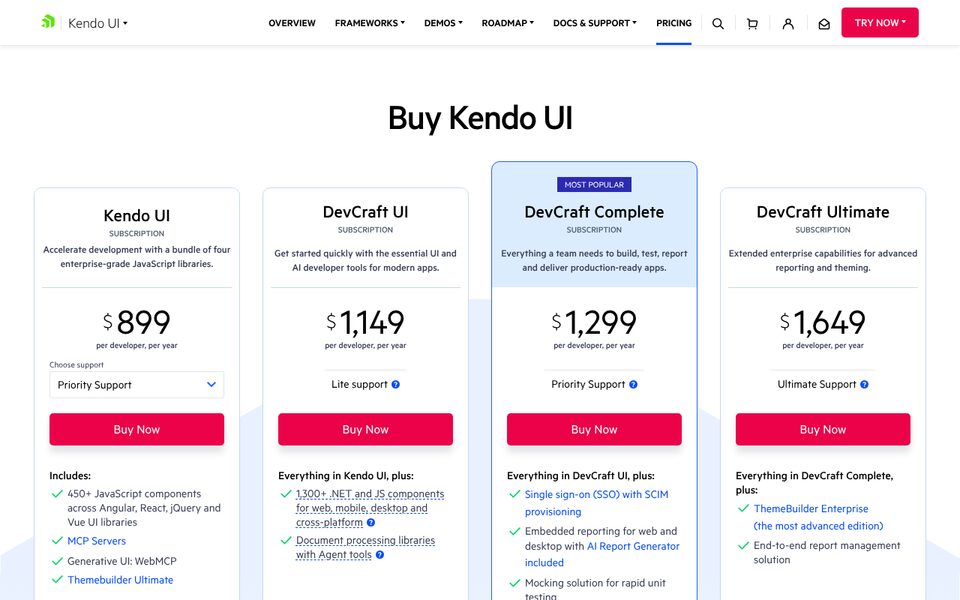
| Plan | Price | What it includes |
|---|---|---|
| Kendo UI, Lite Support | $799 per developer per year | All four JavaScript libraries (450+ components), 72 hour response time, up to 10 support incidents |
| Kendo UI, Priority Support (recommended) | $899 per developer per year | The same libraries, 24 hour response time, unlimited incidents |
| Kendo UI, Ultimate Support | $1,299 per developer per year | Priority Support plus phone support and remote web assistance |
| DevCraft UI | $1,149 per developer per year | Kendo UI plus Telerik's .NET components (Blazor and others), Lite Support |
| DevCraft Complete | $1,299 per developer per year | DevCraft UI plus reporting, mocking and SSO, Priority Support |
| DevCraft Ultimate | $1,649 per developer per year | DevCraft Complete plus ThemeBuilder Enterprise and report management, Ultimate Support |
A few details from Telerik's pages change the real number:
- It is a subscription. Each licence includes "product access, updates, and technical support for the duration of your active subscription."
- Perpetual licences are gone for new buyers. The renewals page says "Legacy (Perpetual) licenses are no longer available for online purchase", although existing perpetual customers can keep renewing maintenance.
- Only developers are counted. Telerik charges no deployment or runtime fees: "only developers using Telerik and/or Kendo UI need licenses."
- You cannot buy just the grid. The grid comes inside the Kendo UI bundle. There is no grid only SKU.
What a team actually pays
Because the price is per developer per year, the cost grows with your team and never stops. At list price for Kendo UI with Priority Support:
| Developers | Year 1 | Over 3 years |
|---|---|---|
| 1 | $899 | $2,697 |
| 3 | $2,697 | $8,091 |
| 5 | $4,495 | $13,485 |
| 10 | $8,990 | $26,970 |
With Lite Support the 10 developer figure is $7,990 a year. With Ultimate Support it is $12,990 a year. Count every front end developer who writes code against the components, including contractors.
Is Kendo UI free?
Parts of it are, but not the parts most teams buy it for. There are two free offerings, and neither gives you the full grid.
Kendo UI Core (jQuery): free, but no grid
Kendo UI Core is the open source (Apache 2.0) part of Kendo UI for jQuery. It includes inputs, date pickers, dialogs and the DataSource and MVVM framework. Telerik's Kendo UI FAQ is direct about what it leaves out: Kendo UI Core is for projects "which don't require dedicated support or advanced widgets such as editor, chart, grid, scheduler and more." The grid was free under GPLv3 in the early Kendo UI Web days. It has been commercial only since Kendo UI Core replaced that release.
KendoReact Free: a grid with the advanced parts removed
For React, KendoReact Free includes 50+ components with no licence key, and the Data Grid is one of them. Telerik's free versus premium page lists exactly which grid features are in each tier.
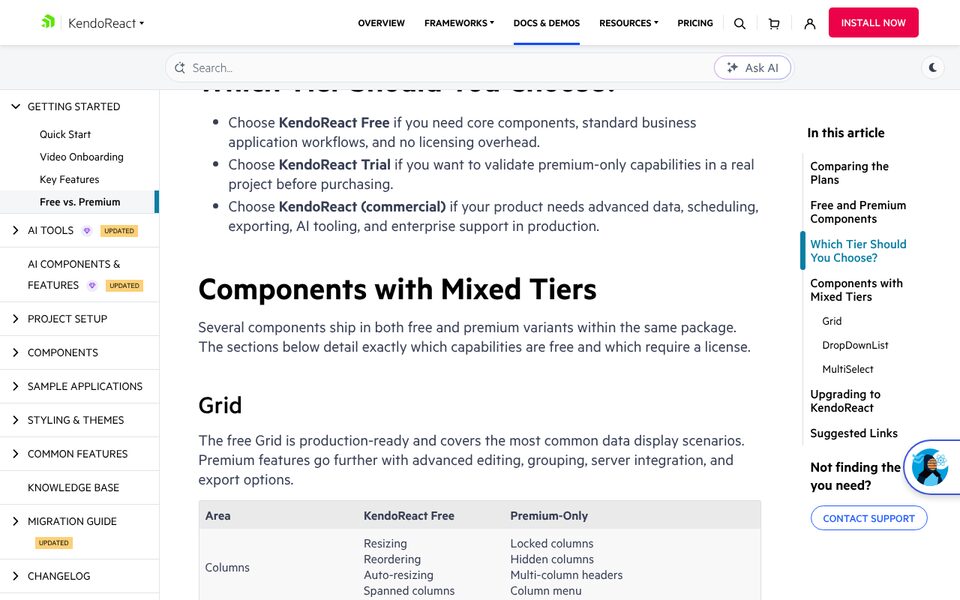
| Grid feature | KendoReact Free | Premium only |
|---|---|---|
| Sorting | Single column | Multi column |
| Filtering | Global quick filter, header row filter | Column menu filter, multi column and custom filters |
| Editing | In-cell editing | Inline row editing, custom editors, external form |
| Columns | Resizing, reordering, auto size | Locked (frozen) columns, hidden columns, multi column headers, column menu |
| Grouping and aggregates | None | Row groups, aggregates for grouped data |
| Master/detail | None | Master-detail grid, detail rows |
| Virtualization | Columns | Rows |
| Export | CSV | Excel, PDF |
| Clipboard | None | Copy and paste |
| Server data operations | None | Server side filtering, selection, rendering |
If your spec is "sortable, filterable table with paging", KendoReact Free covers it. If it says grouping, totals, frozen columns, Excel export, copy and paste or a large dataset, you are back on the paid licence. There is no free tier for the Angular, Vue or jQuery grids.
The licence key, watermarks and expired subscriptions
Kendo UI has checked for a licence key since 2022. For Kendo UI for jQuery, the licensing FAQ says a key file is needed for npm packages from R2 2022 and for CDN builds from R3 2022. The @progress/kendo-licensing package reads a telerik-license.txt file or a TELERIK_LICENSE environment variable in CI, and each developer has a personal key.
Without a valid key, the components still run, but Telerik's activation errors page lists what users see: a watermark over selected components, a banner on the page and a warning in the browser console.
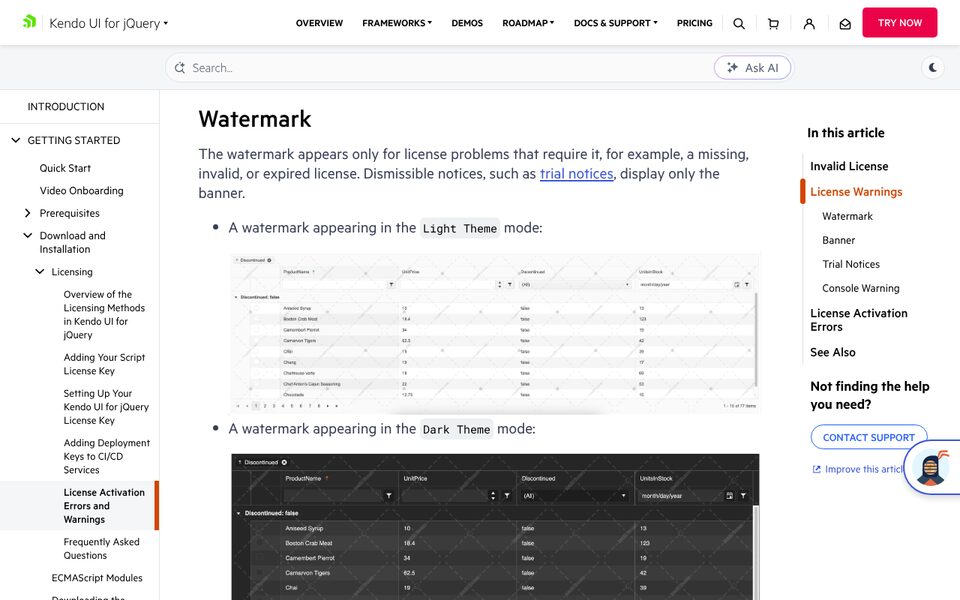
What happens when a licence ends depends on the type, according to the same FAQ:
- Subscription: deployed applications keep working, but builds warn once the subscription has expired. To take a newer Kendo version, you renew and install a new key.
- Perpetual (legacy): versions released before the licence expired keep working. Install a version released after that date and the watermark and banner appear.
- Trial: after 30 days, a banner and watermark appear when you build or run the app.
In practice this means a lapsed subscription freezes you on your current Kendo version. Security fixes, browser fixes and framework upgrades (a new Angular or React major, for example) all need an active subscription and a fresh key.
Why teams look for a Kendo UI alternative
The reasons we see most often:
- Only the grid is needed. Kendo's value is the size of the suite. If your spec is one data heavy screen, you are paying for hundreds of components you will not use.
- Per developer, per year cost. A 10 person front end team pays about $9,000 a year at the recommended support level, every year.
- No free grid. Kendo UI Core leaves the grid out, and KendoReact Free leaves out grouping, frozen columns and Excel export.
- Licence keys in every build. Each developer and every CI pipeline needs a valid key, and a lapsed subscription blocks upgrades.
- Moving off jQuery. Teams migrating a Kendo UI for jQuery app to React, Vue or plain modern JavaScript use the move to reconsider the grid.
- Vendor dependence. A closed source grid at the centre of your product is a long term commitment.
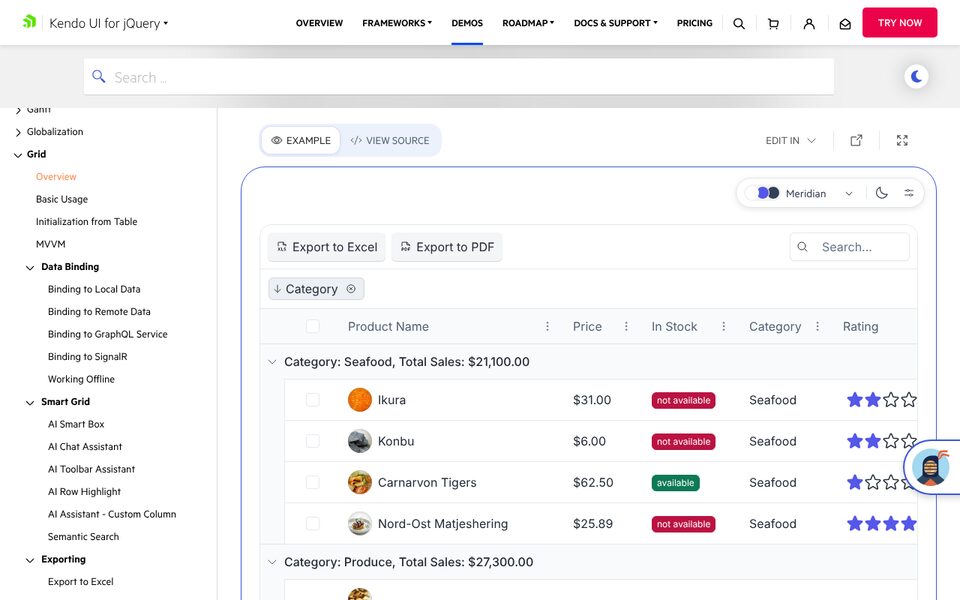
None of this makes Kendo UI a bad product. If you use many of its components across Angular, React and jQuery, and value a single vendor with support SLAs, it can be good value. The alternatives below are for when it is not.
Kendo UI alternatives compared
| Library | Licence | Price | Grouping, frozen columns and Excel export free? | Frameworks |
|---|---|---|---|---|
| Tabulator | MIT | Free | Yes, all included | JavaScript, jQuery, React, Vue, Angular, Svelte |
| AG Grid | MIT (Community), commercial (Enterprise) | Enterprise from $999 per developer | Frozen columns yes, grouping and Excel export are Enterprise | JavaScript, React, Angular, Vue |
| DevExtreme DataGrid | Commercial | $899.99 per developer, renewals $449.99 | Paid licence required | jQuery, React, Angular, Vue |
| Syncfusion Data Grid | Commercial, free community licence for small companies | $959 per developer per year | Yes with a licence | JavaScript, React, Angular, Vue, Blazor and more |
| MUI X Data Grid | MIT (Community), commercial (Pro, Premium) | Pro and Premium per developer | Pinning is Pro, grouping and Excel export are Premium | React only |
| DataTables | MIT (core), commercial Editor | Core free, Editor paid | Extensions, editing is paid | jQuery, with wrappers for React and Vue |
| TanStack Table | MIT | Free | Logic yes, you build the UI | React, Vue, Solid, Svelte, Angular, Lit |
| Kendo UI Grid (for reference) | Commercial (KendoReact has a limited free grid) | $799 to $1,299 per developer per year | Yes with a licence | jQuery, React, Angular, Vue |
1. Tabulator: a free Kendo UI Grid alternative
Tabulator is an MIT licensed JavaScript data grid with no runtime dependencies, no paid tier, no licence key and no seat count. It is free for commercial production use by any number of developers. Try it here: sort a column, edit a cell, page through the rows.
The features that usually push teams to the paid Kendo Grid are in the box:
- Multi column sorting, header filters, pagination, and remote (server side) sorting, filtering and pagination (sorting, filtering, pagination)
- Inline cell editing with built in editors and validation (editing, validation)
- Row grouping with group totals, and column calculations for table totals (grouping, calculations)
- Frozen rows and columns, column visibility, nested column headers and movable rows and columns (frozen columns, columns)
- Tree data and nested tables for master/detail views (tree data)
- Cell range selection, clipboard copy and paste with Excel, and undo and redo (range selection, clipboard)
- Download to CSV, JSON, XLSX, PDF and HTML, plus printing (downloads)
- Virtual DOM rendering for large datasets (virtual DOM)
- Responsive layouts, localisation and themes, including Bootstrap and Materialize (themes)
For Kendo UI for jQuery apps, Tabulator ships an optional jQuery wrapper, so you can replace grids one screen at a time without changing the rest of the page. For React, Vue and Angular, see the React and Vue guides and the Angular docs.
Migrating from the Kendo UI Grid to Tabulator
Most Kendo Grid options map directly to a Tabulator option. Here is a typical Kendo UI for jQuery grid with paging, sorting, filtering, grouping, in-cell editing, a locked column and a total:
// Kendo UI for jQuery
$("#grid").kendoGrid({
  dataSource: {
    data: orders,
    pageSize: 10,
    group: { field: "ShipCountry", aggregates: [{ field: "Freight", aggregate: "sum" }] },
    aggregate: [{ field: "Freight", aggregate: "sum" }],
    schema: { model: { id: "OrderID", fields: { Freight: { type: "number" } } } },
  },
  pageable: true,
  sortable: true,
  filterable: { mode: "row" },
  groupable: true,
  editable: "incell",
  toolbar: ["excel", "pdf"],
  columns: [
    { field: "OrderID", title: "Order ID", width: 120, locked: true },
    { field: "CustomerName", title: "Customer" },
    { field: "ShipCountry", title: "Ship Country" },
    { field: "Freight", title: "Freight", format: "{0:c2}",
      footerTemplate: "#= kendo.toString(sum, 'c2') #" },
  ],
});
The same grid in Tabulator. Sorting is on by default, and filters and editors are set per column. This snippet was run against Tabulator 6.7.1 in Chromium:
// Tabulator (MIT, no licence key)
import { TabulatorFull as Tabulator } from "tabulator-tables";

const table = new Tabulator("#grid", {
  data: orders,
  index: "OrderID",
  layout: "fitColumns",
  pagination: true,
  paginationSize: 10,
  groupBy: "ShipCountry",
  columnCalcs: "both", // totals per group and for the whole table
  columns: [
    { title: "Order ID", field: "OrderID", width: 120, frozen: true },
    { title: "Customer", field: "CustomerName", headerFilter: "input", editor: "input" },
    { title: "Ship Country", field: "ShipCountry", headerFilter: "list",
      headerFilterParams: { valuesLookup: true, clearable: true } },
    { title: "Freight", field: "Freight", editor: "number", formatter: "money",
      formatterParams: { symbol: "$" }, bottomCalc: "sum",
      bottomCalcFormatter: "money", bottomCalcFormatterParams: { symbol: "$" } },
  ],
});

// Replaces the Kendo "excel" and "pdf" toolbar buttons
document.querySelector("#export-xlsx").addEventListener("click", () => table.download("xlsx", "orders.xlsx"));
document.querySelector("#export-pdf").addEventListener("click", () => table.download("pdf", "orders.pdf"));
A quick mapping for the rest of a typical configuration:
| Kendo UI Grid | Tabulator |
|---|---|
dataSource.data | data |
dataSource.transport.read, serverPaging, serverSorting, serverFiltering | ajaxURL with paginationMode: "remote", sortMode: "remote", filterMode: "remote" |
schema.model.id | index |
title, field | title, field (same names) |
pageable, pageSize | pagination: true, paginationSize |
sortable: { mode: "multiple" } | On by default, ctrl or shift click for multi column sorting |
filterable: { mode: "row" } | headerFilter per column |
groupable, dataSource.group | groupBy (and setGroupBy() at runtime) |
aggregate, footerTemplate, groupFooterTemplate | bottomCalc or topCalc per column, with columnCalcs |
editable: "incell" | editor per column |
editable: "inline" or "popup" | editor per column, or your own form fed by row.getData() and row.update() |
locked: true | frozen: true |
hidden: true | visible: false |
template | formatter (built in or a custom function) |
detailTemplate, detailInit | rowFormatter with a nested table, or dataTree |
scrollable: { virtual: true } | Virtual DOM is on by default when the table has a height |
selectable: "multiple, row" | selectableRows: true |
selectable: "multiple, cell", allowCopy | selectableRange with clipboard: true |
toolbar: ["excel", "pdf"], saveAsExcel() | table.download("xlsx", ...), table.download("pdf", ...) |
dataBound, change, save events | dataProcessed, rowSelectionChanged, cellEdited events |
Licence key, kendo-ui-license activate | Not needed |
XLSX and PDF downloads use SheetJS and jsPDF, which you include alongside Tabulator. The export guide shows the setup. If your Kendo grid used remote data, the filter, sort and search guide covers Tabulator's remote modes.
Best for: teams that need a complete, data heavy grid and want no seat count, no renewal and no licence key, including Kendo for jQuery teams who want to migrate one screen at a time. If your team needs a vendor relationship, Tabulator offers optional commercial support, and the library stays free either way.
Trade-off: Tabulator is a grid, not a suite. If you also rely on Kendo's scheduler, Gantt, charts, editor or PDF viewer, you will need separate tools for those. It also has no built in pivot grid (see the pivot table guide for a small helper that fills that gap) and no cell formulas.
2. AG Grid
AG Grid is the best known JavaScript data grid. AG Grid Community is MIT licensed and covers sorting, filtering, pagination, cell editing, pinned columns and CSV export. Row grouping, aggregation, pivoting, range selection, clipboard, Excel export, master/detail and the server side row model are in AG Grid Enterprise.
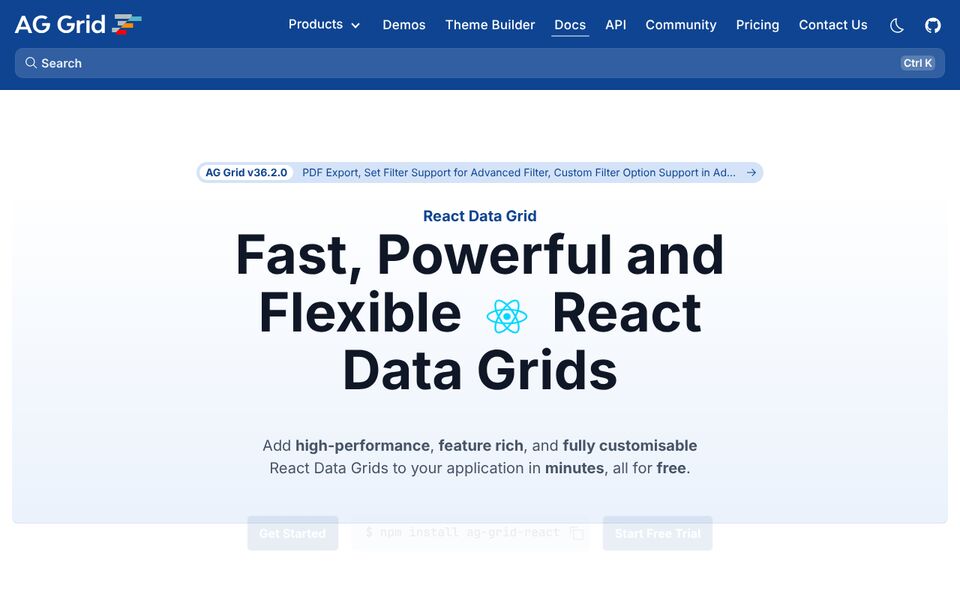
Enterprise is licensed per developer: from $999 per developer for a single application, read from its licence configurator in November 2026, with customer facing and larger deployments quoted by sales. Our AG Grid pricing breakdown has the details.
Best for: teams that want a free grid now and can budget for Enterprise later, or that need integrated charts and server side row models. Trade-off: the Kendo features most specs use (grouping with totals, Excel export, copy and paste) are Enterprise, so you swap one per developer licence for another. See AG Grid alternatives and TanStack Table vs AG Grid for more.
3. DevExtreme DataGrid (DevExpress)
DevExtreme from DevExpress is the closest like for like replacement for Kendo UI: a commercial suite for jQuery, React, Angular and Vue, with a DataGrid built for data heavy business screens. It has grouping, editing with validation, master/detail, a filter builder, virtual scrolling and export.
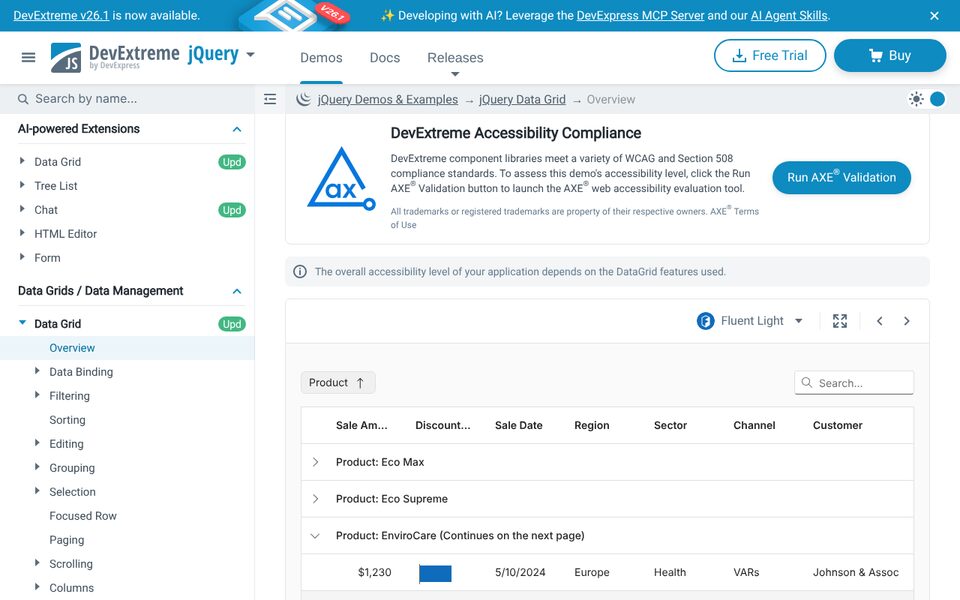
The DevExtreme Complete licence costs $899.99 per developer and includes 12 months of updates and support. Renewal is $449.99 per developer per year, half the first year price, while a Kendo UI subscription is billed at the same per developer price every year.
Best for: teams that want to swap one commercial suite for another with lower renewals, especially if they also use DevExpress .NET tools. Trade-off: still a per developer licence with no free production tier. The jQuery data grid comparison puts DevExtreme and Kendo side by side for jQuery apps.
4. Syncfusion Data Grid
Syncfusion is another large commercial suite, with more than 1,600 components and a full featured Data Grid for JavaScript, React, Angular, Vue and Blazor. Unlike Kendo, it can be bought as a standalone Grid SDK.
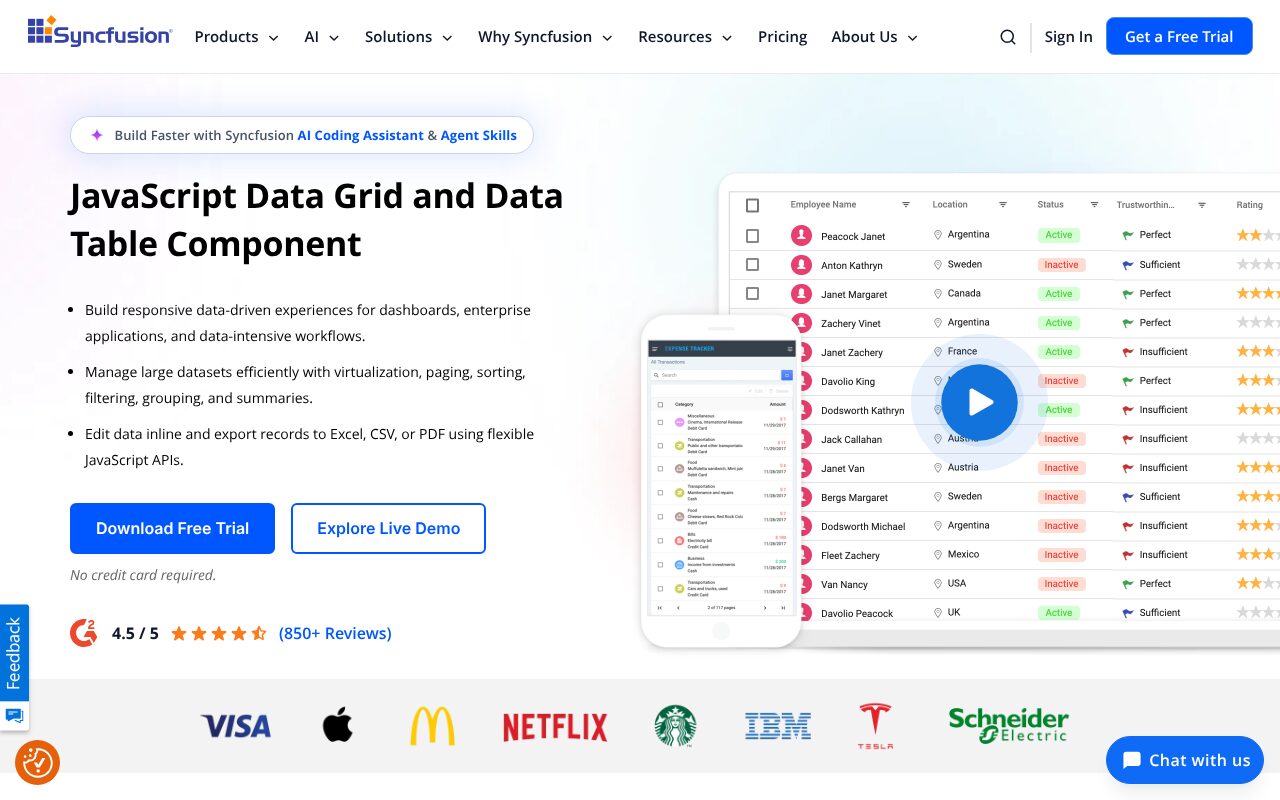
The Grid SDK costs $959 per developer per year. Syncfusion's community licence is free for companies under $1 million in revenue with 5 or fewer developers and 10 or fewer employees, which Kendo has no equivalent for. Our Syncfusion alternatives and pricing guide covers the eligibility rules in detail.
Best for: small companies that qualify for the community licence, or teams that want a grid only SKU from a large vendor. Trade-off: the price is in the same range as Kendo once you outgrow the community licence, and Syncfusion also uses a licence key tied to the major version.
5. MUI X Data Grid (for KendoReact users)
MUI X Data Grid is the most common replacement for KendoReact in apps built on Material UI. The Community version is MIT licensed. Pro adds column pinning, tree data and row reordering, and Premium adds row grouping, aggregation, Excel export and clipboard paste. Both paid tiers are per developer: see the MUI X pricing breakdown for the 2026 numbers.
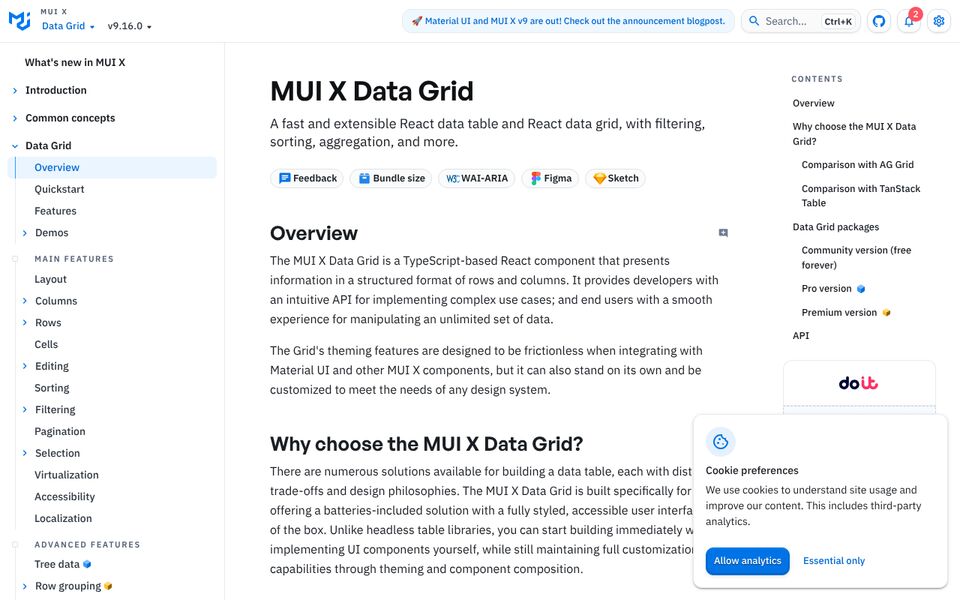
Best for: React teams on Material UI. Trade-off: React only, and the free tier has a similar shape to KendoReact Free: grouping and Excel export are paid. The best React table libraries guide compares it with other React options.
6. DataTables (for Kendo UI for jQuery users)
DataTables is the classic jQuery table plugin. The core is MIT licensed and turns an HTML table into a sortable, searchable, paged table, with extensions for fixed columns, row grouping, buttons and export. Inline editing needs the commercial Editor extension.
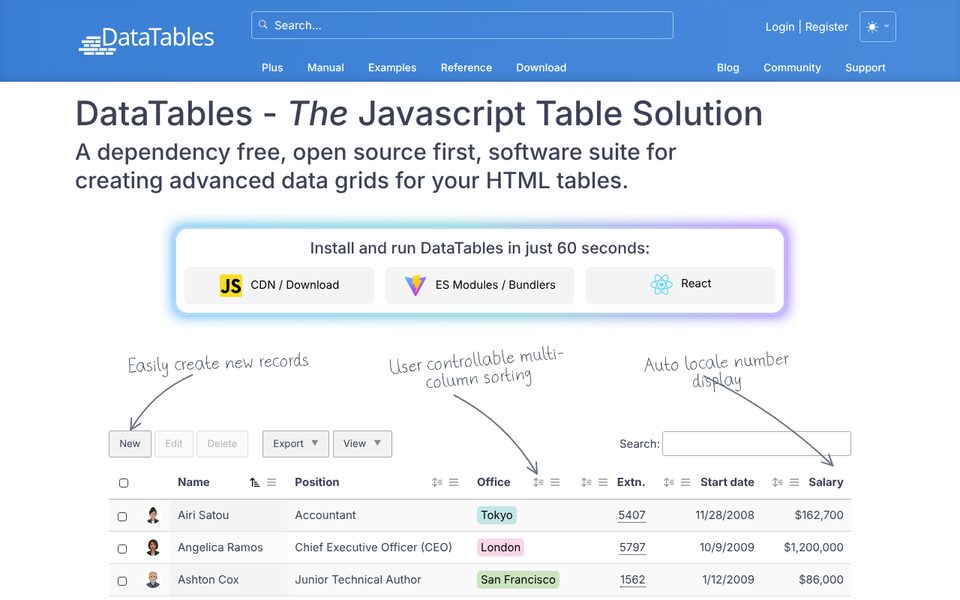
Best for: Kendo for jQuery apps that mostly show read only, server rendered tables. Trade-off: it is built around enhancing existing markup, and an editable grid with grouping and totals means extensions plus a paid Editor licence. See DataTables alternatives for a deeper comparison.
7. TanStack Table
TanStack Table is a headless, MIT licensed library. It handles sorting, filtering, grouping, pagination and column state, and you write every piece of markup and styling yourself. It supports React, Vue, Solid, Svelte, Angular and Lit.
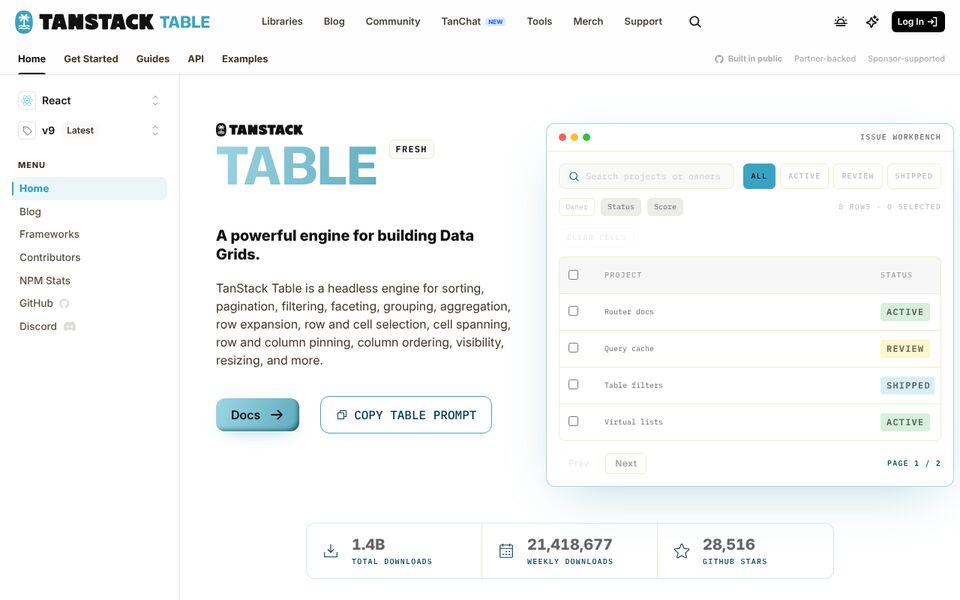
Best for: teams with a design system who want full control of the markup. Trade-off: editing, virtualization, export and clipboard are yours to build, which is the opposite of what Kendo users are used to.
Which Kendo UI alternative should you pick?
- You only use the Kendo Grid and want to stop paying per developer: Tabulator. Free for any team size, with grouping, totals, frozen columns, clipboard and Excel export included.
- You have a large Kendo UI for jQuery app: Tabulator with its jQuery wrapper, replacing one grid at a time. DataTables if the tables are mostly read only.
- You use many Kendo components and want another vendor: DevExtreme for lower renewals, or Syncfusion if you qualify for the community licence.
- You are on KendoReact Free and need grouping or Excel export: Tabulator for a free route, or MUI X Premium if you are on Material UI and happy to pay.
- You want a free grid now and may pay for enterprise features later: AG Grid Community.
- You have a design system and want headless logic: TanStack Table.
For a broader look at the market, see the best JavaScript table libraries, the JavaScript grid library guide, and the framework lists for Angular and Vue. If you were using Kendo's TreeList or PivotGrid, the tree grid comparison and pivot table guide cover those. Comparing paid grids on price? See the Handsontable pricing guide and the Sencha Ext JS pricing and alternatives guide too.
Frequently asked questions
How much does Kendo UI cost?
As of November 2026, Kendo UI costs $799 per developer per year with Lite Support, $899 with Priority Support and $1,299 with Ultimate Support. All four Kendo libraries (jQuery, Angular, React and Vue) are included. The DevCraft bundles, which add Telerik's .NET components, cost $1,149 to $1,649 per developer per year.
Is Kendo UI free?
Not the grid. Kendo UI Core is open source under Apache 2.0, but it excludes advanced widgets such as the grid, editor, chart and scheduler. KendoReact Free includes a basic Data Grid, but grouping, multi column sorting, frozen columns, row virtualization, clipboard and Excel and PDF export need a paid licence. There is no free grid for Kendo UI for Angular, Vue or jQuery.
Is Kendo UI open source?
Only Kendo UI Core, the jQuery subset without the grid. The commercial Kendo UI libraries are closed source, and source code access is a subscription benefit.
Can I still buy a perpetual Kendo UI licence?
Not online. Telerik's renewals page says legacy perpetual licences are no longer available for online purchase, although existing perpetual customers can keep renewing. New licences are annual subscriptions.
What happens if my Kendo UI subscription expires?
According to Telerik's licensing FAQ, deployed applications keep working, but builds show licence warnings, and you need an active subscription and a new key to use newer Kendo versions. With an invalid or missing licence, Kendo components show a watermark, a banner and a console warning.
What is the best free alternative to the Kendo UI Grid?
For a full data grid, Tabulator is MIT licensed with grouping, totals, frozen columns, editing, range selection, clipboard, tree data and export included, and no licence key. TanStack Table is a free headless option if you want to build the UI yourself. AG Grid Community and MUI X Community are free, but their grouping and Excel export are paid.
Is there an alternative to Kendo UI for jQuery?
Yes. Tabulator has a jQuery wrapper and needs no other dependencies, DataTables is the long standing MIT jQuery table plugin, and DevExtreme is a commercial jQuery suite. The jQuery data grid comparison covers these and more.
What are the alternatives to Telerik?
For JavaScript UI, the main commercial alternatives to Telerik's Kendo UI are DevExtreme and Syncfusion, which also cover .NET. For the data grid alone, free options include Tabulator, AG Grid Community, MUI X Community, DataTables and TanStack Table.
Get started with Tabulator
If the Kendo UI licence no longer fits, try Tabulator on one screen first. Follow the install guide, browse the examples, or read the jQuery support page if you are coming from Kendo UI for jQuery. The source is on GitHub.