AG Grid Pricing in 2026: Enterprise License Cost Explained
AG Grid pricing confuses people for a simple reason: there are two editions, three products, two licence types and a rule about who counts as a developer. This guide lays out what AG Grid costs in 2026, what you get for free, and how to work out the real number for your team before you commit a spec to it.
All prices and licence terms below were read from AG Grid's own pricing page, online licence configurator and documentation on November 11, 2026. Prices change, so confirm on their site before you buy. We build Tabulator, a free MIT licensed grid, so we cover it as an alternative near the end and keep the AG Grid facts to what AG Grid publishes.
The short answer
- AG Grid Community is free. It is MIT licensed and can be used in production with no licence key.
- AG Grid Enterprise starts at $999 per developer for a Single Application licence, bought online for internal applications with 1 to 10 developers.
- A Multiple Applications licence starts at $1,499 per developer.
- The Enterprise Bundle (AG Grid Enterprise plus AG Charts Enterprise) starts at $1,498 per developer.
- Customer facing applications and teams over 10 developers do not have a public price. You contact sales.
- Every front end developer on the project needs a licence, not only the people who touch the grid.
- Need grouping, range selection, clipboard and Excel export without a licence? Tabulator includes them for free.
How AG Grid pricing works
AG Grid Ltd sells three products: AG Grid (the data grid), AG Charts (a charting library) and AG Studio (embedded analytics, sold as a subscription with tailored pricing). The grid and the charts each come in a free Community edition and a paid Enterprise edition.
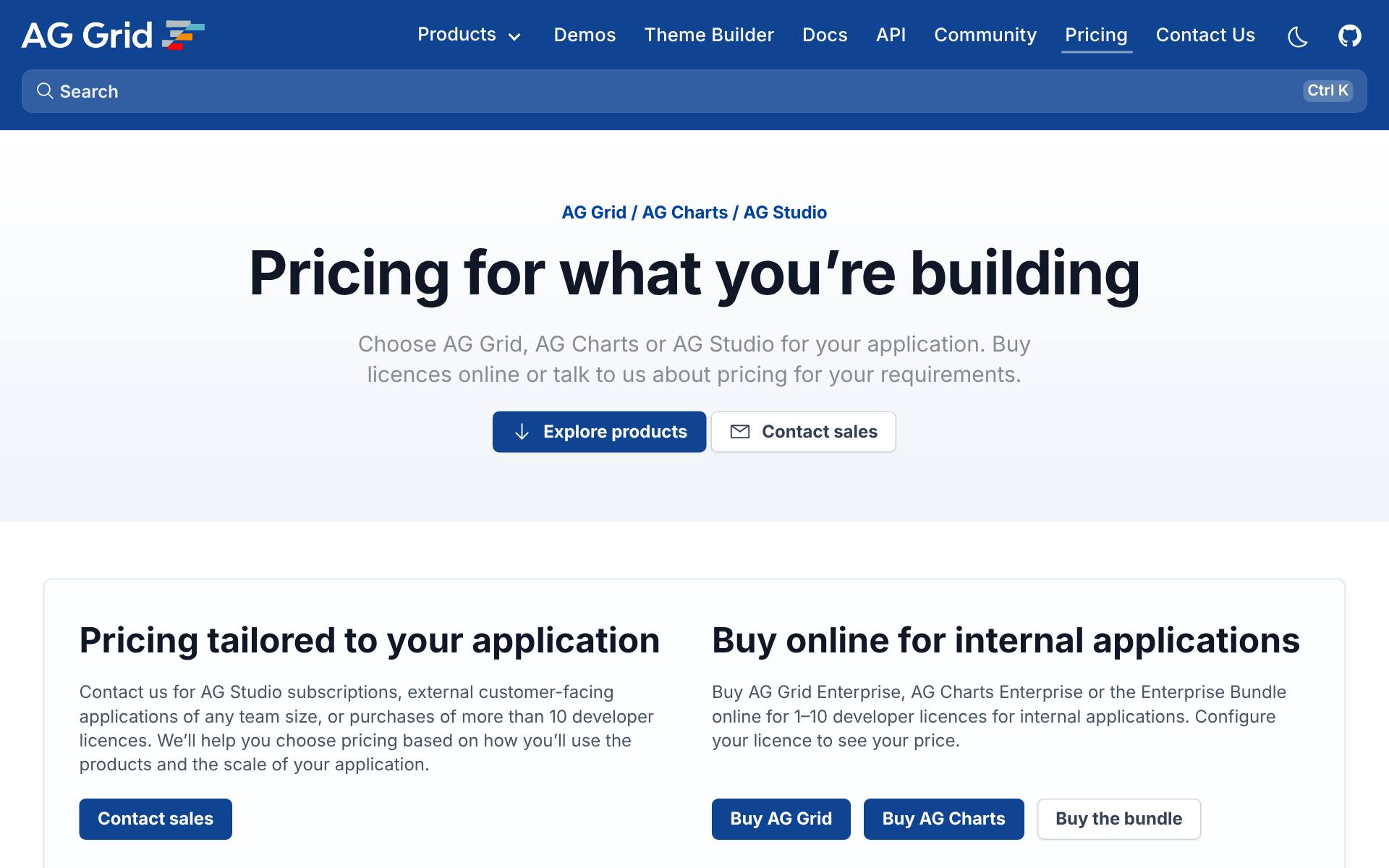
The pricing page itself no longer shows a number. It sends you down one of two routes:
- Buy online: AG Grid Enterprise, AG Charts Enterprise or the Enterprise Bundle, for 1 to 10 developers, for internal applications. The price appears in the configurator.
- Contact sales: applications used by customers or other external users (at any team size), more than 10 developer licences, and AG Studio.
According to AG Grid's Community vs Enterprise documentation, Enterprise licences are sold per developer and per deployment, are perpetual, and come with one year of support and updates.
AG Grid Enterprise price list
These are the per developer prices shown in the online configurator for one developer, before any volume discount.
| Product | Single Application | Multiple Applications |
|---|---|---|
| AG Grid Community | Free (MIT) | Free (MIT) |
| AG Grid Enterprise | $999 per developer | $1,499 per developer |
| AG Charts Enterprise | $499 per developer | $1,499 per developer |
| Enterprise Bundle (grid and charts) | $1,498 per developer | $2,998 per developer |
| Customer facing applications | Contact sales (a Deployment Licence add-on is required) | |
| More than 10 developers | Contact sales | |
| Tabulator | Free (MIT) | Free (MIT) |
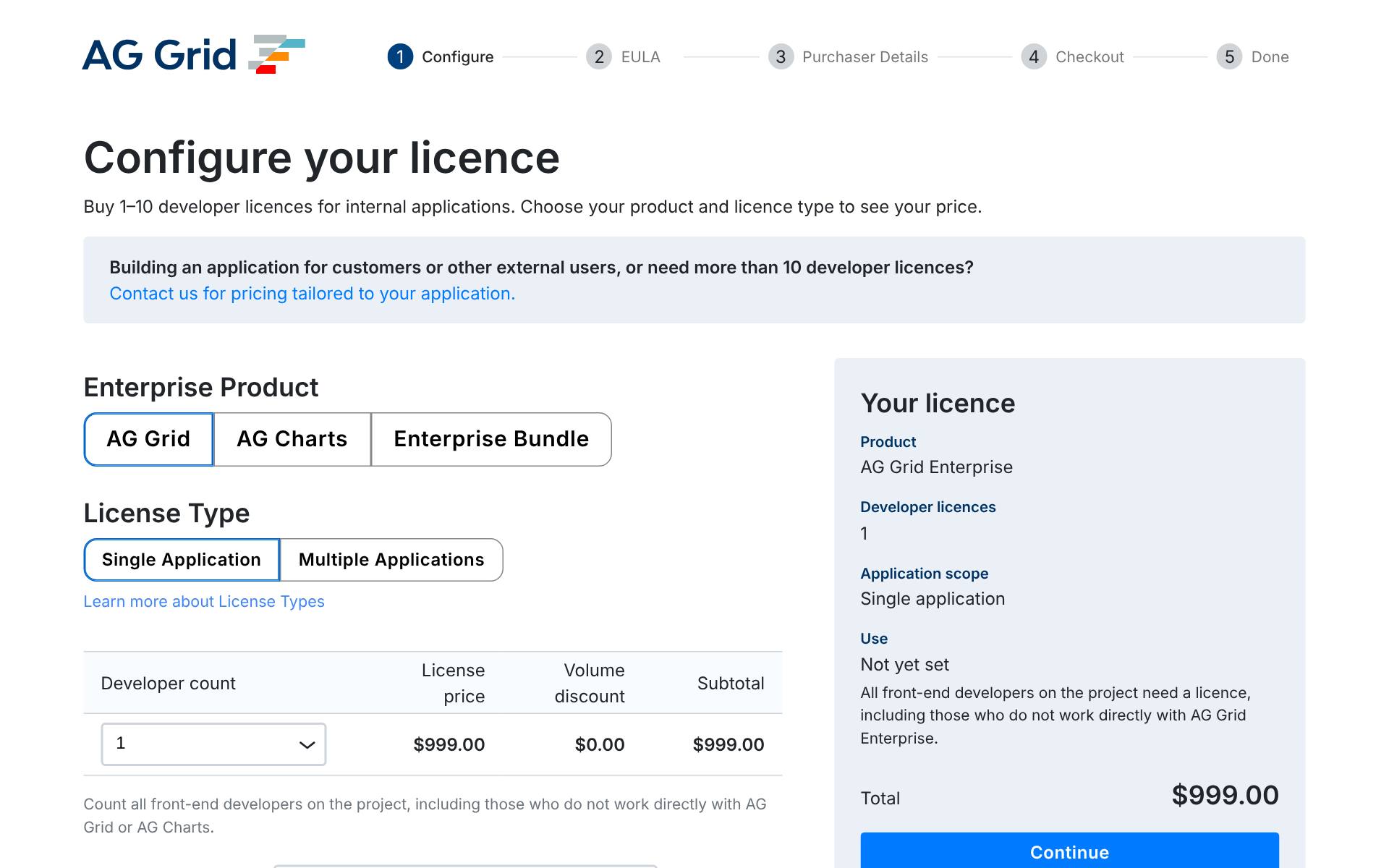
What does AG Grid Enterprise cost for a team?
The configurator applies a small volume discount as the developer count rises. These totals are what it showed for internal applications:
| Front end developers | AG Grid Enterprise, Single Application | AG Grid Enterprise, Multiple Applications | Enterprise Bundle, Single Application |
|---|---|---|---|
| 1 | $999 | $1,499 | $1,498 |
| 3 | $2,987 | $4,477 | $4,482 |
| 5 | $4,955 | $7,415 | $7,426 |
| 10 | $9,746 | $14,590 | $14,543 |
The discount is modest: ten developers on a Single Application licence pay about $975 each. The cost of AG Grid Enterprise is driven almost entirely by head count.
AG Grid licence types explained
Single Application Development Licence
Covers one named application, built for internal use, in perpetuity. It is bound to the application name (the name is part of the licence key) and cannot be reused on another application. It includes one year of new versions, support and maintenance.
Multiple Application Development Licence
Covers an unlimited number of internal applications. You still count every front end developer working across those applications. It also includes one year of new versions, support and maintenance.
Deployment Licence add-on
AG Grid's licence type notes state that customer facing applications also need a Deployment Licence add-on. There is no public price for it. If your grid will be used by people outside your company, such as SaaS customers, budget for a sales conversation and do not rely on the $999 figure.
The Enterprise Bundle
The bundle combines AG Grid Enterprise and AG Charts Enterprise. AG Grid's docs say that without a bundle licence, integrated charts in the grid are limited to the Community charts. If the spec says "let users chart the selected cells", check which chart types you need before choosing between Enterprise and the bundle.
Who needs an AG Grid licence?
This is the rule that surprises teams. The pricing FAQ says:
All front-end developers on the project need a licence, including those who do not work directly with AG Grid or AG Charts.
So the question is not "how many people will write grid code?" but "how many front end JavaScript developers work on this application at the same time?". Licences are unnamed, so people can rotate as long as the total is not exceeded, but a team of eight with one grid screen still needs eight licences.
A worked example: a team of six front end developers builds one internal admin tool and needs row grouping and Excel export. That is six Single Application licences at just under $1,000 each, so roughly $6,000 up front, with one year of updates and support included. If the same team later starts a second application that uses Enterprise features, they need a second Single Application licence set or a Multiple Applications licence.
Is the licence a subscription?
No. AG Grid Enterprise licences are perpetual: you can keep using the versions released during your covered period. What expires after a year is access to new versions and support. AG Grid does not publish renewal pricing in the configurator, so ask for it in writing if long term cost matters to you.
What happens without a licence key?
You can install ag-grid-enterprise and try the features locally without a key. AG Grid's docs state that without a key the grid shows a watermark and logs an error message in the console. A free 30 day trial licence removes both. In production you set the key in code:
import { ModuleRegistry } from "ag-grid-community";
import { AllEnterpriseModule, LicenseManager } from "ag-grid-enterprise";

ModuleRegistry.registerModules([AllEnterpriseModule]);
LicenseManager.setLicenseKey("YOUR_LICENSE_KEY");
That key then has to be available in every environment that builds or runs the application, which is a small but real piece of operational work.
Is AG Grid free? What AG Grid Community includes
Yes, AG Grid Community is free. It is MIT licensed, needs no licence key and can be used in production. AG Grid lists these as Community features:
- Row and column configuration, sorting, filtering and pagination
- Custom cell rendering with your own components
- Themes and CSS customisation
- ARIA support and keyboard navigation
- Column and row virtualisation, on by default
- React, Angular and Vue support, plus plain JavaScript
Community support is through GitHub and public forums. If your spec stops at a sortable, filterable, editable table, Community is a solid choice and costs nothing.
What AG Grid Enterprise adds
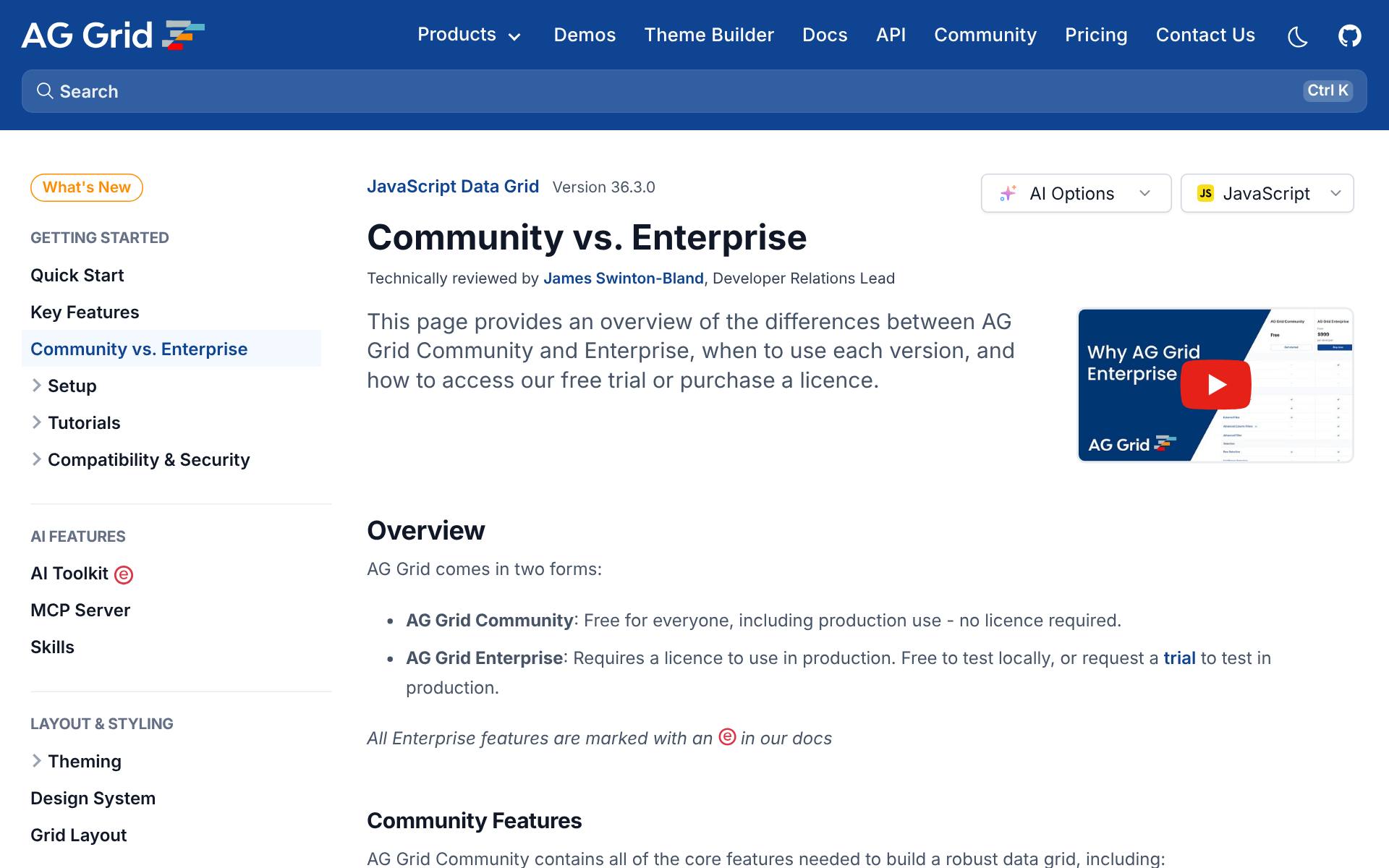
These are the features AG Grid lists as Enterprise only. They are also the features that tend to show up in a product manager's spec after the first demo.
| Feature | AG Grid Community | AG Grid Enterprise | Tabulator (MIT) |
|---|---|---|---|
| Sorting, filtering, pagination, cell editing | Yes | Yes | Yes |
| Row virtualisation | Yes | Yes | Yes |
| Row grouping and aggregation | No | Yes | Yes (grouping, column calculations, see free row grouping options) |
| Cell range selection | No | Yes | Yes (range selection) |
| Clipboard copy and paste | No | Yes | Yes (clipboard) |
| Excel export | No | Yes, with styles and formulas | Yes, XLSX data export (downloads) |
| Tree data | No | Yes | Yes (tree data) |
| Master/detail rows | No | Yes | Yes, with nested tables |
| Context menus | No | Yes | Yes (menus) |
| Server side data loading | Client side and infinite row models | Server-Side Row Model | Remote pagination, sorting, filtering and progressive loading |
| Pivot tables | No | Yes | No built in pivot |
| Integrated charts | No | Yes (more chart types with the bundle) | No |
| Column and filter tool panels | No | Yes | No built in panel |
| Vendor support | Community forums | Zendesk, with guaranteed response times | Community, plus optional commercial support |
| Licence key | None | Required in production | None |
The AG Grid columns reflect AG Grid's own Community vs Enterprise page and feature docs. The Tabulator column links to the documentation for each feature so you can check it against your spec.
Is AG Grid Enterprise worth the price?
Often, yes. At roughly $1,000 per developer, Enterprise is cheap next to the cost of building pivoting or a server side row model yourself. It is a good purchase when:
- The spec needs pivot tables, integrated charts or the Server-Side Row Model for very large server held datasets.
- You want a support contract with guaranteed response times.
- The front end team is small, so the per developer count stays low.
It is a harder sell when:
- You only need one or two Enterprise features, such as row grouping or Excel export.
- The front end team is large and only a few people work on the grid, because everyone still needs a licence.
- The application is customer facing, so the price is a sales negotiation and not a number you can put in a plan today.
- You are an agency, an open source project or a startup that cannot take on per developer licensing.
For a deeper comparison of the editions against a headless option, see TanStack Table vs AG Grid.
A free alternative to AG Grid Enterprise: Tabulator
Tabulator is an MIT licensed JavaScript data grid with no dependencies, no paid tier and no licence key. Like AG Grid it is a finished grid, so you configure it and do not build the UI. It works with plain JavaScript and with React, Vue, Angular and Svelte. Try it: sort a column, edit a cell, page through the data.
The configuration below adds grouping with totals, range selection, clipboard, undo and redo and XLSX export. Every one of those is in the free package:
const table = new Tabulator("#grid", {
  data: rows,
  layout: "fitColumns",
  groupBy: "department",        // row grouping
  selectableRange: true,        // cell range selection
  clipboard: true,              // copy and paste
  history: true,                // undo and redo
  columns: [
    { title: "Name", field: "name", editor: "input" },
    { title: "Department", field: "department" },
    { title: "Salary", field: "salary", editor: "number", bottomCalc: "sum" },
  ],
});

// Excel export (uses the SheetJS library)
table.download("xlsx", "report.xlsx", { sheetName: "Report" });
What Tabulator does not have: built in pivot tables, integrated charting or a formula engine. If those are core requirements, AG Grid Enterprise is built for them. For pivoting you can also reshape the data yourself, as shown in the JavaScript pivot table guide. If your team needs a support contract, Tabulator offers optional commercial support, but the library and every feature in it stay free.
The cost comparison is short. For the six developer team above, AG Grid Enterprise is roughly $6,000 for one internal application. Tabulator is $0 for any number of developers, applications and end users.
Handsontable is priced differently again (see Handsontable pricing). Syncfusion, Kendo UI and DevExtreme sell per developer, per year suites (see Syncfusion pricing and alternatives and Kendo UI pricing and alternatives), and so does MUI (see MUI X pricing). For more options, including TanStack Table and MUI X, read the full list of AG Grid alternatives or the best JavaScript table libraries comparison.
Frequently asked questions
How much does AG Grid cost?
AG Grid Community is free. AG Grid Enterprise costs $999 per developer for a Single Application licence and $1,499 per developer for a Multiple Applications licence when bought online for internal applications (prices as of November 2026). Customer facing applications and teams of more than 10 developers are priced by AG Grid's sales team.
Is AG Grid free for commercial use?
AG Grid Community is. It is MIT licensed and free for production and commercial use. Enterprise features require a commercial licence in production.
Is the AG Grid Enterprise licence a one time payment?
The licence is perpetual, so it is a one time payment for the versions released during your covered period. It includes one year of updates and support. To receive later versions and continued support you renew.
Do all developers need an AG Grid licence?
Yes. AG Grid states that all front end developers on the project need a licence, including those who do not work directly with AG Grid. The count is of front end JavaScript developers working on the application.
Can I use AG Grid Enterprise without a licence?
You can evaluate it locally. Without a key, AG Grid Enterprise shows a watermark and a console error. Production use requires a licence, and a free 30 day trial licence is available.
What is the difference between AG Grid Community and Enterprise?
Community covers the core grid: sorting, filtering, pagination, editing, custom cell rendering and virtualisation. Enterprise adds row grouping, aggregation, pivoting, range selection, clipboard operations, Excel export, master/detail, tree data, tool panels, context menus, the Server-Side Row Model and dedicated support.
Is there a free alternative to AG Grid Enterprise?
Yes. Tabulator is MIT licensed and includes row grouping, range selection, clipboard, undo and redo, tree data and XLSX export for free. It does not include built in pivoting or integrated charts.
Get started with Tabulator
If the AG Grid Enterprise price does not fit your project, try Tabulator before you write the purchase request. Follow the install guide, browse the examples, or read the side by side Tabulator vs AG Grid page. The source is on GitHub.