Syncfusion Alternatives for Data Grids in 2026 (Plus Pricing)
Syncfusion Essential Studio is one of the largest UI component suites around, and its JavaScript Data Grid is a capable product. The usual reason teams search for a Syncfusion alternative is not the grid itself. It is the licence: the free community licence stops the day a company grows past five developers, ten employees or $1 million in revenue, and from then on every developer who touches the grid needs a paid seat every year.
This guide covers both halves of that decision. First, what Syncfusion costs in 2026 and who still qualifies for the free licence. Then six data grid alternatives, with the licence, what you get for free, a screenshot of each, and a migration example. Prices and licence terms were read from each vendor's own pages on November 13, 2026, so confirm them before you buy. We build Tabulator, a free MIT licensed grid, and we say so where it matters.
The short answer
- The Syncfusion Grid costs $959 per developer per year as a standalone Grid SDK, or $1,199 per developer per year for the full UI Component Suite. There is a minimum one year subscription.
- The community licence is free only for companies under $1 million in annual revenue, with 5 or fewer developers, 10 or fewer employees, and never more than $3 million in outside funding. Government funded organisations are excluded.
- Want a free, MIT licensed grid with no seats, no key and no revenue cap? Use Tabulator. Grouping, editing, range selection, clipboard and export are all included.
- Want another commercial suite? Kendo UI starts at $799 per developer per year, DevExtreme at $899.99 per developer for 12 months of updates.
- Want a grid that is free until you need enterprise features? AG Grid Community or MUI X Data Grid, with paid tiers above them.
- Want to build the table UI yourself? TanStack Table is headless and MIT.
How much does Syncfusion cost?
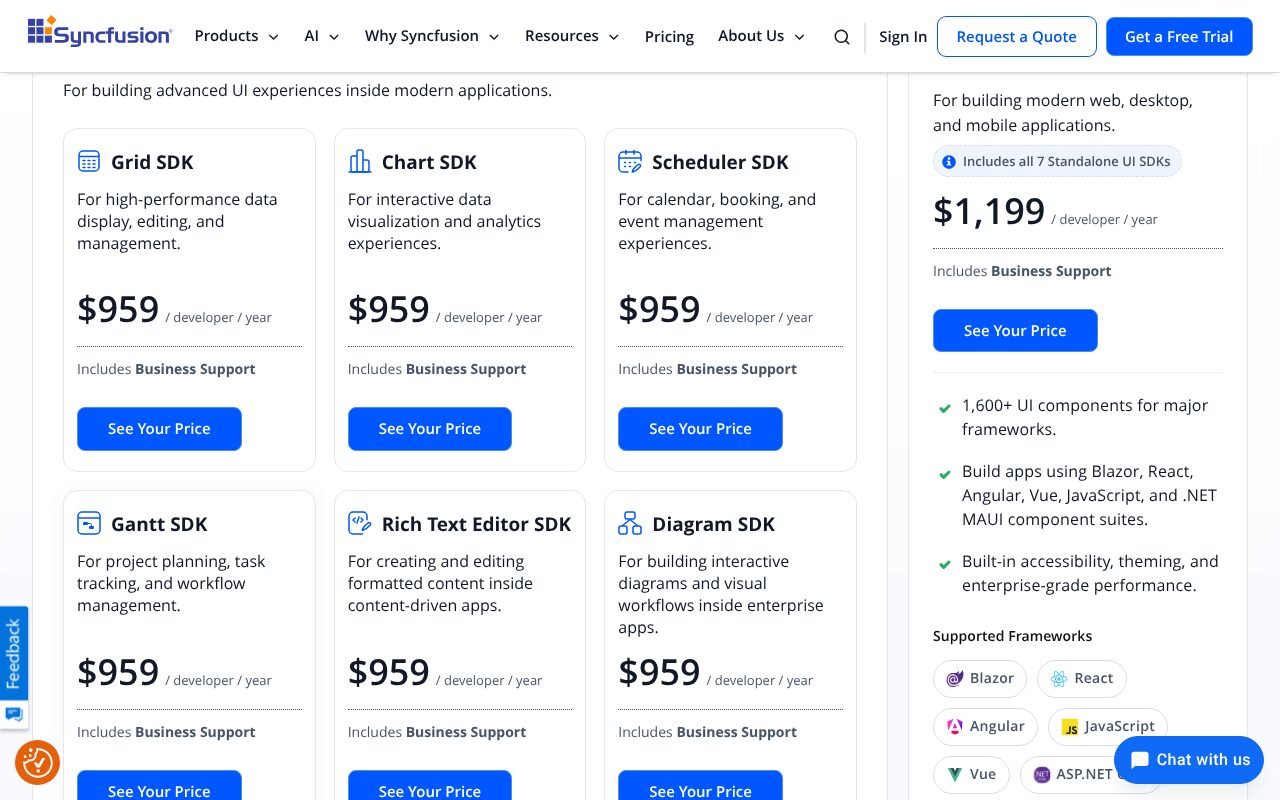
Syncfusion moved to a simpler price list in 2026. Its pricing page says every product "is licensed per developer, per year", with a minimum one year subscription. The grid can be bought on its own, which is new compared with the older suite only model.
| Product | List price | What it includes |
|---|---|---|
| Grid SDK | $959 per developer per year | The Data Grid for JavaScript, React, Angular, Vue, Blazor and the other supported platforms, with Business Support |
| UI Component Suite | $1,199 per developer per year | All seven standalone SDKs (Grid, Chart, Scheduler, Gantt, Rich Text Editor, Diagram, File Manager) and the rest of the 1,600+ components |
| Document SDK, Spreadsheet Editor SDK, DOCX Editor SDK | $1,199 per developer per year each | PDF, Word, Excel and PowerPoint libraries and editors |
| PDF Viewer SDK | $599 per developer per year | PDF viewing |
| Community License | Free | The entire product line, for eligible small companies only |
A few details on the same page change the real number:
- Annual commitment. "An annual commitment is required." You can pay monthly, but it is a payment schedule for a yearly contract, not a monthly plan.
- Discounts stack. 7.5% off if you buy during the 30 day trial, 7.5% for two products and 15% for three or more, 20% off for companies under $10 million in revenue, and 20% off for companies based in low and middle income countries (World Bank classification).
- Support tiers. Standard, Business (the default) and Enterprise support differ in how fixes are delivered. Only Enterprise gets hotfixes outside the regular release cycle.
- More than 50 developers goes to a custom quote.
What a team actually pays
Because the price is per developer per year, the cost scales with your team and never stops. At list price for the Grid SDK, before discounts:
| Developers | Year 1 | Over 3 years |
|---|---|---|
| 1 | $959 | $2,877 |
| 3 | $2,877 | $8,631 |
| 5 | $4,795 | $14,385 |
| 10 | $9,590 | $28,770 |
"Developer" usually means anyone who writes code against the component, so count front end contractors and agency staff too, and ask Syncfusion how they count before you buy.
Is Syncfusion free? The community licence explained
Syncfusion's Community License gives the entire product line away for free, including support and updates, and allows commercial applications. That is generous, and it is why so many developers start with Syncfusion. The catch is the eligibility rules.
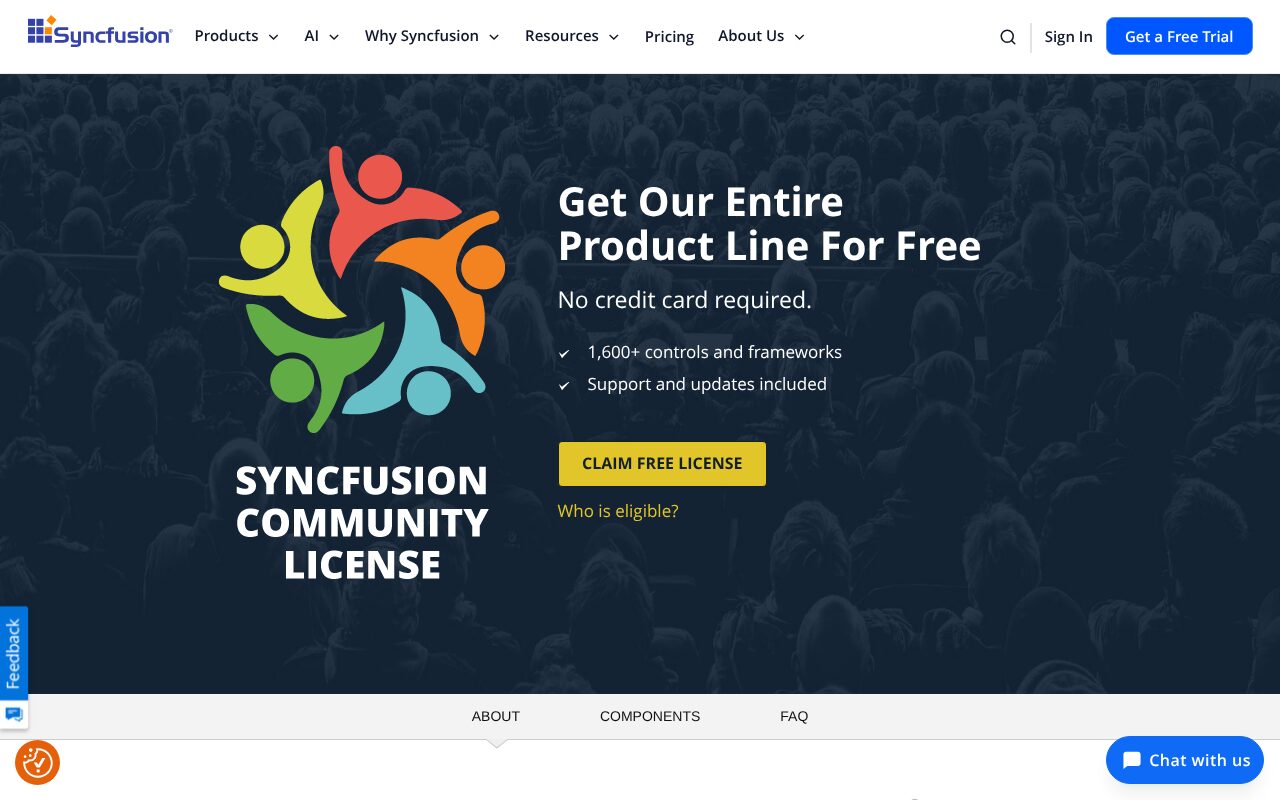
To qualify, all of these must be true:
- Less than $1 million USD in annual gross revenue.
- 5 or fewer developers.
- 10 or fewer total employees.
- The organisation has never received more than $3 million USD in outside capital, such as private equity or venture capital.
- It is not a government related organisation funded by tax dollars.
The page also sets conditions for specific cases:
- Open source projects can use it, but must contact Syncfusion to register first.
- Consultancies and agencies can deliver applications built under the community licence, but if the client owns the code, the client must qualify on its own. If development moves to a company that does not qualify, that company has to buy commercial licences.
- The licence lasts "until you or your company are ineligible". The day you hire a sixth developer, an eleventh employee, cross $1 million in revenue or close a large funding round, you need paid seats.
That last point is the one that catches teams out. A startup that builds its product on the free licence is planning for growth that will end its eligibility. When it does, the grid becomes a per developer cost on every renewal, and switching libraries at that point means rewriting screens that are already in production.
The licence key
Since version 20.1 (2022), Syncfusion's JavaScript components require a licence key registered in code before any component is created:
import { registerLicense } from "@syncfusion/ej2-base";

registerLicense("YOUR-LICENSE-KEY");
Keys are tied to a major version and a platform. According to Syncfusion's licensing errors documentation, a missing key or an expired trial shows the message "This application was built using a trial version of Syncfusion Essential Studio" in your app, and a key from another version or platform shows "The included Syncfusion license key is invalid". So upgrading to a new major version means generating a new key, and every build environment needs it.
Why teams look for a Syncfusion alternative
The reasons we see most often:
- Outgrowing the community licence. Hiring or funding ends eligibility, and the paid licence was never in the budget.
- Per developer, per year cost. A grid used by a 10 person front end team costs close to $10,000 a year at list price, every year.
- Only the grid is needed. Syncfusion's value is the size of the suite. If your spec is one data heavy screen, you are paying for a component library you will not use.
- Licence keys and version locks. Keys tied to a major version add a step to every upgrade and every CI pipeline.
- Vendor dependence. A closed source component in the middle of your product is a long term commitment.
- Government and public sector work. Tax funded organisations cannot use the community licence at all.
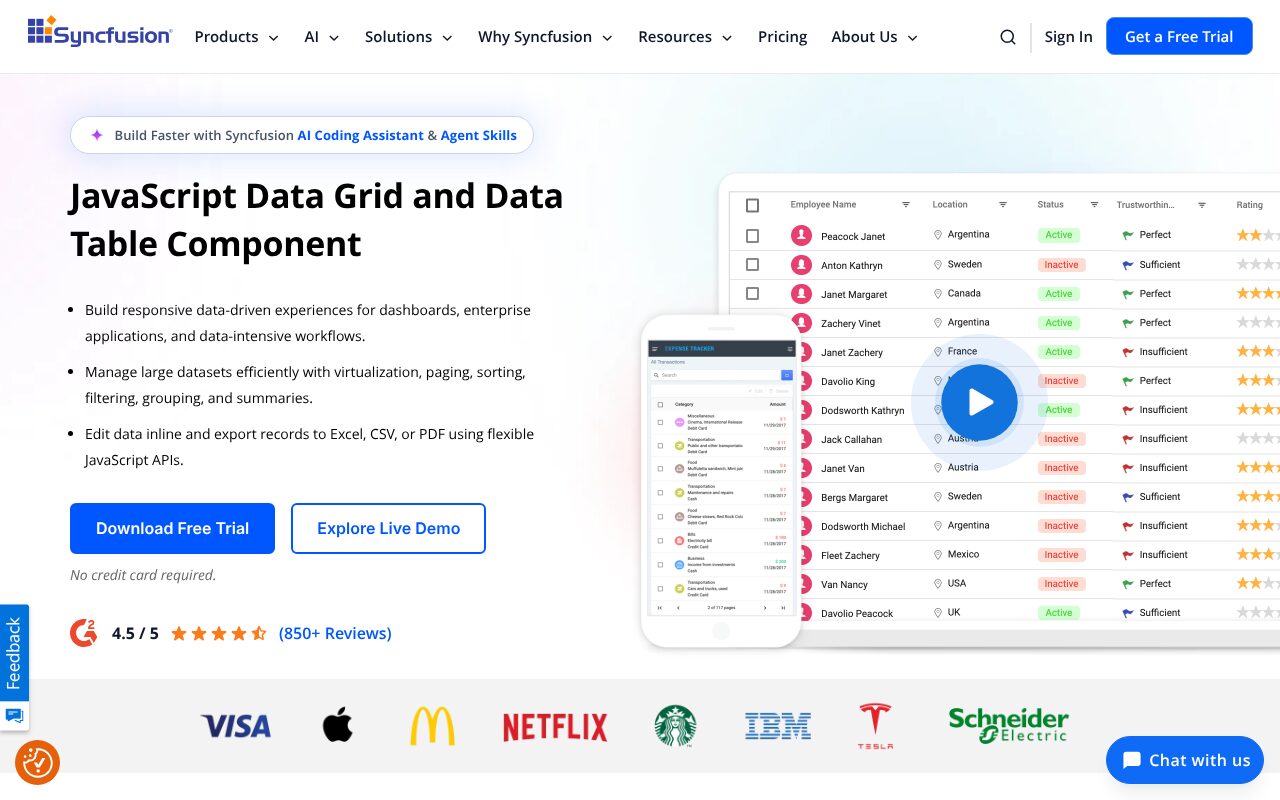
None of this makes Syncfusion a bad product. If you use many of its components and value a single vendor with SLAs, it can be good value. The alternatives below are for the cases where it is not.
Syncfusion alternatives compared
| Library | Licence | Price | Grouping, editing and export free? | Frameworks |
|---|---|---|---|---|
| Tabulator | MIT | Free | Yes, all included | JavaScript, React, Vue, Angular, Svelte |
| AG Grid | MIT (Community), commercial (Enterprise) | Enterprise from $999 per developer | Editing yes, grouping and Excel export are Enterprise | JavaScript, React, Angular, Vue |
| Kendo UI Grid | Commercial | From $799 per developer per year | Paid licence required (KendoReact has a limited free tier) | jQuery, React, Angular, Vue |
| DevExtreme DataGrid | Commercial | $899.99 per developer, renewals $449.99 | Paid licence required | jQuery, React, Angular, Vue |
| MUI X Data Grid | MIT (Community), commercial (Pro, Premium) | Pro and Premium per developer | Editing yes, grouping and Excel export are Premium | React only |
| TanStack Table | MIT | Free | Logic yes, you build the UI | React, Vue, Solid, Svelte, Angular, Lit |
| Syncfusion Grid (for reference) | Commercial, free community licence for small companies | $959 per developer per year | Yes with a licence | JavaScript, React, Angular, Vue, Blazor and more |
1. Tabulator: a free Syncfusion Grid alternative
Tabulator is an MIT licensed JavaScript data grid with no runtime dependencies, no paid tier, no licence key and no revenue or headcount limits. It is free for commercial production use by any number of developers. Try it here: sort a column, edit a cell, page through the rows.
The features that appear in most Syncfusion Grid specs are in the box:
- Sorting, header filters, pagination, and remote (server side) sorting, filtering and pagination (filtering, pagination)
- Inline cell editing with built in editors and validation (editing, validation)
- Row grouping with group calculations, and column calculations for totals (grouping, calculations)
- Tree data, frozen rows and columns, and movable rows and columns (tree data, frozen columns)
- Cell range selection, clipboard copy and paste with Excel, and undo and redo (range selection, clipboard)
- Download to CSV, JSON, XLSX, PDF and HTML, plus printing (downloads)
- Virtual DOM rendering for large datasets (virtual DOM)
- Responsive layouts, localisation and themes
Migrating from the Syncfusion Grid to Tabulator
Most Syncfusion Grid options map directly to a Tabulator option. Here is a typical Syncfusion grid with paging, sorting, filtering, grouping, editing and a total:
// Syncfusion (Essential JS 2)
import { Grid, Page, Sort, Filter, Group, Edit, Aggregate } from "@syncfusion/ej2-grids";
Grid.Inject(Page, Sort, Filter, Group, Edit, Aggregate);

const grid = new Grid({
  dataSource: orders,
  allowPaging: true,
  pageSettings: { pageSize: 10 },
  allowSorting: true,
  allowFiltering: true,
  allowGrouping: true,
  groupSettings: { columns: ["ShipCountry"] },
  editSettings: { allowEditing: true },
  columns: [
    { field: "OrderID", headerText: "Order ID", isPrimaryKey: true, width: 120 },
    { field: "CustomerName", headerText: "Customer" },
    { field: "ShipCountry", headerText: "Ship Country" },
    { field: "Freight", headerText: "Freight", format: "C2", editType: "numericedit" },
  ],
  aggregates: [{ columns: [{ type: "Sum", field: "Freight", format: "C2" }] }],
});
grid.appendTo("#grid");
The same grid in Tabulator. Sorting is on by default, and filters and editors are set per column:
// Tabulator (MIT, no licence key)
import { TabulatorFull as Tabulator } from "tabulator-tables";

const table = new Tabulator("#grid", {
  data: orders,
  layout: "fitColumns",
  pagination: true,
  paginationSize: 10,
  groupBy: "ShipCountry",
  columns: [
    { title: "Order ID", field: "OrderID", width: 120, frozen: true },
    { title: "Customer", field: "CustomerName", headerFilter: "input", editor: "input" },
    { title: "Ship Country", field: "ShipCountry", headerFilter: "list", headerFilterParams: { valuesLookup: true } },
    { title: "Freight", field: "Freight", editor: "number", formatter: "money",
      formatterParams: { symbol: "$" }, bottomCalc: "sum" },
  ],
});
A quick mapping for the rest of a typical configuration:
| Syncfusion Grid | Tabulator |
|---|---|
dataSource | data, or ajaxURL for remote data |
headerText | title |
allowPaging, pageSettings.pageSize | pagination: true, paginationSize |
allowSorting | On by default (headerSort per column) |
allowFiltering | headerFilter per column |
allowGrouping, groupSettings | groupBy |
editSettings, editType | editor per column |
aggregates | bottomCalc or topCalc per column |
frozenColumns | frozen: true per column |
enableVirtualization | Virtual DOM is on by default when the table has a height |
childGrid (master/detail) | rowFormatter with a nested table, or dataTree |
excelExport(), pdfExport() | table.download("xlsx", ...), table.download("pdf", ...) |
registerLicense() | Not needed |
XLSX and PDF downloads use SheetJS and jsPDF, which you include alongside Tabulator. The export guide shows the setup.
Best for: teams that need a complete, data heavy grid and want no seat count, no renewal and no licence key. If your team needs a vendor relationship, Tabulator offers optional commercial support, and the library stays free either way.
Trade-off: Tabulator is a grid, not a suite. If you also use Syncfusion's scheduler, Gantt chart, diagram or document libraries, you will need separate tools for those. It also has no built in charts or pivot grid (see the pivot table guide for a small helper that fills that gap).
2. AG Grid
AG Grid is the best known JavaScript data grid. AG Grid Community is MIT licensed and covers sorting, filtering, pagination, cell editing and column features. Row grouping, pivoting, range selection, Excel export, master/detail and the server side row model are in AG Grid Enterprise.
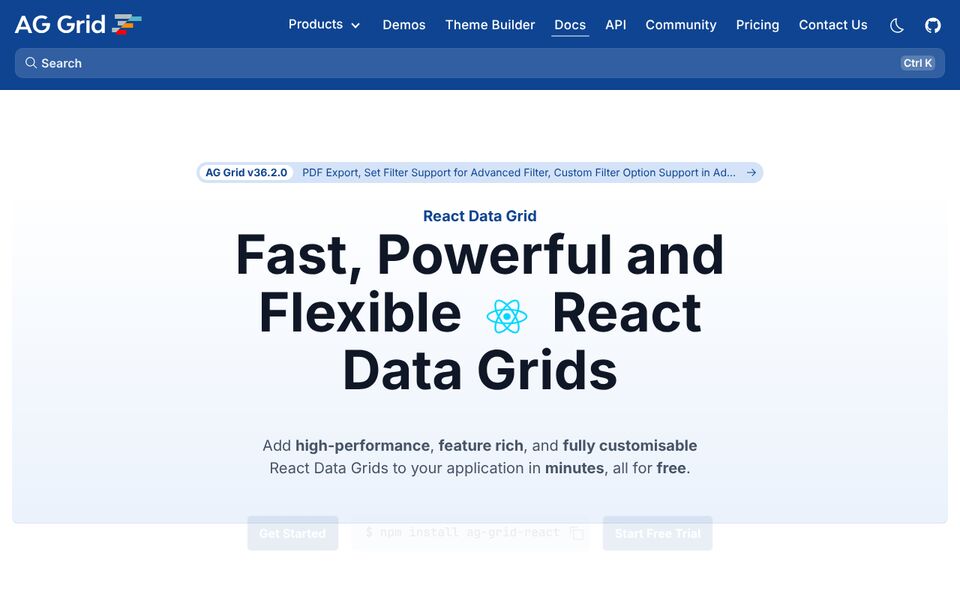
Enterprise is also licensed per developer: from $999 per developer for a single application, read from its licence configurator in November 2026, with customer facing and larger deployments quoted by sales. Our AG Grid pricing breakdown has the details.
Best for: teams that want a free grid now and can budget for Enterprise later, or that need integrated charts and server side row models. Trade-off: if the spec includes grouping or Excel export, you are back to a per developer licence. See AG Grid alternatives for more.
3. Kendo UI Grid (Telerik)
Kendo UI from Progress Telerik is the closest like for like replacement: a commercial suite of more than 450 JavaScript components across jQuery, React, Angular and Vue, with a mature data grid at its centre.
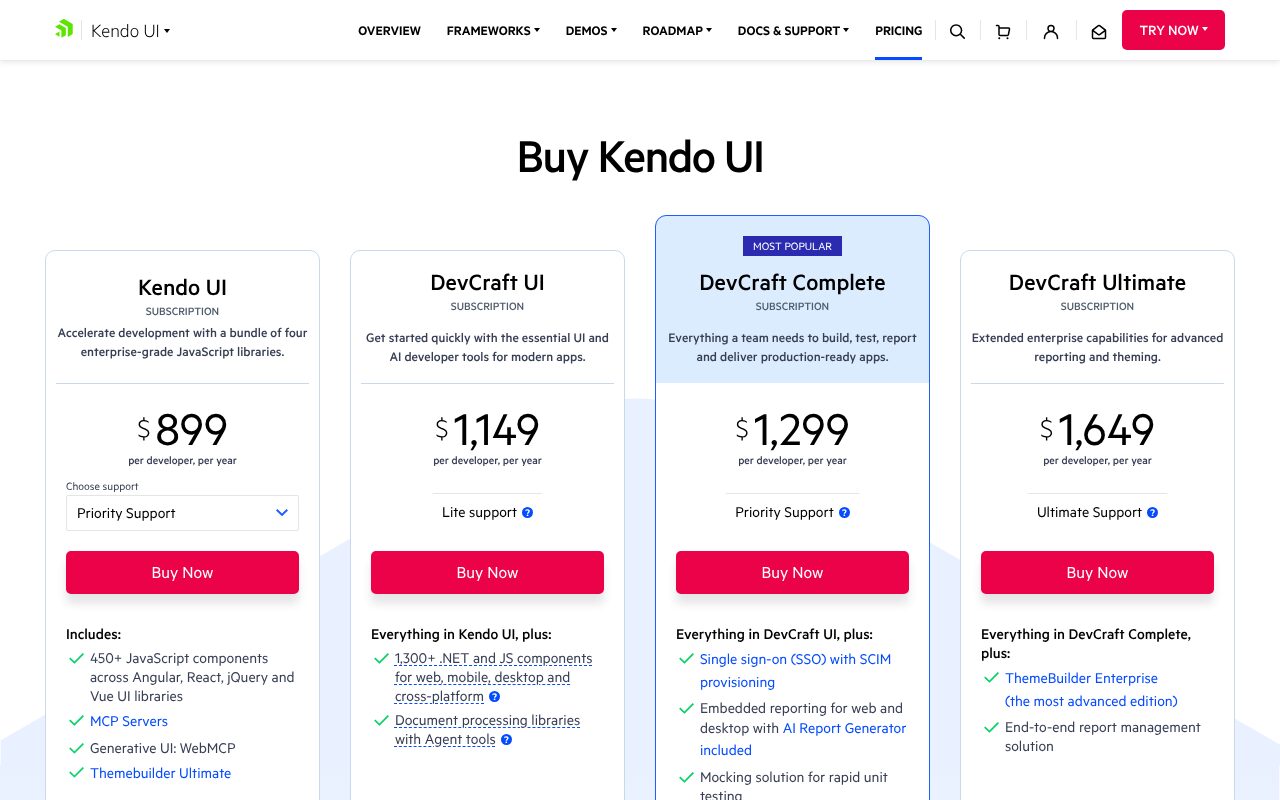
The Kendo UI subscription costs $799 per developer per year with Lite support, $899 with Priority support and $1,299 with Ultimate support. The DevCraft bundles that add .NET components run from $1,149 to $1,649 per developer per year. For React only, KendoReact Free includes the Data Grid with its core features, while features such as virtualization, Excel and PDF export and advanced grouping need a paid licence.
Best for: teams that want to swap one commercial suite for another, with similar breadth and support. Trade-off: the price is in the same range as Syncfusion, so it solves a vendor preference, not a cost problem. Already on Kendo and looking to leave? See Kendo UI alternatives.
4. DevExtreme DataGrid (DevExpress)
DevExtreme from DevExpress is another full commercial suite for jQuery, React, Angular and Vue. Its DataGrid is strong on data heavy business screens: grouping, editing with validation, master/detail, a filter builder, virtual scrolling and export.
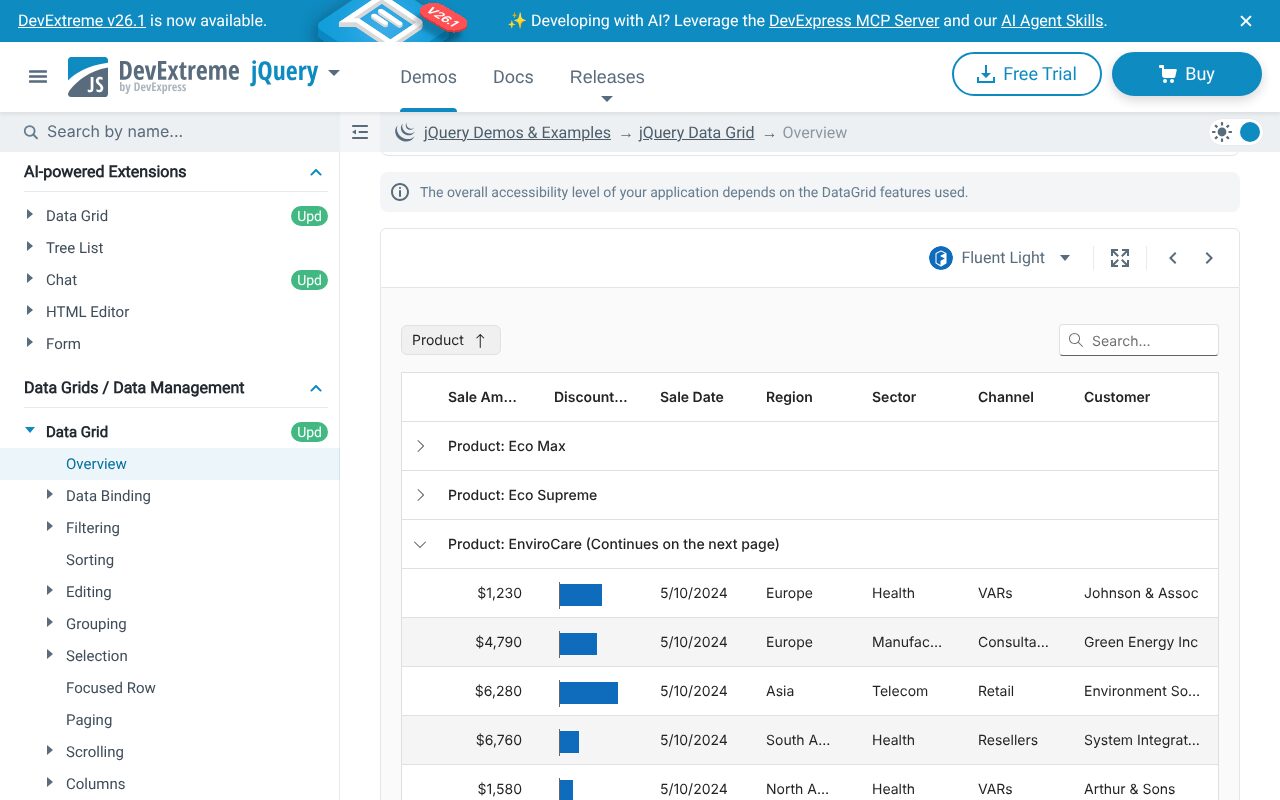
The DevExtreme Complete licence costs $899.99 per developer and includes 12 months of updates and support plus source code. Renewal is $449.99 per developer per year. DevExpress offers a 60 day money back guarantee, and every developer needs an individual licence. Unlike Syncfusion, the price is for a period of updates, so check the current DevExpress licence terms for what you may keep using if you stop renewing.
Best for: teams that want a commercial suite with lower renewal costs, especially if they also use DevExpress .NET tools. Trade-off: still a per developer licence with no free production tier.
5. MUI X Data Grid
MUI X Data Grid is the natural choice for React apps built on Material UI. The Community version is MIT licensed. Pro adds features such as column pinning, tree data and row reordering, and Premium adds row grouping, aggregation and Excel export. Both paid tiers are licensed per developer: the MUI X pricing breakdown has the current numbers.
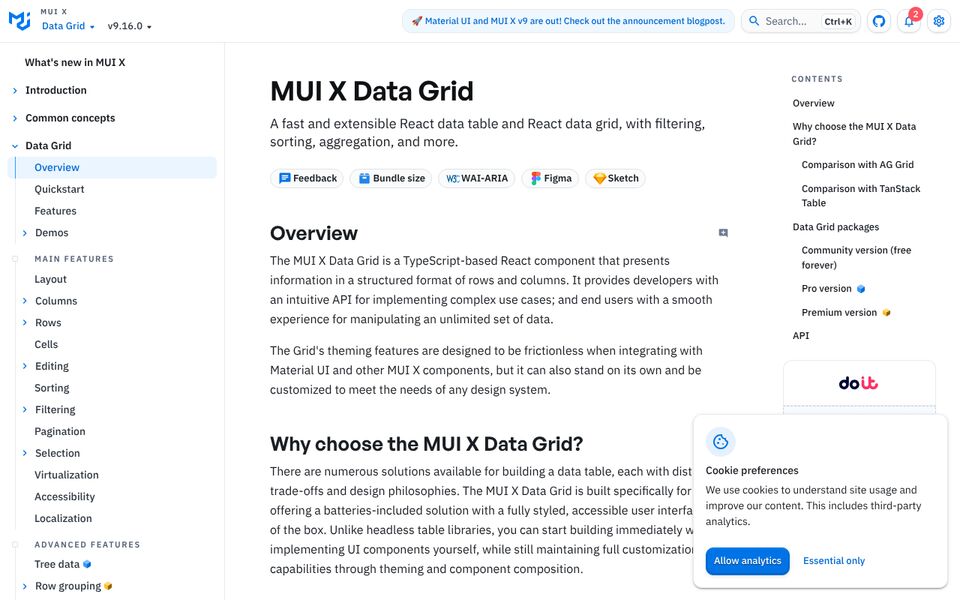
Best for: React teams already on Material UI. Trade-off: React only, and the features that usually push teams to Syncfusion are in the paid tiers. The best React table libraries guide compares it with other React options.
6. TanStack Table
TanStack Table is a headless, MIT licensed library. It handles sorting, filtering, grouping, pagination and column state, and you write every piece of markup and styling yourself. It supports React, Vue, Solid, Svelte, Angular and Lit.
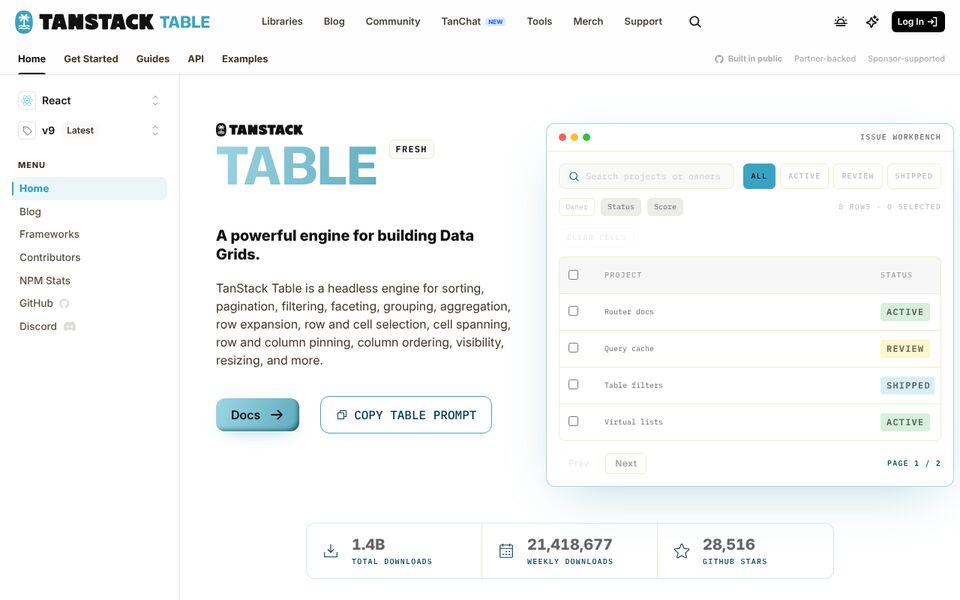
Best for: teams with a design system who want full control of the markup. Trade-off: editing, virtualisation, export and clipboard are yours to build, which is the opposite of what most Syncfusion users are used to. See TanStack Table vs AG Grid for how a headless library compares with a full grid.
Which Syncfusion alternative should you pick?
- You are losing community licence eligibility and only need a grid: Tabulator. Free for any team size, with the grid features most Syncfusion specs use.
- You use many Syncfusion components and want another vendor: Kendo UI or DevExtreme, at a similar per developer price.
- You want a free grid now and may pay for enterprise features later: AG Grid Community, or MUI X if you are on Material UI.
- You have a design system and want headless logic: TanStack Table.
- You are a public sector or government team: the community licence is not available to you, so compare Tabulator's MIT licence with a paid seat count.
For a broader look at the market, see the best JavaScript table libraries, the JavaScript grid library guide, and the framework specific lists for Angular and Vue. If you were using Syncfusion's Tree Grid or Pivot Table, the tree grid comparison and pivot table guide cover those. Coming from an older framework instead? See Sencha Ext JS pricing and alternatives.
Frequently asked questions
How much does Syncfusion cost?
As of November 2026, the Syncfusion Grid SDK costs $959 per developer per year and the full UI Component Suite costs $1,199 per developer per year, with a minimum one year subscription. Discounts apply for multiple products, companies under $10 million in revenue, and companies in low and middle income countries.
Is Syncfusion free?
Only through the Community License, which is free for companies and individuals with less than $1 million in annual revenue, 5 or fewer developers, 10 or fewer employees, and no more than $3 million in outside funding. Government funded organisations are not eligible. Everyone else needs a paid licence.
Is Syncfusion open source?
No. Syncfusion components are commercial software. Packages are published on npm, but production use requires a paid licence or an eligible community licence, and a registered licence key.
What happens when my company outgrows the Syncfusion community licence?
The licence lasts until you or your company are no longer eligible. After that, each developer working with the components needs a paid per year licence.
What is the best free alternative to Syncfusion?
For a data grid, Tabulator is MIT licensed with grouping, editing, range selection, clipboard, tree data and export included, and no licence key. TanStack Table is a free headless option if you want to build the UI yourself. AG Grid Community and MUI X Community are free, but their advanced features are paid.
Is there an open source alternative to the Syncfusion Data Grid for React, Angular or Vue?
Yes. Tabulator works with React, Vue, Angular and Svelte as well as plain JavaScript, and it is MIT licensed. See the React and Vue guides or the Angular docs.
How does Syncfusion compare with Kendo UI and DevExtreme on price?
All three are per developer licences. Syncfusion's Grid SDK is $959 per developer per year, Kendo UI is $799 to $1,299 per developer per year depending on the support level, and DevExtreme Complete is $899.99 per developer with renewals at $449.99.
Get started with Tabulator
If the Syncfusion licence no longer fits, try Tabulator on one screen first. Follow the install guide, browse the examples, or compare it with other paid grids in the AG Grid pricing and Handsontable pricing guides. The source is on GitHub.