MUI X Pricing 2026: Pro, Premium and Data Grid License Costs
MUI X is the paid half of the Material UI ecosystem. Material UI itself is free, and so is the basic Data Grid, but the grid features that tend to show up in a real spec (row grouping, Excel export, column pinning, tree data, pages larger than 100 rows) sit behind the Pro and Premium licences. In April 2026 MUI changed both the prices and the licence model, so older answers on Reddit and Stack Overflow are now out of date.
This guide covers what MUI X costs today, what changed, how many licences a team needs, and which Data Grid features each plan unlocks. Prices and licence terms were read from MUI's pricing page, store, licensing docs and EULA on November 14, 2026. They change, so confirm on MUI's site before you buy. We build Tabulator, a free MIT licensed data grid, and cover it as an alternative near the end.
The short answer
- MUI X Community is free. The
@mui/x-data-gridpackage is MIT licensed, but pages are capped at 100 rows and you get single column sorting and one filter at a time. - MUI X Pro costs $299 per developer per year for one application, or $499 for multiple applications.
- MUI X Premium costs $599 per developer per year for one application, or $999 for multiple applications.
- Enterprise costs $1,399 per developer per year, includes multi app use and priority support, and needs at least 15 seats.
- Prices went up on April 8, 2026. Pro was $180 per developer per year before, so a single app Pro licence is now 66% more.
- Every front end developer on the project needs a licence, not only the people working on the grid.
- Need grouping, Excel export, tree data and big pages for free? Tabulator includes them under MIT, with no licence key.
MUI X price list for 2026
MUI sells three paid plans, each as an annual or a perpetual licence. Since April 2026, Pro and Premium also ask you to choose between a Single Application and a Multi App licence. These are the list prices for one developer.
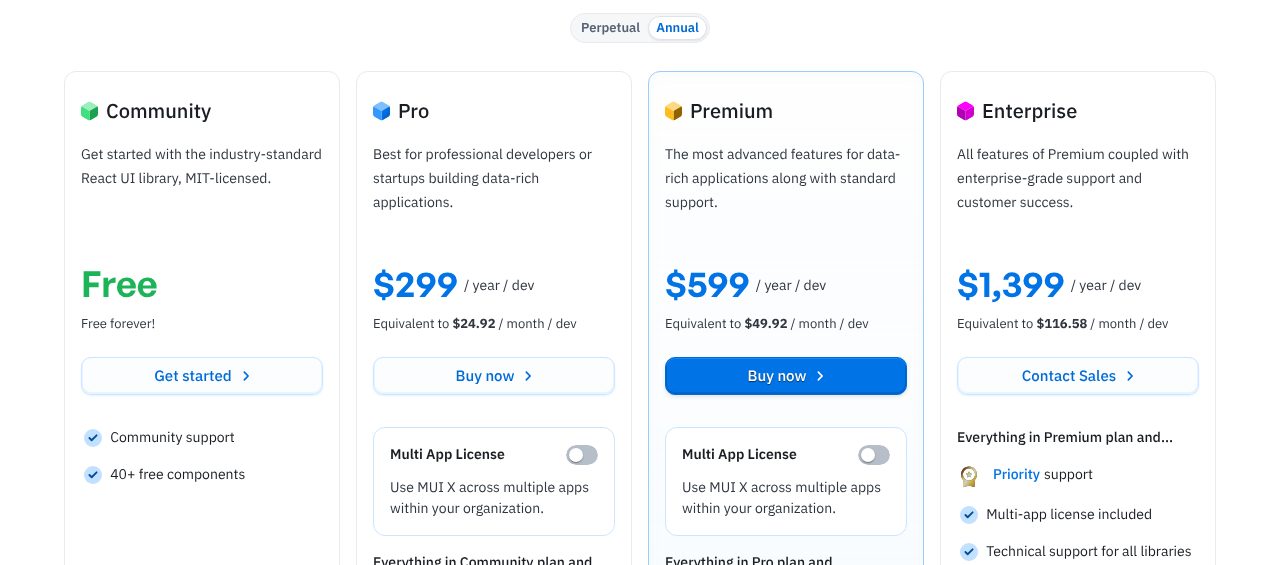
| Plan | Annual, single app | Annual, multi app | Perpetual, single app | Perpetual, multi app |
|---|---|---|---|---|
| Community | Free (MIT) | |||
| Pro | $299 | $499 | $657 | $1,097 |
| Premium | $599 | $999 | $1,318 | $2,198 |
| Enterprise (minimum 15 seats) | $1,399, multi app included | $2,798, multi app included | ||
| Tabulator | Free (MIT), any number of developers and applications | |||
All prices are per developer. Annual prices are per year. Perpetual prices are one off and include 12 months of updates and support. MUI offers volume discounts for teams of 25 or more developers through its sales team, and its pricing page notes that it "may implement an annual price increase of up to 7% at the time of renewal".
What each plan includes besides grid features
- Pro: the Pro packages for the Data Grid, Date and Time Range Pickers, Charts and Tree View, plus support with priority over Community.
- Premium: everything in Pro, the Premium packages (Data Grid, Charts and Scheduler) and support with priority over Pro.
- Enterprise: everything in Premium, plus priority support with a guaranteed one business day response time, technical support for MUI Core as well as MUI X, issue escalation and a customer success manager.
What changed in April 2026
MUI announced the change in a March 2026 blog post, Upcoming Changes to MUI X Pricing and Licensing in 2026, and it took effect on April 8, 2026. The post says Pro's per developer price "has not significantly changed since it was first introduced in 2020".
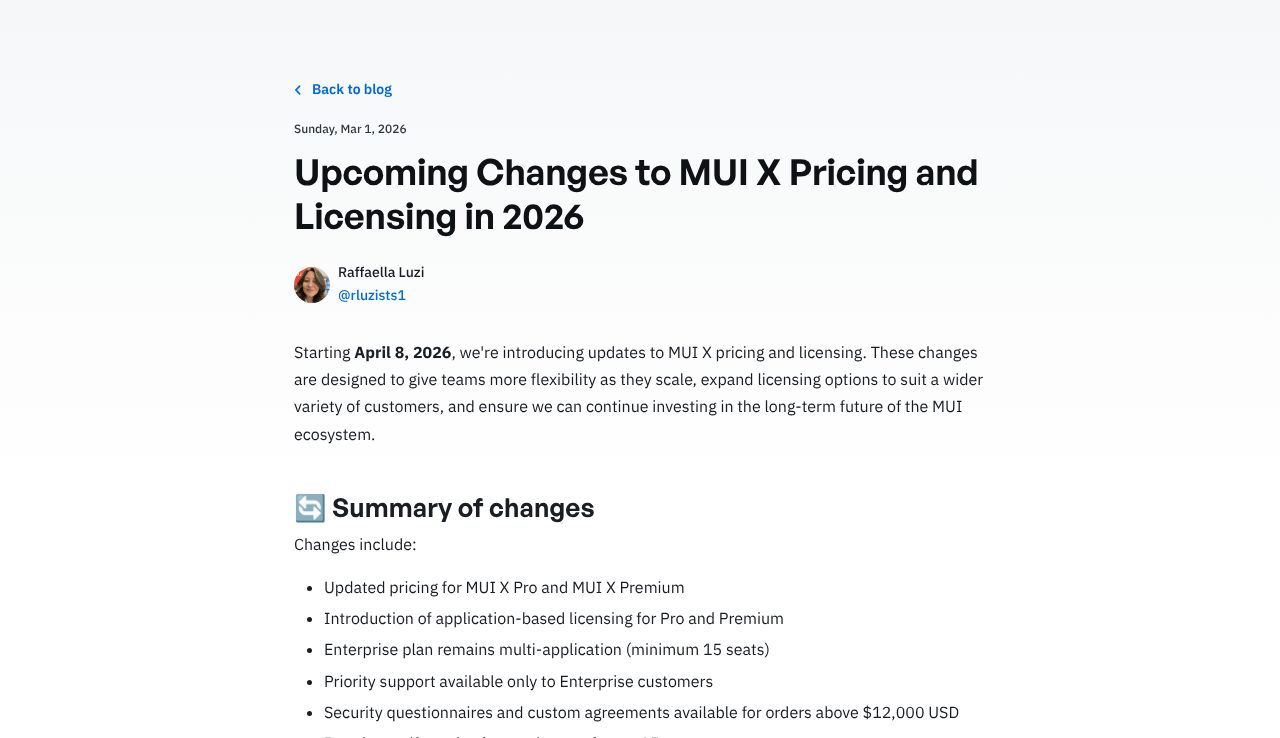
The main changes:
- Higher prices for Pro and Premium, especially for teams using MUI X in more than one application.
- Application based licensing. Pro and Premium are now sold as Single Application or Multi App licences. Each developer still needs a seat either way.
- Enterprise has a public price ($1,399 per developer per year) and a 15 seat minimum. It was "custom pricing" before.
- Priority support is Enterprise only. It used to be an add-on for Premium.
- Security questionnaires and custom agreements are only handled for orders of $12,000 and above. For a Premium single app team that means about 21 developers.
- Premium is self service up to 15 seats. Purchase orders and email requests start at 15 seats.
- Existing v8 customers are grandfathered. Renewing a v8 licence or adding seats to it keeps the old price. Upgrading to MUI X v9, or from Pro to Premium, moves you to the new price list.
Old prices compared with new prices
MUI still hosts the v8 version of its pricing page at v8.mui.com/pricing, which shows the pre April prices.
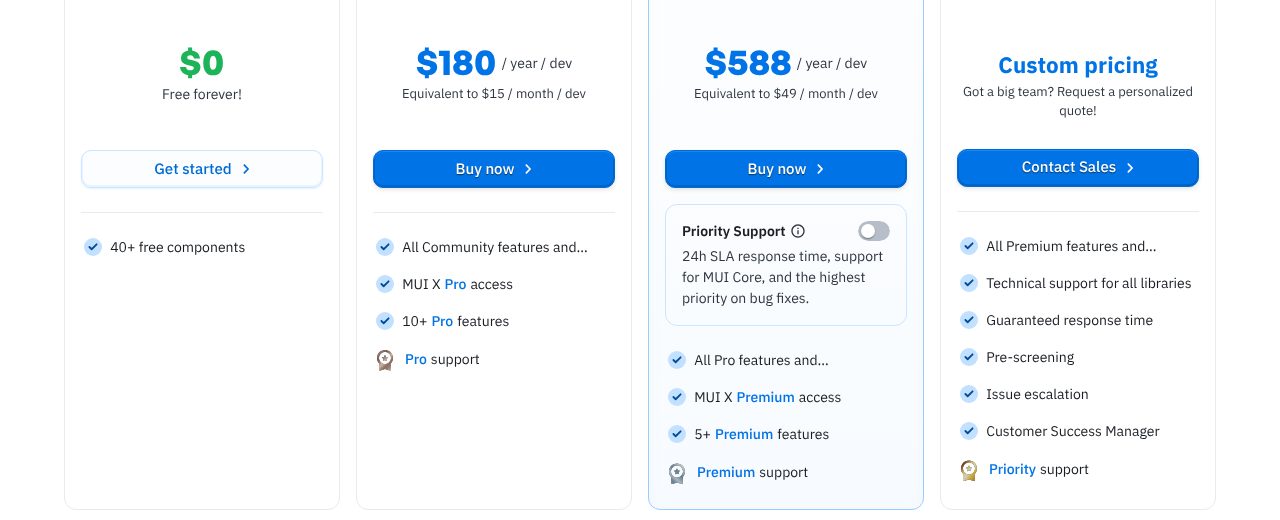
| Plan (annual, per developer) | Before April 8, 2026 | Now, single app | Now, multi app |
|---|---|---|---|
| Pro | $180 | $299 (+66%) | $499 (+177%) |
| Premium | $588 | $599 (+2%) | $999 (+70%) |
| Enterprise | Custom | $1,399, multi app included | |
The old licences did not limit the number of applications, so the fair comparison for most existing customers is the multi app column. A Pro team that uses MUI X in several internal tools goes from $180 to $499 per developer per year. A Premium team that needs priority support now has to move to Enterprise and buy at least 15 seats.
On the perpetual side, the v8 page listed Pro at $540 and Premium at $1,764 per developer. The new single app perpetual prices are $657 and $1,318.
How MUI X licensing works
Annual vs perpetual
Both models let you keep running, in production, any version released during your licence term. The difference is development. With an annual licence you need an active licence to keep developing with the paid components, so you renew every year as long as the code is being changed. With a perpetual licence you can keep developing with the versions you already have after the term ends. You only renew to get new versions and support.
Perpetual maintenance renewals are discounted: 50% if you renew before support expires, 35% up to 60 days after, and 15% after that.
Single Application vs Multi App
The EULA defines an Application as "a distinct software application, software product or software service" with "its own functional purpose as a separate solution". Modules and environments of one product count as one Application. Separate customer facing products, or internal tools serving "materially distinct purposes", may count as separate Applications even if they share a codebase or repository.
A Single Application licence "does not authorize the Licensee to reuse the Software across multiple distinct Applications". If you have an internal design system that wraps the MUI X Data Grid and is used by several apps, you need the Multi App licence. You can upgrade from single to multi app during a term by emailing MUI's sales team.
How many MUI X licences do you need?
MUI's licensing docs say the number of licences "must correspond to the number of concurrent developers contributing changes to the front-end code of the project that uses MUI X Pro or Premium". MUI gives this example: a team has five front end and ten back end developers, and only one person maintains the grid. The company must buy five licences.
The same docs give a second example for shared libraries. If a UI team of two builds an internal component library with MUI X Pro, and two app teams of five and three developers use it, the company needs ten licences. Every front end developer in the chain counts.
What does MUI X cost for a team?
These totals use list prices for the annual model, before any renewal increase.
| Front end developers | Pro, single app | Pro, multi app | Premium, single app | Premium, multi app |
|---|---|---|---|---|
| 1 | $299 / year | $499 / year | $599 / year | $999 / year |
| 3 | $897 / year | $1,497 / year | $1,797 / year | $2,997 / year |
| 5 | $1,495 / year | $2,495 / year | $2,995 / year | $4,995 / year |
| 10 | $2,990 / year | $4,990 / year | $5,990 / year | $9,990 / year |
| 15 (Enterprise threshold) | $4,485 / year | $7,485 / year | $8,985 / year | $14,985 / year |
A worked example: a team of five front end developers builds an internal operations app. The product spec asks for row grouping with subtotals and an "Export to Excel" button. Both are Premium features, so the team needs five Premium licences. That is $2,995 per year for one application, or about $9,000 over three years before any renewal increase (the row grouping comparison covers free ways to meet the grouping part of that spec). If the same team later adds a second app with the same grid, it moves to $4,995 per year on the Multi App licence.
Is the MUI Data Grid Pro free?
No. Only the Community package, @mui/x-data-grid, is free. @mui/x-data-grid-pro and @mui/x-data-grid-premium are commercial. MUI's EULA allows free evaluation for 30 days in non-production environments, and for code not meant for production, such as reproducing a bug or running a benchmark. You do not need to contact MUI to do this.
Without a licence key, Pro and Premium components show a watermark and print a console warning, in development and in production. End users can still use the component. You set the key once in the browser before React renders:
import { LicenseInfo } from "@mui/x-license";

LicenseInfo.setLicenseKey("YOUR_LICENSE_KEY");
MUI says the key "is checked without making any network requests" and "is designed to be public", so it ends up in your JavaScript bundle. It is a compliance tool, not DRM. If an annual key expires, the components keep working in production for versions released during the term, but the key cannot be used for further development. If you upgrade the npm package to a version released after your term, you get an "expired package version" watermark until you renew.
MUI X Data Grid features by plan
MUI publishes a feature showcase that tags each Data Grid feature as Community, Pro or Premium. The table below follows that page and MUI's sorting, filtering and pagination docs, with a Tabulator column for comparison.
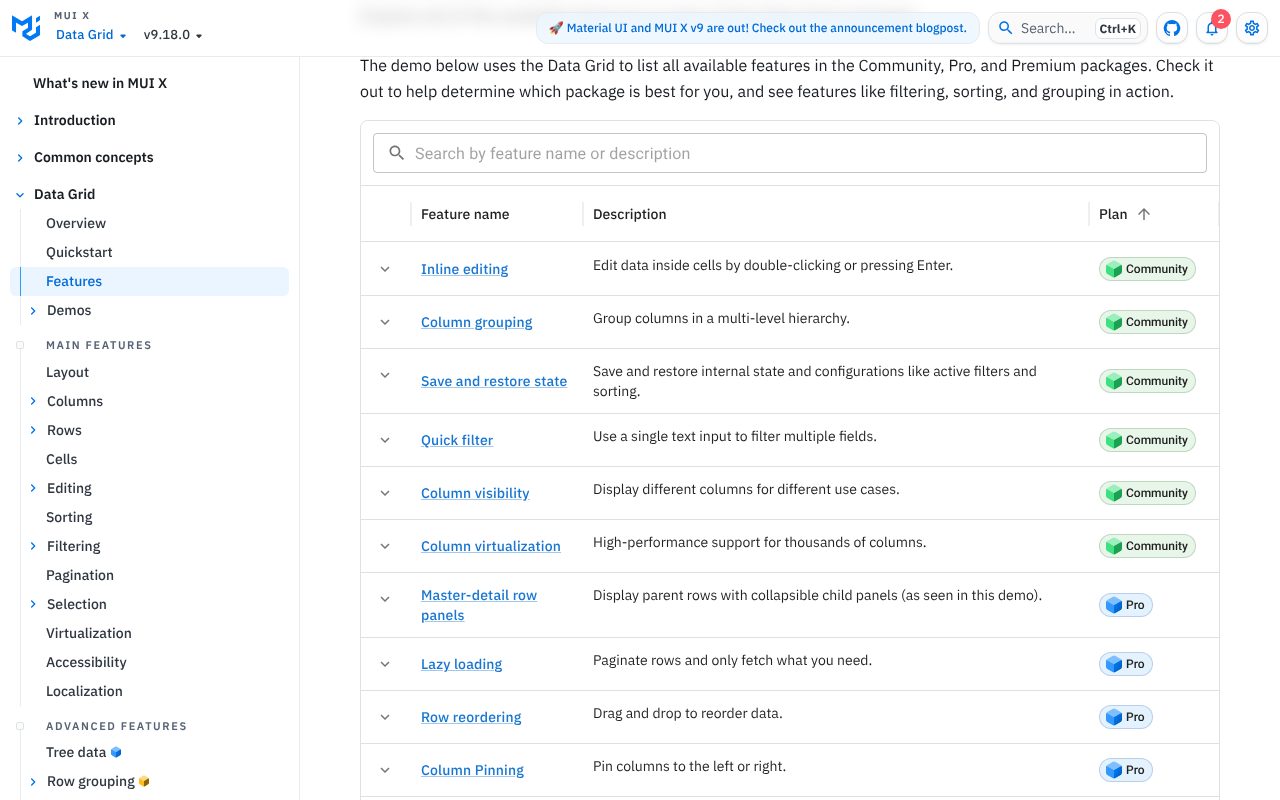
| Feature | MUI X plan needed | Tabulator (MIT) |
|---|---|---|
| Inline editing, column grouping, quick filter, column visibility, save and restore state | Community | Free (editing, persistence) |
| Pages larger than 100 rows | Pro | Free, any page size, or no pagination with the virtual DOM |
| Multi column sorting | Pro | Free (sorting) |
| Multiple filters at once, header filters | Pro | Free (filters) |
| Column pinning, row pinning | Pro | Free (frozen columns and rows, see frozen elements) |
| Tree data | Pro | Free (tree data) |
| Master detail row panels | Pro | Free, with row formatters and nested tables |
| Row reordering by drag and drop | Pro | Free (movable rows) |
| Lazy loading | Pro | Free (remote pagination and progressive loading, see pagination) |
| Row grouping | Premium | Free (grouping) |
| Aggregation and summary rows | Premium | Free (column calculations) |
| Excel export | Premium | Free XLSX, CSV, JSON, HTML and PDF (downloads) |
| Cell range selection | Premium | Free (range selection) |
| Clipboard paste | Premium | Free (clipboard) |
| Undo and redo | Premium | Free (history) |
| Pivoting | Premium | No built in pivot |
| Formulas | Premium | No formula engine |
| Charts integration, AI assistant | Premium | No |
| Licence key | Required for Pro and Premium | None |
| Frameworks | React only | Plain JavaScript, React, Vue, Angular, Svelte |
The 100 row cap is the limit that catches most teams. In the Community grid "pagination is enabled by default and cannot be disabled", and pages are limited to 100 rows. If the spec says "show all 2,000 rows in one scrollable table", that alone puts you on Pro.
Is MUI X worth the price?
Often, yes. $299 to $599 per developer per year is small next to the time it takes to build grouping, export or a pinned column layout yourself, and the MUI X grid fits a Material UI app without any styling work. It is a good purchase when:
- The app is already built on Material UI and the team wants one vendor, one theme and one set of docs.
- The spec needs pivoting, formulas or the charts integration, which are hard to replace.
- The front end team is small and works on a single application.
It is a harder sell when:
- You only need one or two Pro or Premium features, such as pages over 100 rows or an Excel export button.
- Many front end developers work on the app but only a few touch the grid, because every one of them needs a seat.
- The grid lives in a shared design system used by several apps, which forces the Multi App licence.
- You need priority support or a custom agreement, which now means Enterprise with 15 seats or a $12,000 order.
- Part of the product is not React, because MUI X is React only.
Free alternatives to MUI X Pro and Premium
If the price or the licence rules do not fit, these options are free for commercial use. For a wider list, see the best React table libraries comparison.
| Library | Licence | Grouping and Excel export free? | Best for |
|---|---|---|---|
| Tabulator | MIT | Yes | A finished grid with Premium style features at no cost |
| Material React Table | MIT | Grouping yes, export to CSV and PDF via examples | Keeping the Material UI look without MUI X |
| TanStack Table | MIT | Grouping logic yes, you build the UI and export | Teams that want full control of the markup |
| AG Grid Community | MIT | No, both are AG Grid Enterprise | A free grid now, with a paid upgrade path later |
Tabulator
Tabulator is an MIT licensed JavaScript data grid with no dependencies, no paid tier and no licence key. Everything in the Pro and Premium rows of the table above, except pivoting, formulas and charts, is in the free package. It works in React by mounting into a ref, and the same grid also runs in Vue, Angular, Svelte or plain JavaScript, which helps if not every screen in your product is React. Try it: sort a column, edit a cell, page through the data.
This React component covers the five developer team's spec from the worked example (grouping with subtotals and Excel export), plus range selection, clipboard, undo and redo, header filters and drag to reorder rows:
import { useEffect, useRef } from "react";
import { TabulatorFull as Tabulator } from "tabulator-tables";
import "tabulator-tables/dist/css/tabulator.min.css";

export default function OrdersGrid({ rows }) {
  const el = useRef(null);
  const table = useRef(null);

  useEffect(() => {
    table.current = new Tabulator(el.current, {
      data: rows,
      height: 500,                  // virtual DOM, no 100 row page cap
      layout: "fitColumns",
      groupBy: "region",            // row grouping
      selectableRange: true,        // cell range selection
      clipboard: true,              // copy and paste
      history: true,                // undo and redo
      movableRows: true,            // drag rows to reorder
      columns: [
        { title: "Customer", field: "customer", headerFilter: "input" },
        { title: "Region", field: "region", headerFilter: "list",
          headerFilterParams: { valuesLookup: true } },
        { title: "Amount", field: "amount", editor: "number", bottomCalc: "sum" },
      ],
    });
    return () => table.current.destroy();
  }, [rows]);

  // Excel export (uses the SheetJS library)
  const exportXlsx = () =>
    table.current.download("xlsx", "orders.xlsx", { sheetName: "Orders" });

  return (
    <>
      <button onClick={exportXlsx}>Export to Excel</button>
      <div ref={el} />
    </>
  );
}
The trade-offs are real. Tabulator is not React native, so you drive the instance through a ref (the React guide covers the patterns). It does not use Material UI components, so you match the look with its theming and CSS. It has no pivoting, formula engine or charts integration, and for pivots you reshape data first, as in the JavaScript pivot table guide. If you need a support contract, Tabulator offers optional commercial support, but every feature stays free.
For the five developer team above, the difference is $2,995 per year for MUI X Premium on one application, against $0 for any number of developers, applications and end users with Tabulator.
Material React Table
Material React Table builds a full featured table from TanStack Table and Material UI components. It is MIT licensed with no paid tier, and its docs cover column pinning, grouping and aggregation, expanding sub-rows, row virtualisation and several editing modes, plus examples for CSV and PDF export. It does not depend on @mui/x-data-grid, but it does need @mui/material, the MUI icons and Emotion.
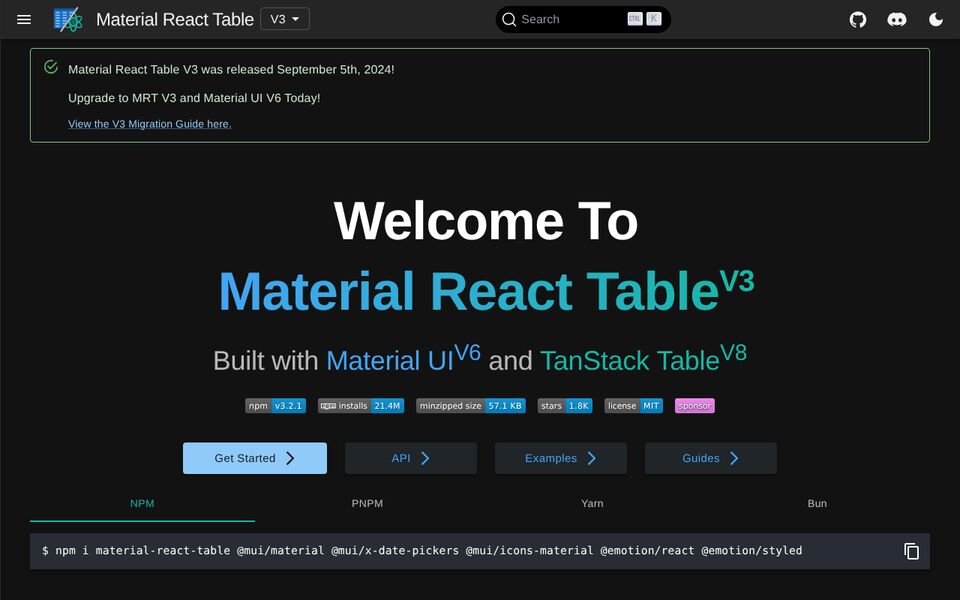
Best for: Material UI apps that want to keep a consistent look and avoid a per developer licence.
TanStack Table
TanStack Table is a headless, MIT licensed table library. It handles sorting, filtering, grouping, pagination and pinning state, and you write all the markup, styles and export code yourself. It is free in every sense except development time. Our TanStack Table vs AG Grid comparison goes into how much work that is.
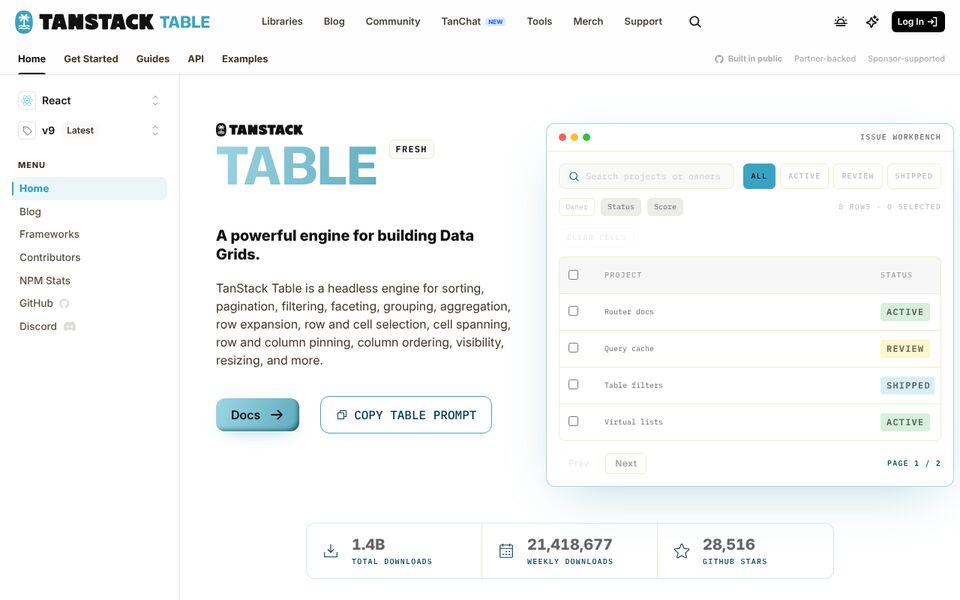
Best for: teams with a design system that want complete control of the table markup.
AG Grid Community
AG Grid Community is MIT licensed and has no page size cap, but row grouping, Excel export, range selection and clipboard are AG Grid Enterprise features. Enterprise starts at $999 per developer for a single internal application, with one year of updates. See AG Grid pricing for the full breakdown, or AG Grid alternatives if that price is also a problem.
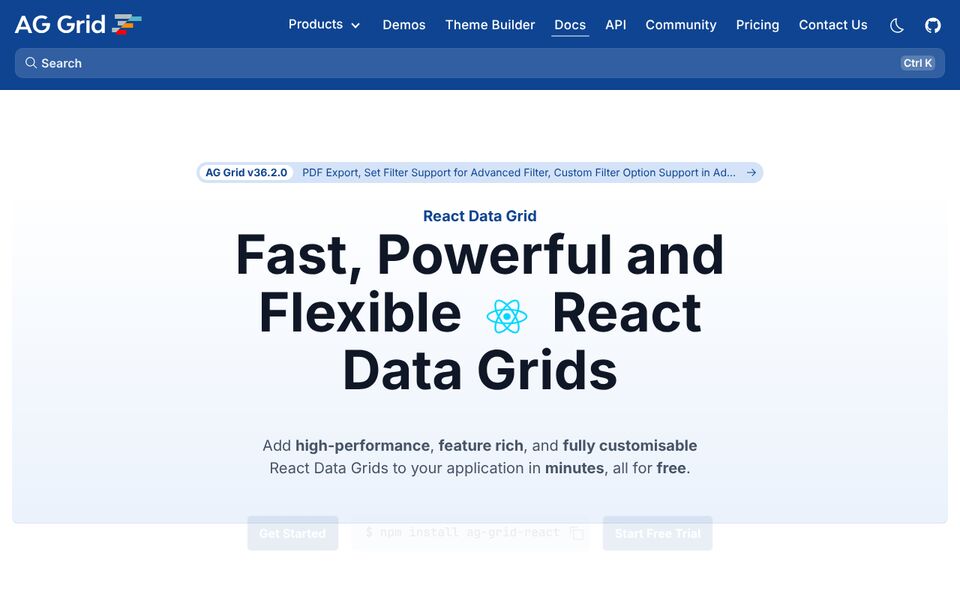
Best for: teams that want a free grid today and are comfortable paying for Enterprise features later.
Other commercial grids are priced differently again. Handsontable is licensed per end user (see Handsontable pricing), and Syncfusion, Kendo UI and DevExtreme sell per developer suites (see Syncfusion pricing and alternatives and Kendo UI pricing and alternatives).
Frequently asked questions
How much does MUI X cost?
MUI X Community is free. Pro costs $299 per developer per year for one application or $499 for multiple applications. Premium costs $599 or $999. Enterprise costs $1,399 per developer per year with a 15 seat minimum. Perpetual licences cost $657 (Pro) and $1,318 (Premium) per developer for a single application. Prices as of November 2026.
Is MUI free for commercial use?
Material UI, Base UI, Joy UI and MUI System are MIT licensed and free for commercial use. So are the Community MUI X packages, including @mui/x-data-grid. The Pro, Premium and Enterprise MUI X packages need a commercial licence.
Is the MUI Data Grid Pro free?
No. Data Grid Pro needs a Pro licence or higher. You can evaluate it free for 30 days in non-production environments. Without a key it shows a watermark and a console warning.
Did MUI X prices go up in 2026?
Yes. From April 8, 2026, Pro went from $180 to $299 per developer per year for a single application ($499 for multi app), and Premium went from $588 to $599 ($999 for multi app). Existing v8 licences keep their old price on renewal until the customer upgrades to v9 or moves from Pro to Premium.
How many MUI X licences do I need?
One for each concurrent front end developer contributing to a project that uses MUI X Pro or Premium, including developers who never touch the grid. Back end developers do not count.
What is the difference between MUI X Pro and Premium?
Pro adds pages over 100 rows, multi column sorting, multiple filters, header filters, column and row pinning, tree data, master detail panels, lazy loading and row reordering. Premium adds row grouping, aggregation, Excel export, cell range selection, clipboard paste, undo and redo, pivoting, formulas, charts integration and the AI assistant.
Is there a free alternative to MUI X Premium?
Yes. Tabulator is MIT licensed and includes row grouping, column calculations, XLSX export, range selection, clipboard, undo and redo, tree data and frozen columns for free, in React and other frameworks. It does not include pivoting, formulas or charts. Material React Table is a free option that keeps the Material UI look.
Get started with Tabulator
If MUI X Premium is in your spec only for grouping, export or large pages, try Tabulator before you send the purchase request. Follow the install guide, see the React setup, or browse the examples. The source is on GitHub.