Best React Spreadsheet Components in 2026: 10 Compared
The ticket says "users want to edit this like Excel". In React that sentence can mean three different products: a small grid of cells with copy and paste, a typed data entry table that feels like Airtable, or a full workbook with a toolbar, formulas and xlsx import. Each one points at a different React spreadsheet component, and picking the wrong kind costs more time than picking the wrong library inside the right kind.
This guide compares ten React spreadsheet components in 2026: six that are free under the MIT licence, one open core project and three commercial suites. Each has its licence, formula support, data model, a screenshot and a link. Versions, release dates and weekly npm downloads were read from the npm registry on November 19, 2026, and prices from each vendor's own pricing page on the same day. We build Tabulator, one of the MIT options, and we say plainly where it is not the right pick.
The short answer
- You need an Excel-like editable grid (range selection, copy and paste, undo, multiple sheets) and clean data back, with no licence fee? Tabulator's spreadsheet mode. MIT, works with any React version, no formula engine.
- You want the smallest pure React component with formulas? react-spreadsheet. MIT, formulas included, not virtualized.
- You want typed columns and a row based data model, like Airtable? react-datasheet-grid. MIT, virtualized, supports React 19.
- You want a free workbook with a toolbar, formula bar and sheet tabs? FortuneSheet or Jspreadsheet CE. Both MIT.
- You are building an online Excel, with xlsx fidelity, charts and collaboration? Univer (Apache 2.0 core, paid SDK), or a commercial suite: Handsontable, Syncfusion or KendoReact.
Spreadsheet or data grid? Decide this first
"React spreadsheet" covers two different data models, and the libraries below split cleanly along that line.
- Cell addressed. The data is a matrix: an array of rows, each an array of cells. Columns are lettered, rows are numbered, and any cell can hold anything. react-spreadsheet, FortuneSheet, Jspreadsheet, Univer and Tabulator's spreadsheet mode work this way. Pick this when users decide the layout.
- Row and column typed. The data is an array of objects, and every column has a field and a type (text, number, checkbox, date). react-datasheet-grid works this way, and so does a normal data grid with editing. Pick this when you decide the layout and users only fill it in. Validation and saving are far easier.
Then ask the question that removes half the list: do users type formulas? A formula engine brings a parser, a dependency graph and recalculation. If the spec only needs totals that your code can compute, you do not need one, and your choice is much wider. If users must type =SUM(B2:B5) into a cell, only pick from the libraries marked "Yes" in the table.
If what you really need is sorting, filtering and pagination over records, you want a data grid rather than a spreadsheet. See our guides to the best React table libraries and React data table pagination, sorting and filtering.
React spreadsheet components compared
Download figures are npm downloads for the week before November 19, 2026, rounded. They measure installs, including CI runs, so treat them as a rough signal of use and not a ranking.
| Component | Licence | Formulas | Data model | Latest release | Weekly npm downloads |
|---|---|---|---|---|---|
| Tabulator (spreadsheet mode) | MIT | No | Matrix, or rows in grid mode | 6.7.1, Oct 2026 | 268,000 |
| react-spreadsheet | MIT | Yes (Fast Formula Parser) | Matrix of { value } cells | 0.10.1, Mar 2025 | 162,000 |
| ReactGrid | MIT | Not in its feature list | Rows of typed cells you build | 4.1.17, Apr 2025 | 124,000 |
| react-datasheet-grid | MIT | Not in its feature list | Array of row objects | 4.11.6, Mar 2026 | 130,000 |
| FortuneSheet | MIT | Yes | Workbook of sheets | 1.0.4, Nov 2025 | 273,000 |
| Jspreadsheet CE | MIT | Yes (more in the paid Pro edition) | Worksheets of row arrays | 5.0.4, Aug 2025 | 135,000 |
| Univer | Apache 2.0 core, paid SDK from $99 a month | Yes | Workbook | 1.5.2, Nov 2026 | 700,000 (presets package) |
| Handsontable | Commercial, free key for non-commercial use | Yes (HyperFormula plugin) | Matrix or row objects | 18.1.2, Oct 2026 | 375,000 |
| Syncfusion Spreadsheet | Commercial, $1,199 per developer per year | Yes | Workbook | 35.2.12, Nov 2026 | 23,000 |
| KendoReact Spreadsheet | Commercial, from $649 per developer per year | Yes | Workbook | 17.0.0, Nov 2026 | 15,000 |
Tabulator: a free Excel-like grid for React
Tabulator is an MIT licensed JavaScript data grid with no dependencies and no paid edition. Its spreadsheet module generates lettered columns and numbered rows from an array of row arrays, and gives you the same shape back from getSheetData(). Add range selection, the clipboard and history modules and you have the interactions people expect: drag to select, copy a block out, paste a block in from Excel or Google Sheets, press Delete to clear, undo with Ctrl+Z.
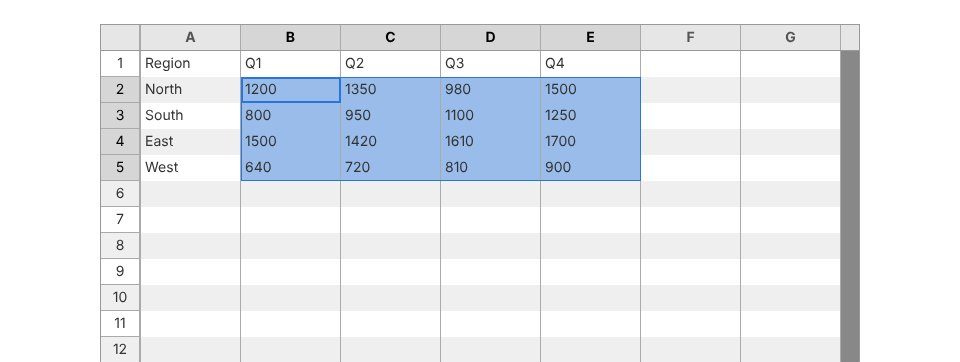
Two limits to know before you choose it. The spreadsheet module does not support cell formulas, and it has no formatting toolbar. It fits the first kind of spec: an editable grid that feels like Excel and returns clean data. It does not fit "users build their own financial model".
A React spreadsheet component in 50 lines
Tabulator is plain JavaScript, so it does not depend on a React version or on a wrapper package. Mount it in an effect, forward changes through a callback and destroy it on cleanup:
import { useEffect, useImperativeHandle, useRef } from "react";
import { TabulatorFull as Tabulator } from "tabulator-tables";
import "tabulator-tables/dist/css/tabulator.min.css";

export default function Spreadsheet({ ref, initialData, rows = 12, columns = 7, onChange }) {
  const el = useRef(null);
  const table = useRef(null);
  const onChangeRef = useRef(onChange);
  onChangeRef.current = onChange;

  useEffect(() => {
    // A fresh node per mount keeps React StrictMode's double mount clean
    const node = el.current.appendChild(document.createElement("div"));
    const t = new Tabulator(node, {
      spreadsheet: true,
      spreadsheetRows: rows,
      spreadsheetColumns: columns,
      spreadsheetData: initialData,
      spreadsheetColumnDefinition: { editor: "input", resizable: "header" },
      rowHeader: { field: "_id", hozAlign: "center", headerSort: false, frozen: true, width: 40 },

      selectableRange: 1,              // one selected range at a time
      selectableRangeColumns: true,    // click a column header to select the column
      selectableRangeRows: true,       // click a row header to select the row
      selectableRangeClearCells: true, // Delete key clears the selection
      editTriggerEvent: "dblclick",    // double click edits, single click selects
      editorEmptyValue: undefined,     // keep empty cells out of the output

      clipboard: true,
      clipboardCopyRowRange: "range",
      clipboardPasteParser: "range",
      clipboardPasteAction: "range",
      history: true,                   // Ctrl+Z and Ctrl+Y
    });

    // Tell React about every change the user makes
    const emit = () => onChangeRef.current?.(t.getSheetData());
    t.on("cellEdited", emit);
    t.on("clipboardPasted", emit);
    t.on("historyUndo", emit);
    t.on("historyRedo", emit);

    table.current = t;
    return () => {
      table.current = null;
      t.destroy();
      node.remove();
    };
  }, [rows, columns]);

  // Let the parent read or replace the sheet without a re-render
  useImperativeHandle(ref, () => ({
    getData: () => table.current?.getSheetData(),
    setData: (data) => table.current?.setSheetData(data),
  }), []);

  return <div ref={el} />;
}
We ran this component in Chromium with React 19 in StrictMode and Tabulator 6.7.1: typing into a cell, undoing it, clearing a cell with Delete and pasting a two by two block each called onChange once with the full sheet. Three details in it are worth copying:
- Create a child node inside the effect. StrictMode mounts, unmounts and mounts again in development. Building the second table on the same element as a destroyed one filled our console with "Event Target Lookup Error" warnings. A fresh node per mount removed all of them.
- Keep the sheet uncontrolled. The grid owns the cells while the user edits, and React hears about changes through
onChange. Pushing the whole matrix back in as a prop on every keystroke is what makes hand written React spreadsheets slow. - Keep the callback in a ref. The effect then does not need
onChangeas a dependency, so a new inline callback on each render does not rebuild the table.
On React 18, wrap the component in forwardRef instead of reading ref from props. Pasted values arrive as strings, so convert them where you read them, as the next example does.
Totals without a formula engine
If the "formulas" in your spec are a handful of totals that you control, compute them in React from the data the sheet reports:
import { useRef, useState } from "react";
import Spreadsheet from "./Spreadsheet";

const initialData = [
  ["Region", "Q1", "Q2", "Q3", "Q4"],
  ["North", 1200, 1350, 980, 1500],
  ["South", 800, 950, 1100, 1250],
  ["East", 1500, 1420, 1610, 1700],
  ["West", 640, 720, 810, 900],
];

// Sum one column, skipping the header row
const sumColumn = (data, col) =>
  data.slice(1).reduce((total, row) => total + (Number(row[col]) || 0), 0);

export default function Forecast() {
  const sheet = useRef(null);
  const [data, setData] = useState(initialData);

  return (
    <>
      <Spreadsheet ref={sheet} initialData={initialData} onChange={setData} />
      <p>Q4 total: {sumColumn(data, 4).toLocaleString("en-US")}</p>
      <button onClick={() => save(sheet.current.getData())}>Save</button>
    </>
  );
}
For several sheets, pass spreadsheetSheets and set spreadsheetSheetTabs: true, see the multiple sheets documentation. Spreadsheet mode is not compatible with modules that add their own elements to rows, such as pagination and grouping. When you need those, use Tabulator as a normal grid with editors and range selection, as shown in editable tables in JavaScript. The React setup guide covers the rest.
Best for: data entry grids, bulk paste from Excel, and teams that want one MIT library for both spreadsheets and data tables.
Watch out for: no cell formulas and no formatting toolbar.
react-spreadsheet
react-spreadsheet describes itself as a "simple, customizable yet performant spreadsheet for React". It is the most React native option here: one <Spreadsheet data={data} onChange={setData} /> component, a matrix of { value } cells, and custom DataViewer and DataEditor components for special cells. It is MIT licensed and ships a formula parser by default, built on Fast Formula Parser, which you can replace or restrict.
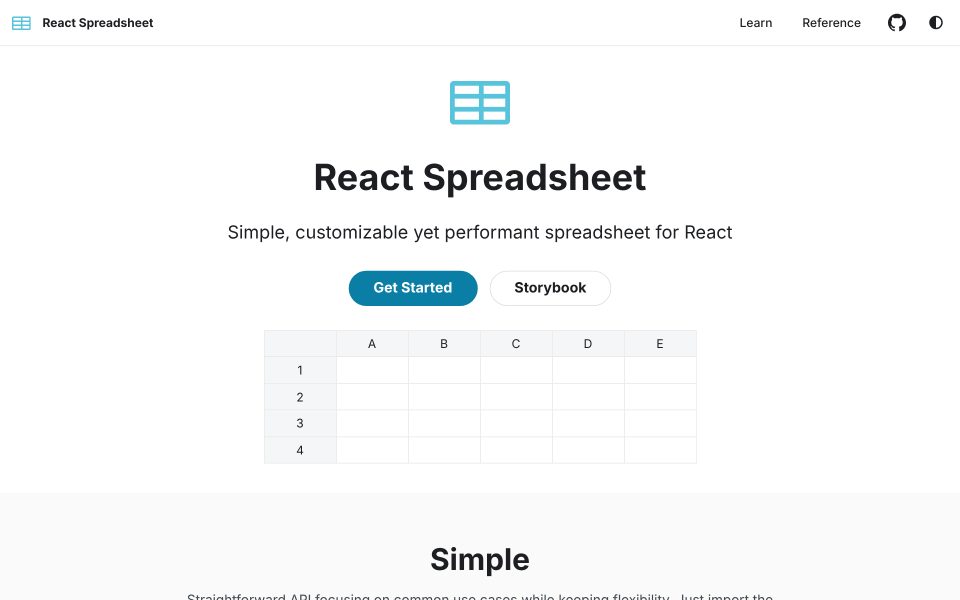
Best for: small sheets inside forms and internal tools, where formulas matter and the bundle should stay small.
Watch out for: its own feature list says "performant (yet not virtualized)", so every cell is in the DOM. Test it at your real row count. The latest release on npm is 0.10.1 from March 2025, and it needs scheduler installed as a peer dependency.
ReactGrid
ReactGrid from Silevis is an MIT licensed component "for displaying and editing data in a spreadsheet-like way". Its idea is that you can place any cell type anywhere, which makes it good for layouts that are neither a table nor a sheet, such as budget planners with nested groups. Its feature list includes range selection, a fill handle, sticky rows and columns, column resizing, row and column reordering, spanned cells, custom cell types and touch support.
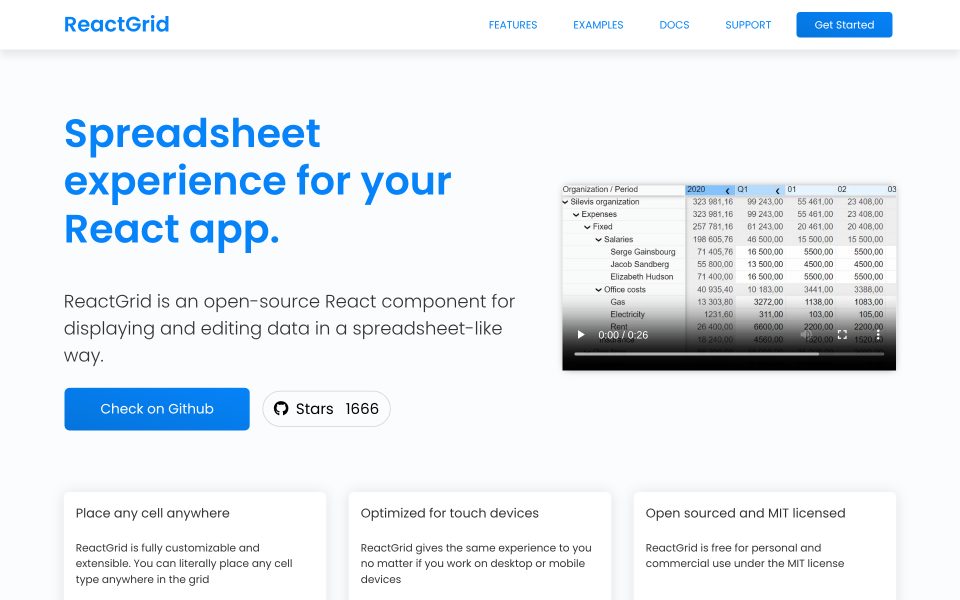
Best for: custom, non tabular layouts where each cell is your own component and your code owns every change.
Watch out for: the current stable release, 4.1.17 (April 2025), lists React 16, 17 and 18 as peer dependencies, not React 19. A version 5 has been in alpha, with its latest alpha also published in April 2025. Check the repository before you start a new React 19 project on it. Formulas are not in its feature list, so calculated cells are your job.
react-datasheet-grid
react-datasheet-grid calls itself "an Airtable-like / Excel-like component to create beautiful spreadsheets". The data is a plain array of row objects and each column has a type, so it sits on the data grid side of the line drawn above. Rows and columns are virtualized, and its documentation demonstrates 100,000 rows. It supports copy and paste to and from Excel and Google Sheets, a context menu, dragging the corner to expand a selection, and a full set of keyboard shortcuts.
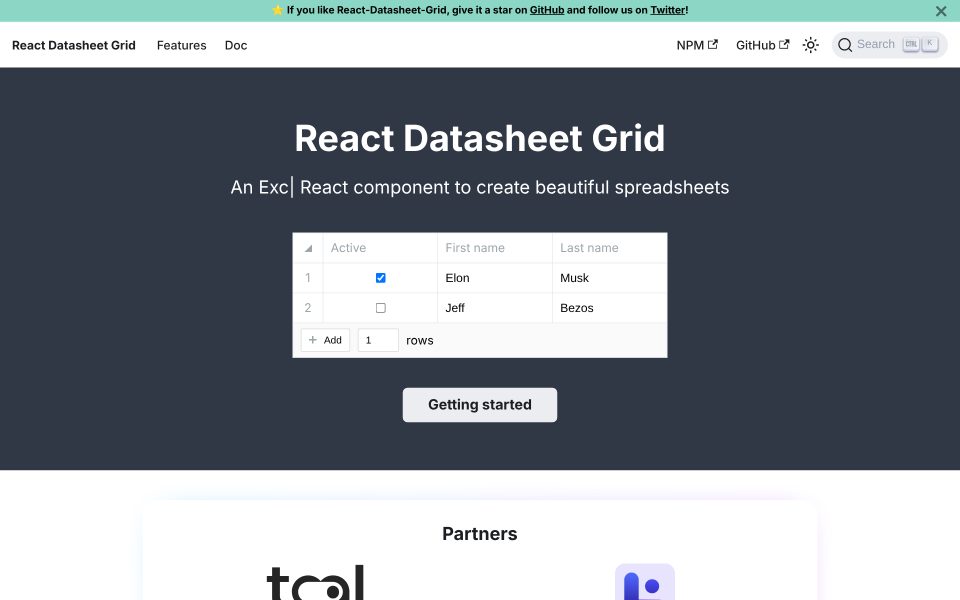
Best for: fast keyboard driven data entry into a known set of columns. Its peer dependency range covers React 15 through 19, and the latest release is from March 2026.
Watch out for: no free form cells, sheets or formulas. If users need to type anything anywhere, pick a cell addressed library.
FortuneSheet
FortuneSheet is "a drop-in javascript spreadsheet library that provides rich features like Excel and Google Sheets". It began as a TypeScript rewrite of Luckysheet and ships a React package, @fortune-sheet/react, whose Workbook component gives you a toolbar, a formula bar, sheet tabs, frozen panes, data verification and protected sheets out of the box. It is MIT licensed and needs React 18.2 or later.
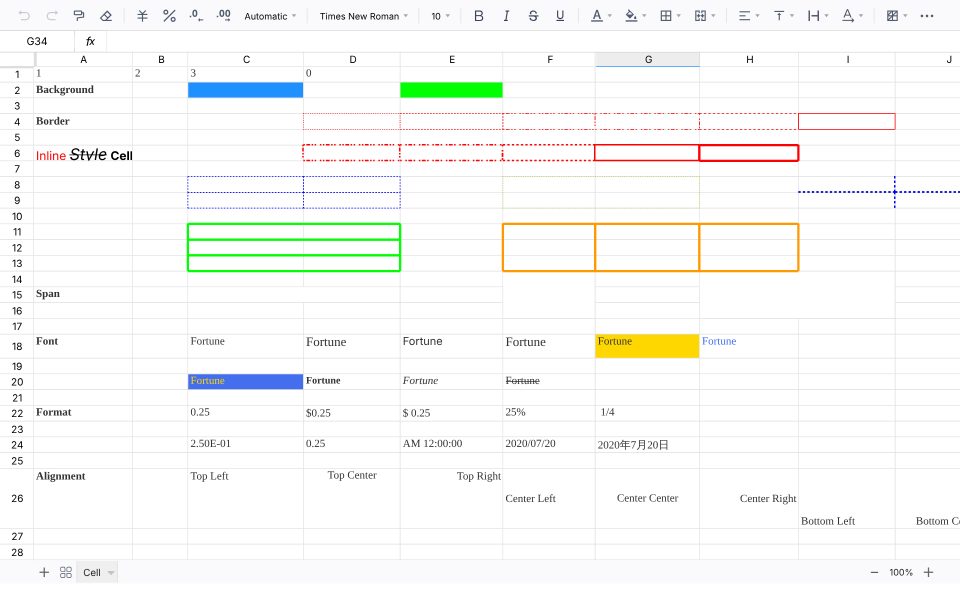
Best for: a free, self contained workbook where users expect a toolbar and formulas.
Watch out for: it is a large component that brings its own look, so it is harder to blend into a design system. The project's own README notes that parts of its Storybook are outdated. Read recent issues and releases to judge how actively it is maintained for your needs.
Jspreadsheet CE
Jspreadsheet CE is the MIT licensed community edition of Jspreadsheet, "a lightweight JavaScript data grid library with spreadsheet controls". Version 5 has a React wrapper, @jspreadsheet-ce/react, with Spreadsheet and Worksheet components. The CE documentation covers Excel-like formulas, custom formulas, merged cells, nested headers, a toolbar, worksheets, filters and search.
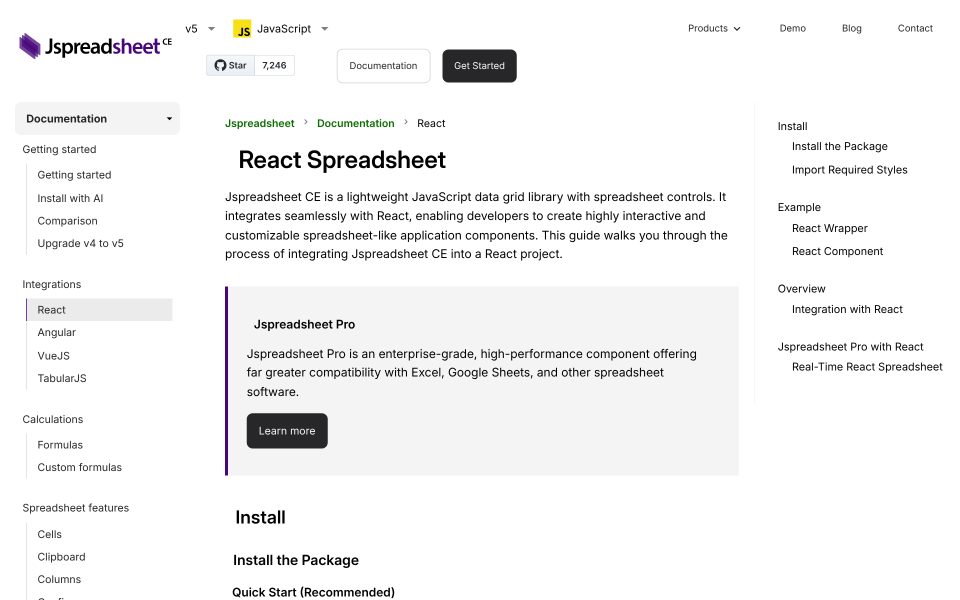
Best for: a free spreadsheet widget with formulas and a wide feature set, when you are comfortable driving it through its own API.
Watch out for: its React guide states that it "does not work directly with React States" because of its architecture, so you read and write through its methods and events. Cross sheet calculations, dynamic ranges and higher Excel compatibility belong to the paid Jspreadsheet Pro edition and its Formula Pro extension.
Univer
Univer is an office SDK (sheets, docs and slides) from the original Luckysheet team. The core packages on npm are Apache 2.0 licensed, and it is by far the most complete open source engine on this list: formulas, conditional formatting, data validation, number formats, filtering and freezing. Univer uses React for its own views and lists React as a peer dependency. You create an instance and mount it into a container, usually from an effect.

Best for: products where the spreadsheet is the product: online Excel, collaboration, import and export of real xlsx files.
Watch out for: the commercial features (charts, pivot tables, printing, an advanced formula engine, collaboration) sit in the paid SDK. Its pricing page lists Business from $99 a month or from $1,000 a year, sized by editing connections and exports, and a Freemium tier with watermarks and usage limits. It is also a lot of code for a simple data entry grid.
Handsontable
Handsontable is the long established "JavaScript component with a spreadsheet-like look and feel", and its React wrapper (@handsontable/react-wrapper, with a HotTable component) is one of the most polished here. Its Formulas plugin is powered by HyperFormula and its documentation lists about 400 built in functions, cross sheet references and named expressions.
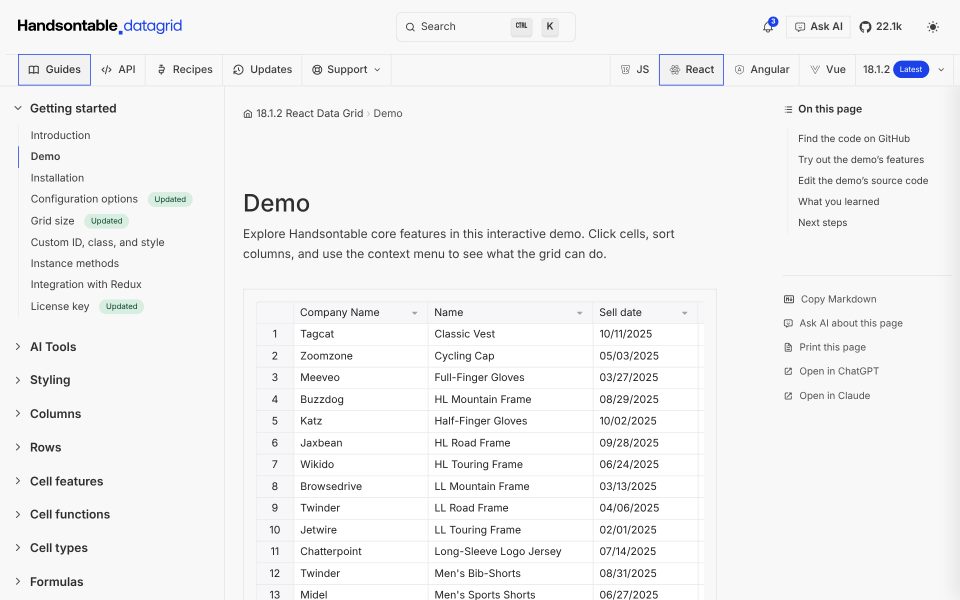
Best for: teams with a budget that want spreadsheet behaviour plus data grid features and vendor support.
Watch out for: it is not open source. Its documentation says it is available under commercial and free licences depending on usage, and the free key is only for purposes "not intended toward monetary compensation", such as teaching, research and evaluation. Commercial use needs a paid key, and the price is by quote. We cover the details in Handsontable pricing. HyperFormula on its own is GPL 3.0 on npm, or commercial.
Syncfusion React Spreadsheet
The Syncfusion React Spreadsheet is a full "Excel viewer and editor": ribbon toolbar, formulas, formatting, charts, conditional formatting, data validation, and import and export of Excel, CSV and PDF files.
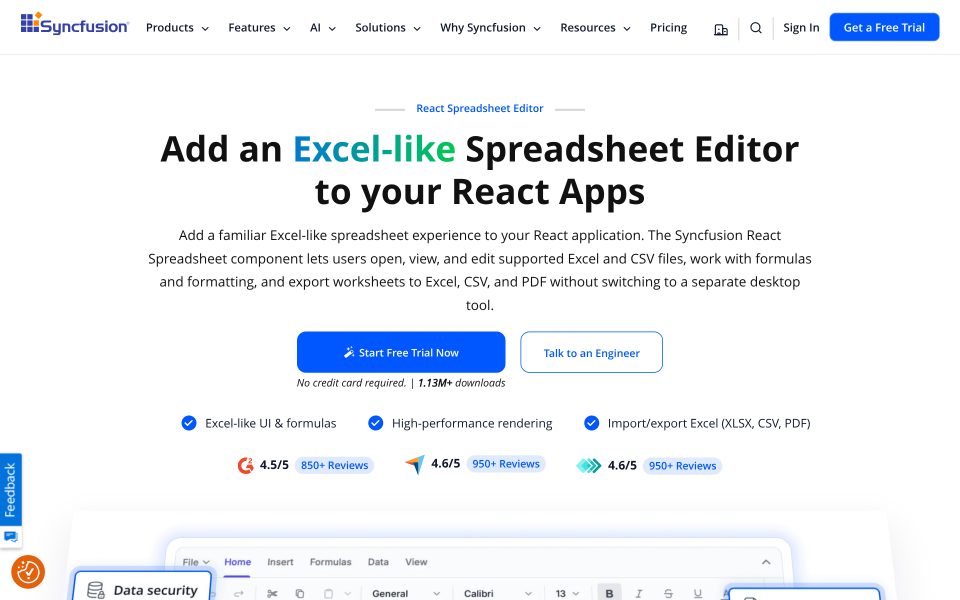
Best for: enterprise apps that must open and save real Excel files with high fidelity.
Watch out for: Syncfusion's pricing page lists the Spreadsheet Editor SDK at $1,199 per developer per year. The quick start on its product page opens and saves files through web service URLs (openUrl and saveUrl), so plan for a server side piece. There is a free community licence for small companies, with conditions we list in Syncfusion alternatives and pricing.
KendoReact Spreadsheet
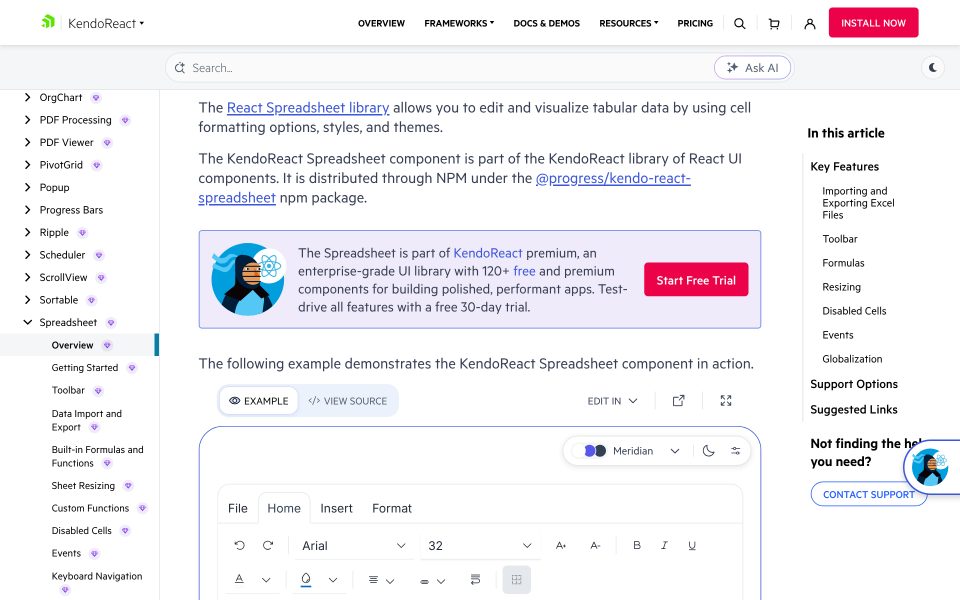
The KendoReact Spreadsheet from Progress Telerik offers a configurable toolbar, built in formulas and functions, custom functions, disabled cells and xlsx import and export. It is a native React component and takes its theme from the rest of KendoReact.
Best for: teams that already license KendoReact.
Watch out for: the Spreadsheet is a premium component, so it is not part of KendoReact Free. The KendoReact pricing page lists $649, $749 or $1,199 per developer per year depending on the support plan. See Kendo UI alternatives and pricing for how the licence key and renewals work.
Which React spreadsheet component should you pick?
- Bulk data entry and paste from Excel, no formulas, no licence fee: Tabulator.
- A small sheet with formulas inside a React form: react-spreadsheet.
- Typed columns, thousands of rows, keyboard first entry: react-datasheet-grid, or Tabulator in normal grid mode when you also need sorting and filtering.
- Unusual layouts with your own cell components, on React 18: ReactGrid.
- A free workbook with toolbar and formulas: FortuneSheet or Jspreadsheet CE. Prototype with both, they feel different.
- An online Excel as a product feature: Univer, then Handsontable, Syncfusion or KendoReact if you need vendor support and already know the budget.
Whichever you shortlist, test three things with your own data before you commit: paste 5,000 rows from Excel, scroll at your largest realistic sheet size, and run it under React StrictMode with your React version. Those three checks surface most of the problems that appear after launch. Our large dataset benchmark shows how much grids differ at 100,000 rows and above.
Frequently asked questions
What is the best free React spreadsheet component?
It depends on formulas. Without them, Tabulator's spreadsheet mode (MIT) gives range selection, clipboard, undo and multiple sheets. With them, react-spreadsheet is the lightest MIT option, and FortuneSheet and Jspreadsheet CE are MIT workbooks with a toolbar.
Is there an open source Excel-like grid for React?
Yes. react-spreadsheet, ReactGrid, react-datasheet-grid, FortuneSheet, Jspreadsheet CE and Tabulator are all MIT licensed, and Univer's core is Apache 2.0. Handsontable, Syncfusion and KendoReact are commercial.
Is Handsontable free for React?
Only for non-commercial use such as teaching, research and evaluation, with the non-commercial-and-evaluation key. Commercial projects need a paid licence. See Handsontable pricing.
Which React spreadsheet libraries support formulas?
react-spreadsheet, FortuneSheet, Jspreadsheet CE, Univer, Handsontable, Syncfusion and KendoReact. Tabulator, ReactGrid and react-datasheet-grid do not ship a formula engine, so you compute derived values in your own code.
Does Tabulator work with React 19?
Yes. Tabulator has no React dependency, so the component above mounts it from an effect. We tested it with React 19 in StrictMode and Tabulator 6.7.1.
Can a React spreadsheet import an Excel file?
Univer, Syncfusion and KendoReact list xlsx import and export. Tabulator can load a local xlsx, csv or ods file as table data (see the file load example) and export to Excel, CSV and PDF.
Get started with Tabulator in React
Install it with npm install tabulator-tables, copy the component above, then read the spreadsheet, range selection and clipboard docs and try the spreadsheet examples. The source is on GitHub. For libraries outside React, see the best JavaScript spreadsheet libraries and our Angular and Vue spreadsheet component comparisons.