React Data Table with Pagination, Sorting and Filtering
The spec says "a table with search, sortable columns and pages of 25 rows". In React that turns into a pile of state: current page, page size, sort column and direction, one filter value per column, and then the same again for server side data, with debouncing and loading states on top.
This guide shows three ways to build a React data table with pagination, sorting and filtering, and when each one is worth it. The main example uses Tabulator, a free MIT licensed data grid where all three features are options rather than code. For a wider comparison of libraries, see the best React table libraries. If your team already uses DataTables, our guide to DataTables in React covers the official component.
The short answer
- You want full control of the markup and styling: use a headless library such as TanStack Table. You wire up the state and write every control.
- You already use Material UI: MUI X Data Grid covers all three, with some limits in the free Community edition.
- You want it working today, including server side data: use Tabulator.
pagination, header filters and sorting are built in and need no paid tier.
Try it: pagination, sorting and filtering
This is a real Tabulator instance. Click a column header to sort, type in the Name filter, and use the page controls at the bottom.
Option 1: build it yourself with TanStack Table
TanStack Table is headless: it gives you the logic and you render the table, inputs and buttons. You enable each feature by adding a row model and holding the state:
import {
  useReactTable, getCoreRowModel, getSortedRowModel,
  getFilteredRowModel, getPaginationRowModel,
} from "@tanstack/react-table";

const [sorting, setSorting] = useState([]);
const [columnFilters, setColumnFilters] = useState([]);
const [pagination, setPagination] = useState({ pageIndex: 0, pageSize: 10 });

const table = useReactTable({
  data,
  columns,
  state: { sorting, columnFilters, pagination },
  onSortingChange: setSorting,
  onColumnFiltersChange: setColumnFilters,
  onPaginationChange: setPagination,
  getCoreRowModel: getCoreRowModel(),
  getSortedRowModel: getSortedRowModel(),
  getFilteredRowModel: getFilteredRowModel(),
  getPaginationRowModel: getPaginationRowModel(),
});
That is the logic. You still write the <table> markup, a sort indicator in each header, a filter input per column and the previous, next and page size controls. For server side data you switch to manualPagination, manualSorting and manualFiltering and fetch the data yourself, usually with a query library.
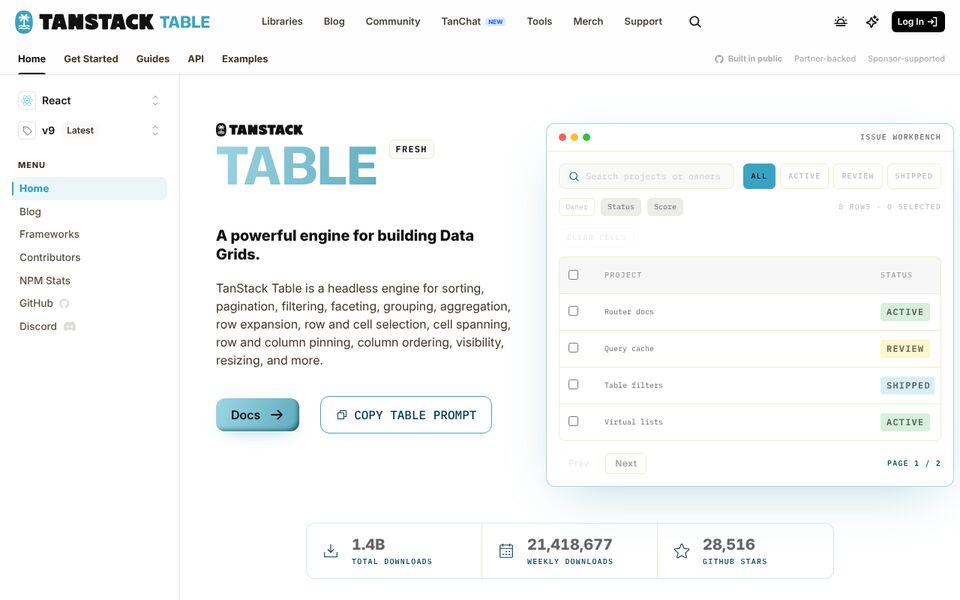
This is the right choice when your design system dictates every pixel. It is a lot of code when the requirement is simply "a table with pages and filters".
Option 2: MUI X Data Grid
If your app is already on Material UI, the MUI X Data Grid has pagination, column sorting and filtering out of the box. Check the pricing before committing: the Community edition is MIT, but pages are capped at 100 rows and multi column sorting needs Pro. Our MUI X pricing guide lists what each plan unlocks.

Option 3: Tabulator, where it is all configuration
Tabulator is plain JavaScript, so in React you mount it into a ref. Pagination, sorting and filtering are then options on the table:
import { useEffect, useRef } from "react";
import { TabulatorFull as Tabulator } from "tabulator-tables";
import "tabulator-tables/dist/css/tabulator.min.css";

export default function PeopleTable({ data }) {
  const el = useRef(null);
  const table = useRef(null);

  useEffect(() => {
    table.current = new Tabulator(el.current, {
      data,
      layout: "fitColumns",
      pagination: true,
      paginationSize: 10,
      paginationSizeSelector: [10, 25, 50],
      initialSort: [{ column: "name", dir: "asc" }],
      columns: [
        { title: "Name", field: "name", headerFilter: "input" },
        { title: "Age", field: "age", sorter: "number", headerFilter: "number", headerFilterFunc: ">=" },
        { title: "Team", field: "team", headerFilter: "list", headerFilterParams: { valuesLookup: true, clearable: true } },
      ],
    });
    return () => table.current.destroy();
  }, []);

  return <div ref={el} />;
}
That gives you clickable sortable headers, a filter in every header (text, number range and a dropdown built from the column values), page controls and a page size selector. There is no state to hold, because Tabulator keeps it. You can read or change it any time with table.setPage(3), table.setSort("age", "desc") or table.setFilter("team", "=", "Design").
When the data changes, call table.setData(newData) from an effect instead of recreating the table. See the React docs for the community wrapper and more patterns.
Server side pagination, sorting and filtering
When there are too many rows to send to the browser, move the work to your API. Set the three modes to remote and give Tabulator a URL:
new Tabulator(el.current, {
  ajaxURL: "/api/people",
  pagination: true,
  paginationMode: "remote",
  sortMode: "remote",
  filterMode: "remote",
  paginationSize: 25,
  columns: [
    { title: "Name", field: "name", headerFilter: "input" },
    { title: "Age", field: "age", sorter: "number" },
  ],
});
Tabulator then requests the page it needs and passes the state as query parameters: page, size, sort[0][field], sort[0][dir], filter[0][field], filter[0][type] and filter[0][value]. Your API replies with the rows and the total number of pages:
{ "last_page": 40, "data": [ { "id": 1, "name": "Ada", "age": 36 } ] }
Header filters are debounced by default, so typing does not fire a request on every keystroke. The pagination docs and data loading docs list every option, including how to rename the parameters to match an existing API.
Which approach should you pick?
| Approach | Code you write | Server side | Licence |
|---|---|---|---|
| TanStack Table | State, markup, inputs, controls | Yes, manual | MIT |
| MUI X Data Grid | Column config | Yes | MIT Community, paid Pro and Premium |
| Tabulator | Column config | Yes, built in modes | MIT, everything included |
If you only need to filter a short static list, plain React state and Array.filter is enough. Once you need sorting, paging, several filters and server data together, a grid library saves a lot of code.
Frequently asked questions
How do I add pagination to a React table?
With a headless library, hold pageIndex and pageSize in state and slice the rows. With Tabulator, set pagination: true and a paginationSize, and it renders the controls for you.
How do I sort a React table by column?
Store the sort column and direction in state and sort a copy of the data before rendering, or use a library that does it. In Tabulator, clicking a header sorts it, and you choose the comparison with the column sorter option (string, number, date and more).
How do I filter a React table?
Keep one filter value per column in state and apply them before pagination. In Tabulator add headerFilter: "input" to a column, or call table.setFilter() from your own search box.
How do I do server side pagination in React?
Send the page, page size, sort and filters to your API and render the page it returns. Tabulator does this when paginationMode, sortMode and filterMode are set to "remote".
Is there a free React data table with pagination?
Yes. Tabulator and TanStack Table are MIT licensed. Tabulator includes pagination, sorting, filtering and editing in one package with no paid tier.
Get started
Showing very large data without pages? Read the React virtualized table guide. Want the same ideas in plain JavaScript? Read how to filter, sort and search a JavaScript table. Need inline cell editing too? See the editable table guide.
Follow the quickstart, read the React setup guide, or browse the examples. The source is on GitHub.