Best Angular Spreadsheet Components in 2026: 9 Compared
A product manager asks for "an Excel-like screen" in your Angular app. Search for an Angular spreadsheet component and almost every result is a vendor page: Kendo UI, Syncfusion, SpreadJS, Ignite UI, DHTMLX. They are good products, and most of them cost $800 to $2,000 per developer per year. What the results rarely tell you is which free options exist, which ones need a server to open an xlsx file, and whether the spec needs a full spreadsheet at all.
This guide compares nine Angular spreadsheet components in 2026: three you can use for free in a commercial app, one GPL option and five commercial suites. Each entry has its licence, price, formula support, Excel file handling, a screenshot and a link. Versions and weekly downloads were read from the npm registry on November 20, 2026, and prices from each vendor's own pricing page on the same day. We build Tabulator, one of the free options, and we tested the Angular code below in a fresh Angular 22 project. We also say plainly where Tabulator is not the right pick.
The short answer
- You need an Excel-like editable grid (range selection, copy and paste from Excel, undo) that returns clean data, with no licence fee? Tabulator's spreadsheet mode. MIT, works with any Angular version, no formula engine.
- You need a free sheet where users type formulas? Jspreadsheet CE (MIT) or the Univer open source core (Apache 2.0).
- You need a full online Excel with a ribbon, 500 functions and xlsx round trips, and you have a budget? SpreadJS, Syncfusion or Kendo UI for Angular.
- Your company already licenses a component suite? Use that suite's spreadsheet: Kendo, Syncfusion, Ignite UI or DHTMLX. Adding a second vendor for one screen rarely pays off.
Spreadsheet or editable data grid? Decide this first
"Angular spreadsheet" covers two different jobs, and the right component depends on which one is in your spec.
- A spreadsheet. Users decide the layout. Any cell can hold anything, columns are lettered, rows are numbered, and users may type
=SUM(B2:B5). You get a matrix of cells back. Budget planners, pricing sheets and imported Excel files fall here. - An Excel-like editable grid. You decide the columns, and users fill them in quickly: keyboard navigation, range selection, paste a block from Excel, undo. You get an array of records back, with types you can validate. Order entry, timesheets and bulk updates fall here.
Then ask the question that removes half the list: do users type formulas? A formula engine brings a parser, a dependency graph and recalculation. If your spec only needs totals that your code can compute, you do not need one. If users must write their own formulas, pick from the components marked "Yes" in the table below.
If what you really need is sorting, filtering, grouping and pagination over records, you want a data grid instead. See our guide to the best Angular table and data grid libraries.
Angular spreadsheet components compared
Downloads are npm downloads for the week to November 18, 2026, rounded. For framework agnostic libraries the figure covers every framework, not just Angular, so treat it as a rough signal of use and not a ranking.
| Component | Licence and price | Formulas | xlsx import and export | Angular package | Weekly npm downloads |
|---|---|---|---|---|---|
| Tabulator (spreadsheet mode) | MIT, free | No | Load xlsx as data, export xlsx (with SheetJS) | None needed, about 70 lines of wrapper. 6.7.1, Oct 2026 | 271,000 (all frameworks) |
| Jspreadsheet CE | MIT, free. Pro from $2,499 per application per year | Yes (more in Pro) | Pro only | None, used directly. 5.0.4, Aug 2025 | 142,000 (all frameworks) |
| Univer | Apache 2.0 core. Business from $99 a month | Yes, 528 functions | Paid, needs a conversion backend | None, mounted from a component. 1.5.2, Nov 2026 | 747,000 (presets package, all frameworks) |
| Handsontable | Commercial, quote only. Free key for non-commercial use | Yes, about 400 functions (HyperFormula, licensed separately) | Export only (17.1+) | @handsontable/angular-wrapper 18.1.2, Angular 16 to 22 | 12,900 |
| SpreadJS | Commercial, $999 per developer plus a deployment licence | Yes, 500+ functions | Yes, in the browser | @mescius/spread-sheets-angular 19.2.6 | 3,700 |
| Syncfusion Spreadsheet | Commercial, $1,199 per developer per year. Free community licence | Yes | Yes, through a server web service | @syncfusion/ej2-angular-spreadsheet 35.2.12, Angular 20+ | 11,800 |
| Kendo UI for Angular Spreadsheet | Commercial, from $799 per developer per year | Yes | Yes, in the browser (active sheet on export) | @progress/kendo-angular-spreadsheet 26.1.0, Angular 20 to 22 | 12,100 |
| Ignite UI for Angular Spreadsheet | Commercial (Premium), $1,399 per developer per year | Yes | Yes, in the browser | igniteui-angular-spreadsheet 22.0.1, Angular 22 | Under 1,000 |
| DHTMLX Spreadsheet | GPL v2, or commercial from $599 (1 developer, 1 project) | Yes, 170+ functions | Yes, through WebAssembly workers | None, used directly. @dhtmlx/spreadsheet 6.0.4 | Under 200 |
Tabulator: a free Excel-like grid for Angular
Tabulator is an MIT licensed JavaScript data grid with no dependencies and no paid edition. Its spreadsheet module generates lettered columns and numbered rows from an array of row arrays, and gives you the same shape back. Add range selection, the clipboard and history modules and you get the interactions people expect from Excel: drag to select, copy a block out, paste a block in from Excel or Google Sheets, press Delete to clear, undo with Ctrl+Z.
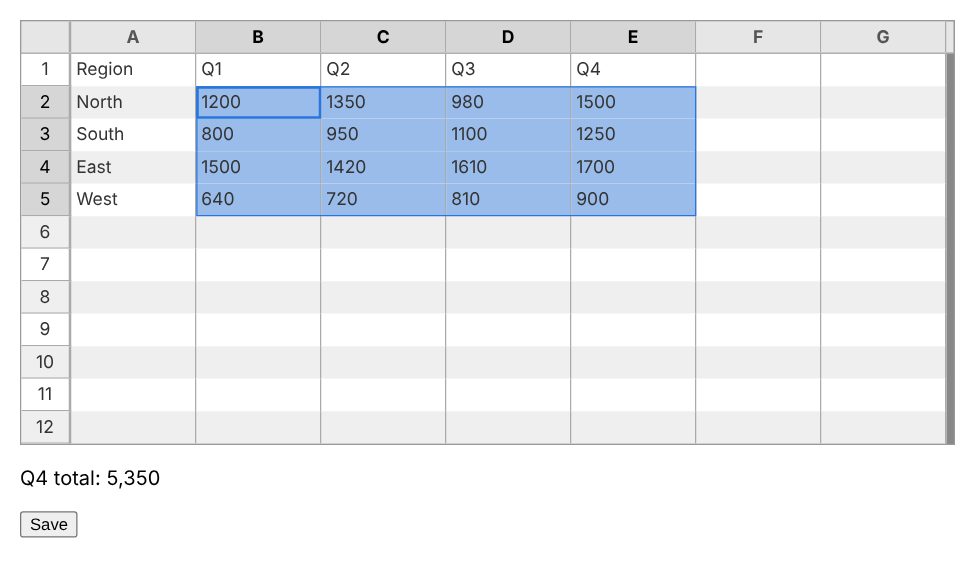
Two limits to know before you choose it. The spreadsheet module does not support cell formulas, and it has no formatting toolbar. It fits the "editable grid that feels like Excel" spec. It does not fit "users build their own financial model".
An Angular spreadsheet component in 70 lines
Tabulator is plain JavaScript, so there is no wrapper package to keep in step with Angular releases. Install it with npm install tabulator-tables @types/tabulator-tables, add node_modules/tabulator-tables/dist/css/tabulator.min.css to the styles array in angular.json, then create a standalone component:
import {
  Component, ElementRef, OnDestroy, afterNextRender,
  input, output, viewChild,
} from "@angular/core";
import { TabulatorFull as Tabulator } from "tabulator-tables";

export type SheetData = unknown[][];

@Component({
  selector: "app-spreadsheet",
  template: `<div #sheet></div>`,
})
export class SpreadsheetComponent implements OnDestroy {
  initialData = input<SheetData>([]);
  rows = input(12);
  columns = input(7);
  dataChange = output<SheetData>();

  private el = viewChild.required<ElementRef<HTMLElement>>("sheet");
  private table?: Tabulator;

  constructor() {
    // Tabulator needs a real DOM node, so build it after the first render
    afterNextRender(() => {
      const t = new Tabulator(this.el().nativeElement, {
        spreadsheet: true,
        // One sheet with a fixed key, so getSheetData("main") is fully typed
        spreadsheetSheets: [{
          title: "Sheet 1", key: "main",
          rows: this.rows(), columns: this.columns(), data: this.initialData(),
        }],
        spreadsheetColumnDefinition: { editor: "input", resizable: "header" },
        rowHeader: { field: "_id", hozAlign: "center", headerSort: false, frozen: true, width: 40 },

        selectableRange: 1,              // one selected range at a time
        selectableRangeColumns: true,    // click a column header to select it
        selectableRangeRows: true,       // click a row header to select it
        selectableRangeClearCells: true, // Delete clears the selected cells
        editTriggerEvent: "dblclick",    // double click edits, single click selects
        editorEmptyValue: undefined,     // keep empty cells out of the output

        clipboard: true,
        clipboardCopyRowRange: "range",
        clipboardPasteParser: "range",
        clipboardPasteAction: "range",
        history: true,                   // Ctrl+Z and Ctrl+Y
      });

      // Emit the whole sheet after every user change
      const emit = () => this.dataChange.emit(t.getSheetData("main"));
      t.on("cellEdited", emit);
      t.on("clipboardPasted", emit);
      t.on("historyUndo", emit);
      t.on("historyRedo", emit);

      this.table = t;
    });
  }

  getData(): SheetData {
    return this.table?.getSheetData("main") ?? [];
  }

  setData(data: SheetData) {
    this.table?.setSheetData("main", data);
  }

  ngOnDestroy() {
    this.table?.destroy();
  }
}
Use it from any component and react to changes with a signal. The totals here are the "formulas" most specs actually ask for, computed in Angular from the data the sheet reports:
import { Component, signal, viewChild } from "@angular/core";
import { DecimalPipe } from "@angular/common";
import { SpreadsheetComponent, SheetData } from "./spreadsheet.component";

const initialData: SheetData = [
  ["Region", "Q1", "Q2", "Q3", "Q4"],
  ["North", 1200, 1350, 980, 1500],
  ["South", 800, 950, 1100, 1250],
  ["East", 1500, 1420, 1610, 1700],
  ["West", 640, 720, 810, 900],
];

// Sum one column, skipping the header row
const sumColumn = (data: SheetData, col: number) =>
  data.slice(1).reduce((total: number, row) => total + (Number(row[col]) || 0), 0);

@Component({
  selector: "app-root",
  imports: [SpreadsheetComponent, DecimalPipe],
  template: `
    <app-spreadsheet [initialData]="initialData" (dataChange)="data.set($event)" />
    <p>Q4 total: {{ q4Total() | number }}</p>
    <button (click)="save()">Save</button>
  `,
})
export class App {
  protected initialData = initialData;
  protected data = signal(initialData);
  protected q4Total = () => sumColumn(this.data(), 4);
  private sheet = viewChild.required(SpreadsheetComponent);

  save() {
    const data = this.sheet().getData();
    // send data to your API here
  }
}
We built this with Angular 22.3 (a new zoneless project from ng new), Tabulator 6.7.1 and strict TypeScript, then drove it in Chromium. Editing a cell, undoing the edit, clearing a cell with Delete and pasting a two by two block each reached the parent through dataChange, and the total updated without any manual change detection. The console stayed clean. Details worth copying:
- Build the table in
afterNextRender. It runs once, in the browser only, after the element exists. That also keeps the component safe in server side rendered apps, where there is no DOM to build into. - Keep the sheet uncontrolled. The grid owns the cells while users edit, and Angular hears about changes through the output. Binding a matrix back in on every keystroke is what makes hand written Angular spreadsheets slow.
- Use a named sheet. The current
@types/tabulator-tablespackage does not declare thespreadsheetDataoption, and it typesgetSheetDataandsetSheetDatawith a sheet key. Passing a single sheet throughspreadsheetSheetswith the key"main"compiles under strict mode with no casts. - Convert pasted values. Values pasted from the clipboard arrive as strings (
"10", not10), which is whysumColumnusesNumber().
Stay under Angular's bundle budget
TabulatorFull registers every module. In our test app the initial bundle was 702 kB raw (148 kB over the wire), which trips the 500 kB warning budget that ng new sets by default. Importing only the modules the sheet uses brought it down to 493 kB raw (113 kB transferred) with the same behaviour:
import {
  Tabulator, SpreadsheetModule, SelectRangeModule, EditModule, ClipboardModule,
  HistoryModule, KeybindingsModule, ResizeColumnsModule, FrozenColumnsModule, SortModule,
} from "tabulator-tables";

// Register only the modules the sheet uses
Tabulator.registerModule([
  SpreadsheetModule, SelectRangeModule, EditModule, ClipboardModule,
  HistoryModule, KeybindingsModule, ResizeColumnsModule, FrozenColumnsModule, SortModule,
]);
Then use new Tabulator(...) exactly as in the component above. Keep SortModule in the list while the row header sets headerSort, or Tabulator warns about an unknown column option.
For several sheets, add more entries to spreadsheetSheets and set spreadsheetSheetTabs: true, see the multiple sheets documentation. Spreadsheet mode is not compatible with modules that add their own elements to rows, such as pagination and grouping. When you need those, use Tabulator as a normal grid with editors and range selection, as shown in editable tables in JavaScript. The Angular setup guide covers the basics.
Best for: data entry screens, bulk paste from Excel, and teams that want one MIT library for both spreadsheets and data tables.
Watch out for: no cell formulas and no formatting toolbar. Tabulator can load a local xlsx file as data (see the file load example) and export to Excel, CSV and PDF, but it is not built to preserve an Excel file's styles and formulas.
Jspreadsheet CE
Jspreadsheet CE is the MIT licensed community edition of Jspreadsheet. There is no Angular wrapper for CE: its Angular guide installs jspreadsheet-ce@5 and calls jspreadsheet(this.spreadsheet.nativeElement, {...}) inside ngAfterViewInit, the same pattern as Tabulator above. The CE documentation says it "supports Excel-like formulas compatible with popular spreadsheet applications such as Excel and Google Sheets", and it adds worksheets, merged cells, nested headers, a toolbar, filters and search.
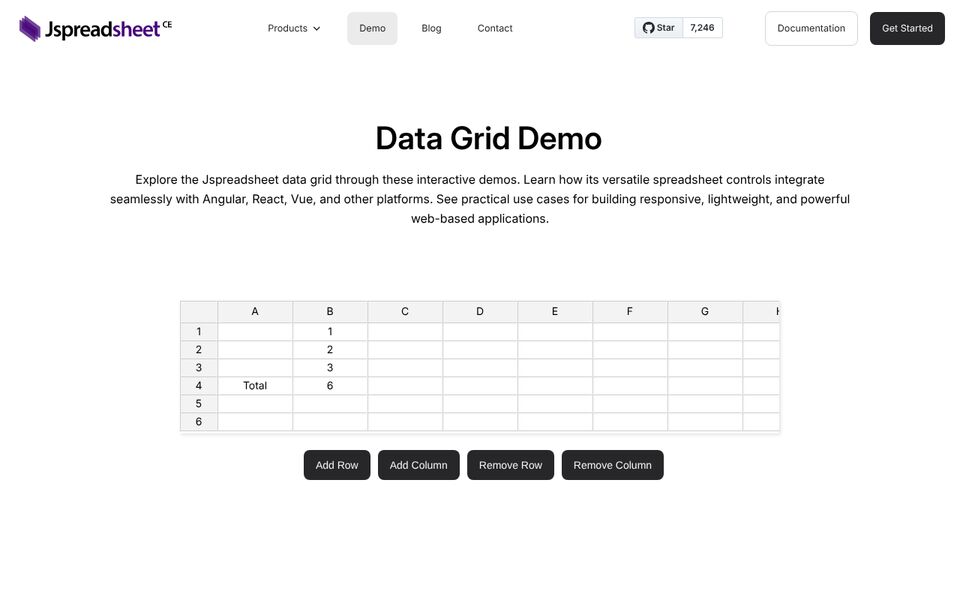
Best for: a free spreadsheet widget with formulas, when you are happy to drive it through its own API.
Watch out for: xlsx import and export, cross sheet calculations and dynamic ranges are paid. The Jspreadsheet pricing page lists Enterprise at $2,499 and Ultimate at $4,499 per year, priced per application rather than per developer. The Pro edition has an Angular wrapper (@jspreadsheet/angular), CE does not. The latest CE release on npm is 5.0.4 from August 2025.
Univer
Univer is an office SDK (sheets, docs and slides) from the original Luckysheet team. Its pricing page states that "the Univer open-source core is licensed under Apache-2.0 and is free to use, including in commercial products", and the formula documentation lists 528 functions. It is the most complete open source spreadsheet engine on this list. Univer renders its own views with React, but its Angular guide shows the usual pattern: create the instance in ngAfterViewInit and dispose of it in ngOnDestroy.
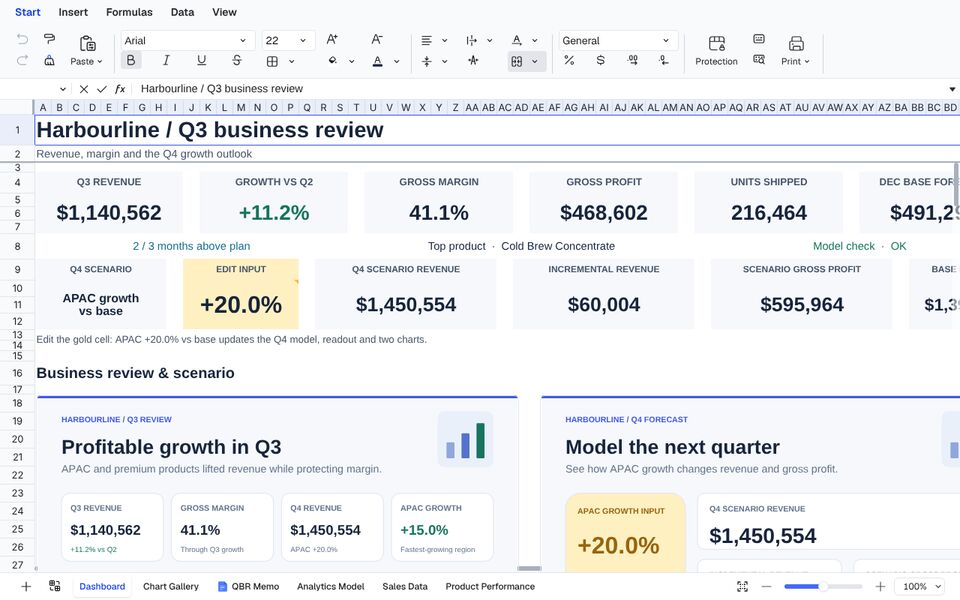
Best for: products where the spreadsheet is the product, and teams comfortable shipping a large React based component inside Angular.
Watch out for: "Charts, pivot tables, printing, Office file conversion, real-time collaboration, the Server SDK, and the AI SDK" are in the commercial Univer Office SDK. That includes xlsx import and export, which also needs a conversion backend. The pricing page lists Business from $99 a month (or from $1,000 a year), priced by capacity rather than seats, and a Freemium tier for development and testing.
Handsontable
Handsontable is the long established spreadsheet-like data grid, and its Angular wrapper, @handsontable/angular-wrapper, requires at least Angular 16 and supports up to Angular 22. The older @handsontable/angular package is deprecated. With its Formulas plugin it offers about 400 built in functions through HyperFormula.
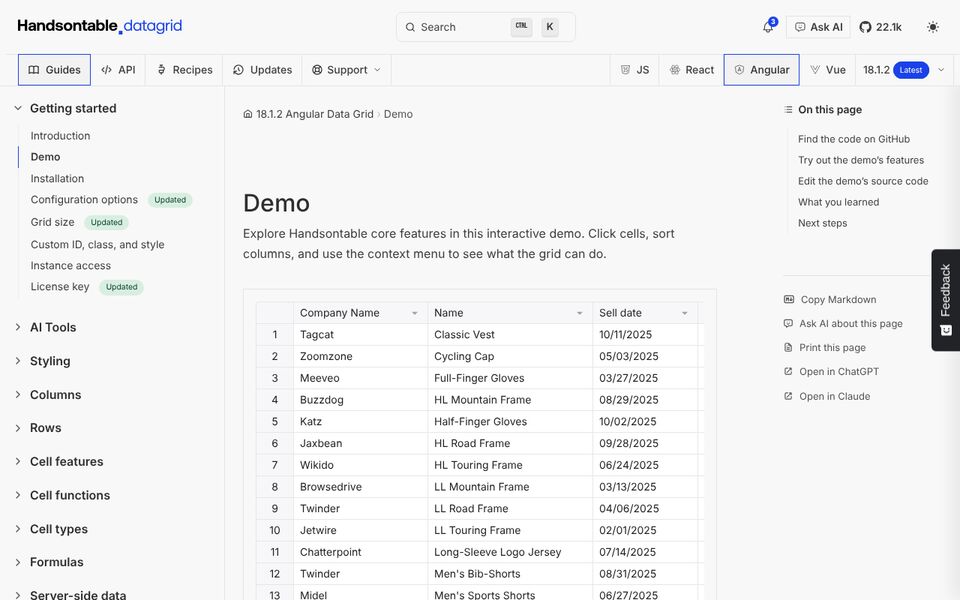
Best for: teams with a budget that want spreadsheet behaviour and data grid features from one vendor.
Watch out for: it is not open source. The free non-commercial-and-evaluation key is only for purposes "not intended toward monetary compensation", and the pricing page no longer shows prices: licences are priced "by the number of end users of the applications you build with it" and quoted by sales. Since version 18.0, HyperFormula is not installed with Handsontable and is licensed separately (GPL 3.0 on npm, or commercial). Excel export arrived in 17.1, and we found no xlsx import in the docs. More in Handsontable pricing.
SpreadJS
SpreadJS from MESCIUS (formerly GrapeCity) is the most Excel-compatible component here. Its Angular page promises "a complete Angular spreadsheet solution with over 500 Excel functions", and it imports and exports xlsx in the browser through the @mescius/spread-sheets-io plugin. The Angular package is @mescius/spread-sheets-angular, and the 19.2 release notes add Angular 22 compatibility. MESCIUS also sells a designer component, which gives your users a full Excel-like ribbon.
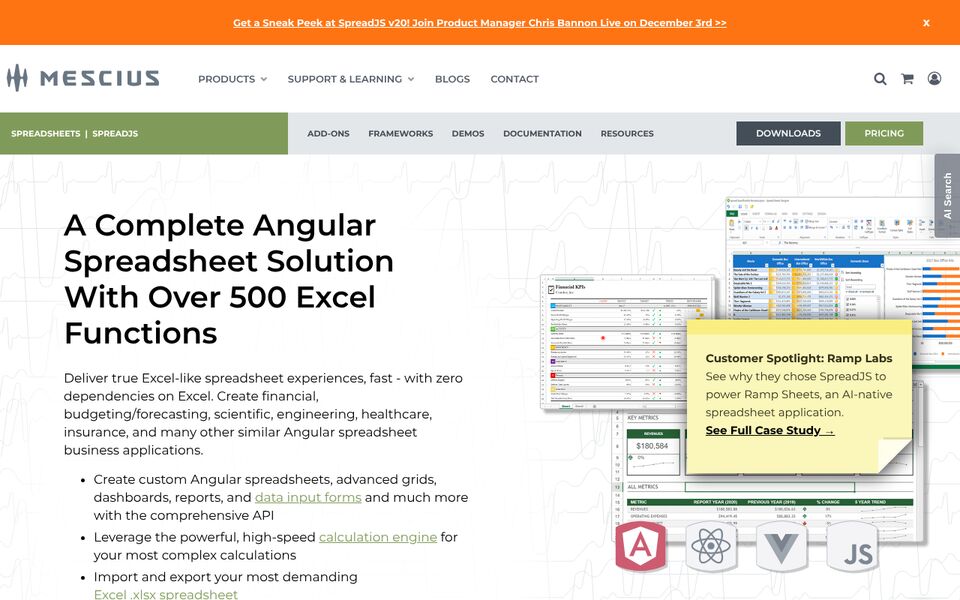
Best for: apps that must open, calculate and save real Excel workbooks with high fidelity, without a server round trip.
Watch out for: licensing has two parts. The pricing page lists $999 per developer, plus a deployment licence: a commercial limited annual deployment licence is $12,499 per domain, and internal apps use a $1,999 developer and hostname bundle. Add-ons such as pivot tables are priced separately.
Syncfusion Angular Spreadsheet
The Syncfusion Angular Spreadsheet is a full Excel viewer and editor with a ribbon, formulas, charts, conditional formatting and data validation. It can "open, view, edit, calculate, format, and export Excel and XLSX files", and exports to xlsx, CSV and PDF. Syncfusion's Angular components support Angular 20 and above.
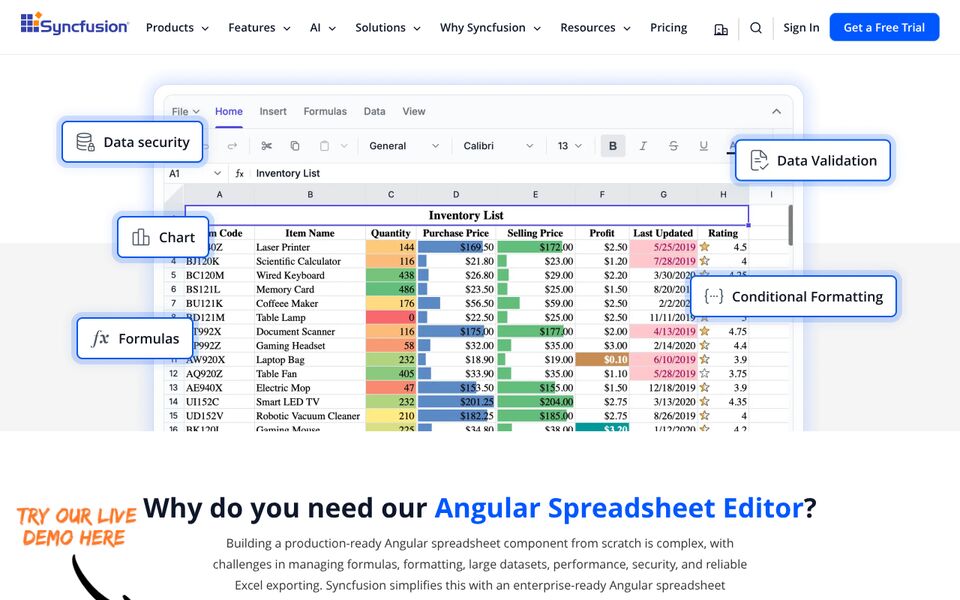
Best for: enterprise apps that already use Syncfusion components and need a ribbon based editor.
Watch out for: opening and saving Excel files goes through a server. The quick start points openUrl and saveUrl at a Syncfusion web service, and the docs say the model "is sent to the server as JSON for processing". The pricing page lists the Spreadsheet Editor SDK at $1,199 per developer per year, separate from the UI Component Suite. The free community licence is limited to organisations with under $1 million in revenue, 5 or fewer developers and 10 or fewer employees. See Syncfusion alternatives and pricing.
Kendo UI for Angular Spreadsheet
The Kendo UI for Angular Spreadsheet from Progress Telerik is "built from the ground up and specifically for Angular", with menus, a formula bar, built in formulas, data validation, cell comments and xlsx import and export in the browser. The current package supports Angular 20 to 22 and is compatible with a strict Content Security Policy.
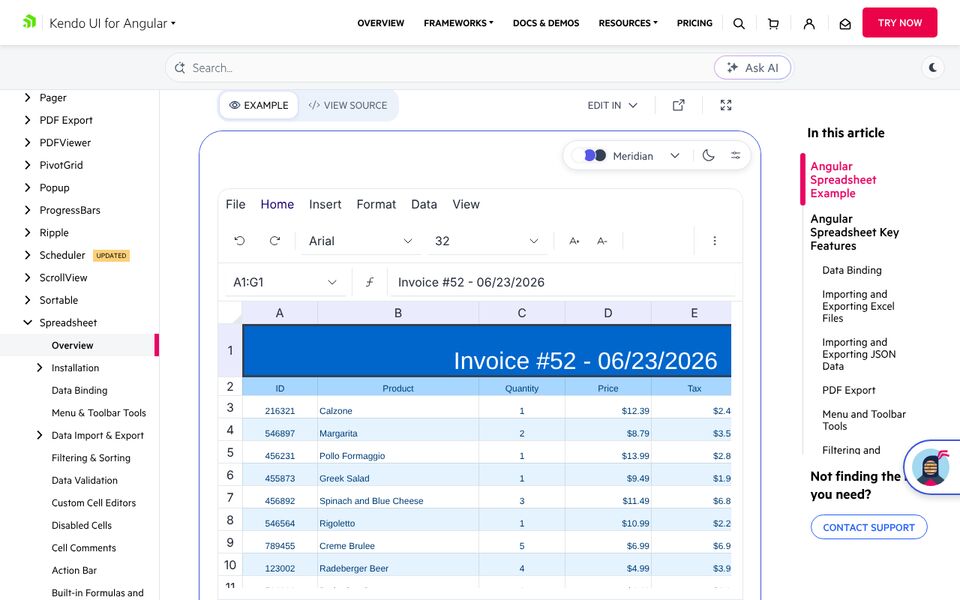
Best for: teams that already license Kendo UI and want the spreadsheet to match the rest of the app.
Watch out for: there is a 30 day trial and no free tier for the Angular Spreadsheet. The Kendo UI pricing page lists $799, $899 or $1,299 per developer per year depending on the support plan. When exporting, "the Spreadsheet saves the active worksheet as an Excel file", so test multi sheet exports. Licence keys and renewals are covered in Kendo UI alternatives and pricing.
Ignite UI for Angular Spreadsheet
The Ignite UI for Angular Spreadsheet from Infragistics displays and edits Excel workbooks, calculates formulas, and imports and exports xlsx in the browser through the igniteui-angular-excel library. The latest packages (22.0.1) target Angular 22.
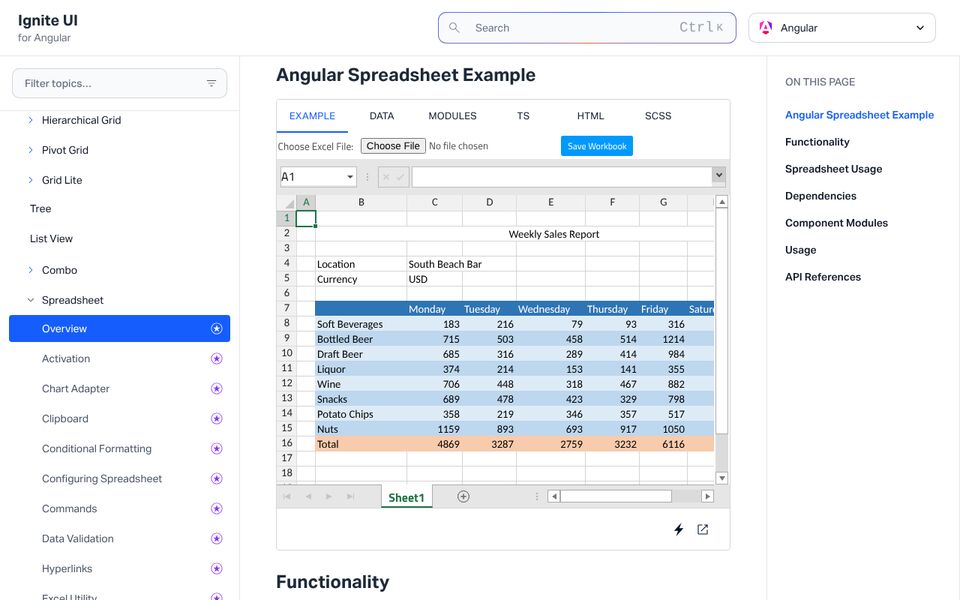
Best for: teams on Infragistics Ultimate that need to view and edit uploaded Excel files.
Watch out for: Ignite UI is dual licensed: some components are MIT, but the Spreadsheet is marked Premium and its npm packages ship under the Infragistics Ultimate licence. The pricing page lists Ignite UI at $1,399 per developer per year. The overview sample still uses NgModules rather than standalone components.
DHTMLX Spreadsheet
DHTMLX Spreadsheet is a plain JavaScript spreadsheet with a menu, toolbar, cell formatting, multiple sheets and "170+ predefined functions". It has no Angular wrapper. The Angular guide creates it inside a component, like Tabulator and Jspreadsheet. Excel import and export run in WebAssembly workers that load from the DHTMLX CDN by default or from your own server.
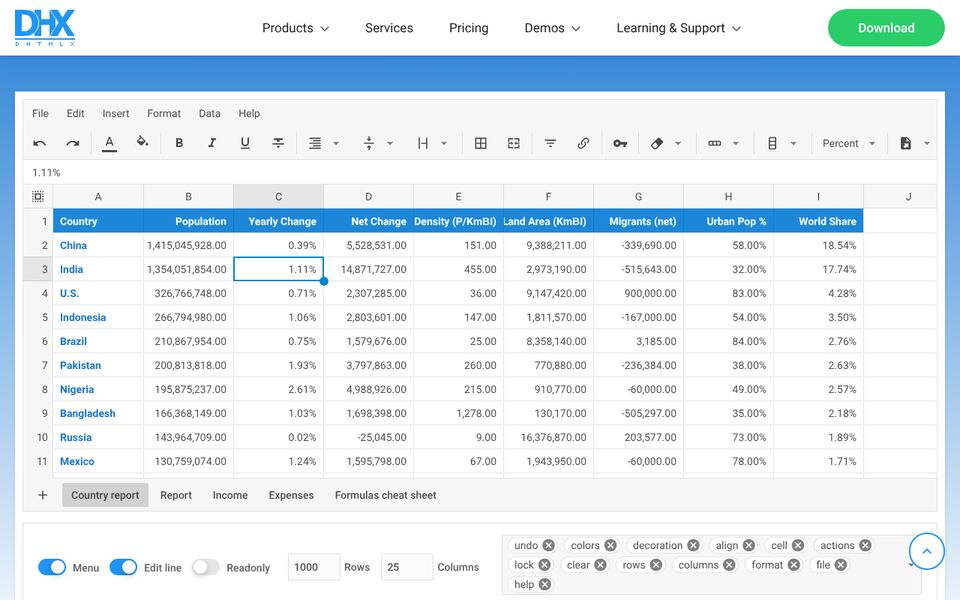
Best for: a complete toolbar spreadsheet at a lower price than the large suites, especially for a single project.
Watch out for: the free edition is GPL v2, which suits GPL compatible open source projects, not closed source apps. Commercial licences are one time totals with a year of support: $599 for 1 developer and 1 project, $1,299 for 5 developers and 1 project, $2,899 for 20 developers and 5 projects.
Which Angular spreadsheet component should you pick?
- Bulk data entry and paste from Excel, no formulas, no licence fee: Tabulator.
- A free sheet with user formulas: Jspreadsheet CE for a light widget, Univer's open source core for a full workbook engine.
- Open and save real Excel files without a server: SpreadJS, Kendo or Ignite UI.
- A ribbon editor in an app already built on a suite: that suite's spreadsheet, whether Syncfusion, Kendo, Ignite UI or DHTMLX.
- Typed columns with sorting, filtering and grouping as well as editing: a data grid, not a spreadsheet. Start with the best Angular table libraries.
Whichever you shortlist, test four things with your own data before you commit: paste 5,000 rows from Excel, scroll at your largest realistic sheet size, check the production bundle against your Angular budget, and confirm how the licence counts developers, domains or end users. Our large dataset benchmark shows how much grids differ at 100,000 rows and above.
Frequently asked questions
What is the best free Angular spreadsheet component?
Without formulas, Tabulator's spreadsheet mode (MIT) gives range selection, clipboard, undo and multiple sheets, and works with any Angular version. With formulas, Jspreadsheet CE (MIT) and the Univer core (Apache 2.0) are free for commercial use. Excel file import and export are paid in both.
Is there an open source Excel-like grid for Angular?
Yes. Tabulator and Jspreadsheet CE are MIT licensed, Univer's core is Apache 2.0, and DHTMLX Spreadsheet has a GPL v2 edition. Handsontable, SpreadJS, Syncfusion, Kendo UI and the Ignite UI Spreadsheet are commercial.
Which Angular spreadsheet components support formulas?
Jspreadsheet CE, Univer, Handsontable (with HyperFormula), SpreadJS, Syncfusion, Kendo UI, Ignite UI and DHTMLX. Tabulator does not ship a formula engine, so derived values such as totals are computed in your own code, as in the example above.
Can an Angular spreadsheet import Excel files without a server?
SpreadJS, Kendo UI and Ignite UI import and export xlsx in the browser. Syncfusion's open and save go through a web service, Univer's file conversion needs a backend, and DHTMLX uses WebAssembly workers loaded from its CDN or your server. Tabulator can load an xlsx file as table data in the browser with SheetJS.
Does Tabulator work with Angular 22?
Yes. Tabulator has no Angular dependency, so the component above mounts it after render. We tested it in a zoneless Angular 22.3 project with strict TypeScript and Tabulator 6.7.1.
Is Handsontable free for Angular?
Only for non-commercial use such as teaching, research and evaluation. Commercial apps need a paid licence, quoted by end users. See Handsontable pricing.
Get started with Tabulator in Angular
Install it with npm install tabulator-tables, copy the component above, then read the spreadsheet, range selection and clipboard docs and try the spreadsheet examples. The source is on GitHub. For other frameworks, see the React spreadsheet components, Vue spreadsheet components and JavaScript spreadsheet libraries guides.