DataTables Editor Pricing in 2026: Plus Licence Cost and Free Alternatives
DataTables Editor is the official way to add create, edit and delete to a DataTables table. It is also the one part of the DataTables stack you have to pay for. Since DataTables 3 shipped in 2026, Editor is no longer sold on its own: it is part of a new paid suite called DataTables Plus, with a licence key you register in code. If your spec says "users can edit records in the table", this guide covers what Editor costs today, what the licence lets you do, and the free routes to the same result.
Every price below was read from datatables.net/plus and the DataTables Plus licence on November 25, 2026, with the developer counter stepped through in a browser. Prices are in US dollars, exclude VAT and change, so confirm on the DataTables site before you buy. We build Tabulator, a free MIT licensed data grid with inline editing built in, so we cover it as an alternative and keep the DataTables facts to what SpryMedia publishes.
The short answer
- DataTables core is free under the MIT licence. Editing is not part of core.
- Editor costs $219 for 1 developer, $599 for 5 and $999 for 10, as part of DataTables Plus. Custom counts go up to 50 developers ($3,099). Above 50 you contact sales.
- The licence is perpetual with one year of updates. Renewal is 50% of the original price, or 40% with automatic renewal ($88 a year for 1 developer).
- It is licensed per developer, not per site. Each licensed developer can use it on as many sites and apps as they like.
- Editor 3 needs a licence key set with
DataTable.key(). There is a 15 day free trial. - Free alternatives are community DataTables plugins (mostly unmaintained) or a grid with editing built in, such as Tabulator.
What DataTables Editor is
Editor is a CRUD layer for DataTables. It gives end users three ways to change data: a main modal form for creating and editing whole rows, bubble editing (a small popup over a cell) and inline editing (type straight into the cell). It handles multi row editing, field types such as text, select, checkbox, radio, date and time, tags and file upload, and it talks to your server with a defined JSON protocol.
The other half of Editor is its server side libraries for PHP, .NET, Node.js and (in beta) Python. They read that protocol and write the changes to SQL databases for you. These libraries are MIT licensed (the datatables.net-editor-server npm package and the Editor PHP repository both say so), but they are only useful with the paid client side Editor.
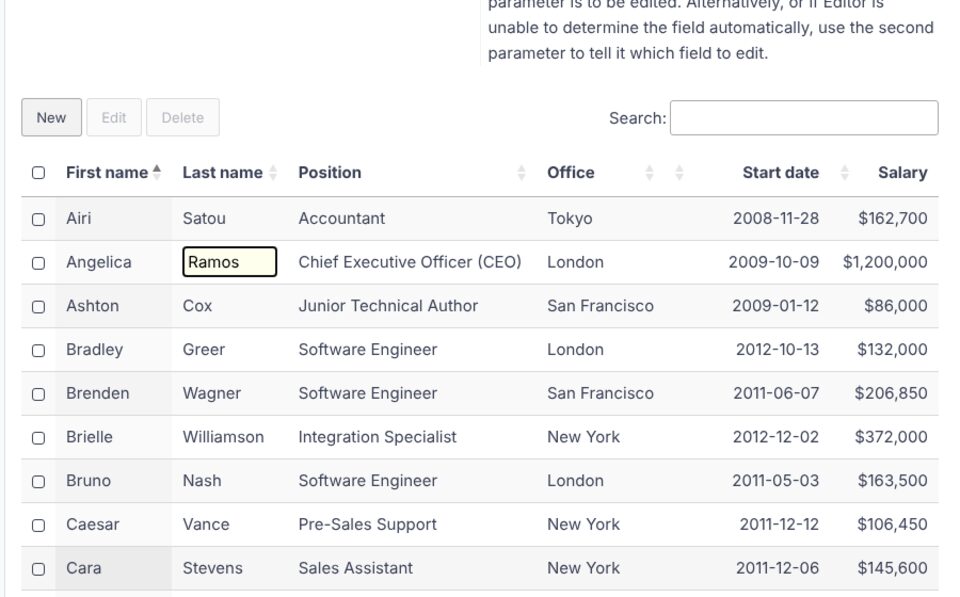
DataTables Editor pricing (DataTables Plus)
DataTables 3 introduced DataTables Plus, a suite of premium extensions sold under one licence. The DataTables 3 release post describes it as a new direction for funding the project: Editor had been the only commercial extension since 2012, and the author wanted to add more without selling each one separately. Plus currently contains:
- Editor: the editing UI covered in this post.
- CardView: shows each row as a card, for small screens or product style displays.
- StateRestore: lets end users save and reload table states. Version 2.0 moved it into Plus.
- SearchPanes: panel based filtering. The extensions page lists it as Plus, and the release post says it will be a Plus extension once it is rewritten for DataTables 3.
Whichever of these you need, you buy the whole Plus licence. There is no Editor only price on the site any more.
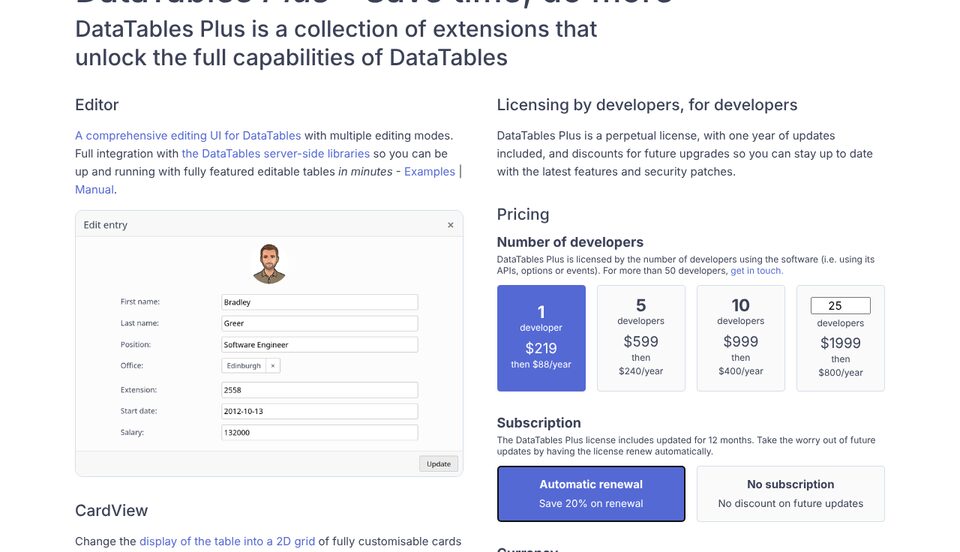
The page shows three fixed tiers (1, 5 and 10 developers) and a number box for any count from 1 to 50, which updates the price as you type. These are the prices we saw:
| Developers | First year | Price per developer | Yearly renewal with auto renew |
|---|---|---|---|
| 1 | $219 | $219 | $88 |
| 2 | $319 | $160 | $128 |
| 3 | $416 | $139 | $166 |
| 4 | $509 | $127 | $204 |
| 5 | $599 | $120 | $240 |
| 7 | $769 | $110 | $308 |
| 10 | $999 | $100 | $400 |
| 11 | $1,074 | $98 | $429 |
| 15 | $1,361 | $91 | $544 |
| 20 | $1,694 | $85 | $678 |
| 25 | $1,999 | $80 | $800 |
| 30 | $2,276 | $76 | $910 |
| 50 | $3,099 | $62 | $1,240 |
| More than 50 | Contact SpryMedia | ||
The custom box works for any count from 1 to 50, so you never have to round up to the next fixed tier: 2 developers cost $319 and 7 cost $769. The price per developer falls as the team grows, from $219 for one person to about $62 each at 50. Renewal with automatic renewal is always 40% of the first year price.
Renewals and updates
The licence is perpetual. You get every update released in the 12 months after purchase, and you can keep using the last version from that window for as long as you like. To get later versions you buy a renewal, which costs 50% of the original price. If you choose automatic renewal at checkout, a further 20% comes off, which is where the "then $88/year" figure for 1 developer comes from. Subscriptions are charged yearly through Stripe and can be cancelled at any time. Single payments can also go through PayPal, and SpryMedia accepts bank transfer, cheque or a purchase order on request.
Support is extra
The Plus licence does not include support. Support credits are bought separately, can be used for DataTables core, Plus or any other DataTables extension, and last 12 months. The licence says SpryMedia will try to respond within 2 UK working days.
How the DataTables Plus licence works
Who counts as a developer
Plus is licensed by the number of developers who use its APIs, options or events. The FAQ counts anyone "working directly or indirectly on software that integrates DataTables Plus", which includes front end developers, designers and the server side developers who wire up the forms and database. Developers working on completely separate modules of the app do not count. The licence also asks you to keep an accurate record of how many developers use the software and to show it on request.
Sites, apps and SaaS
Licences are per seat, not per site. A licensed developer can use Plus on as many websites and web applications as needed. The licence grants use "for your internal business purposes", and you may not rent, lease or sub license the software. If you are building a product that other developers will code against, such as a component library or a white label platform, read the full licence or ask SpryMedia before you buy.
The licence key
Editor 3 is now on the public npm registry and CDN as datatables.net-editor, but its package licence file says it "requires a license to use". You register your key before creating a table:
import DataTable from "datatables.net-dt";
import Editor from "datatables.net-editor-dt";

DataTable.key("plus_1_20290521:..."); // your key from the DataTables account page
SpryMedia says the check never phones home. At the end of the 15 day trial, or without a key, a message appears in your app saying a licence key is required. No data is lost, and setting a key removes the message. If you bought an Editor licence in the year before DataTables 3 shipped, your key is already on your account page.
One licence term to notice
The Plus licence includes a clause that lets SpryMedia use your company logo or trading name on the DataTables website to identify you as a user. If your organisation does not allow that, raise it before purchase.
Is DataTables Editor worth the price?
For many teams, yes. $219 is cheap next to the per developer, per year pricing of full commercial grids such as AG Grid Enterprise, Kendo UI or Syncfusion, and the licence is perpetual. Editor is a good fit when:
- You already run DataTables and want editing without changing grids.
- You want a modal form for creating and editing records, not just cell editing.
- Your back end is PHP, .NET or Node.js against a SQL database, and you want the server side libraries to handle the writes, joins and file uploads.
It is a weaker fit when:
- Only inline cell editing is needed. You are paying for forms, bubble editing and server libraries you will not use.
- Your team is large or changes often. Every developer who touches the table counts, and renewals add up.
- Your project cannot use commercial components, or procurement for a $219 purchase takes longer than building the feature.
- You need SearchPanes or StateRestore on DataTables 3 but nothing else from Plus. They now need the same licence.
Free DataTables Editor alternatives
There are two kinds of free alternative: community plugins that add editing to DataTables, and data grids that include editing in their free licence. We checked each project's GitHub page on November 25, 2026.
DataTable AltEditor
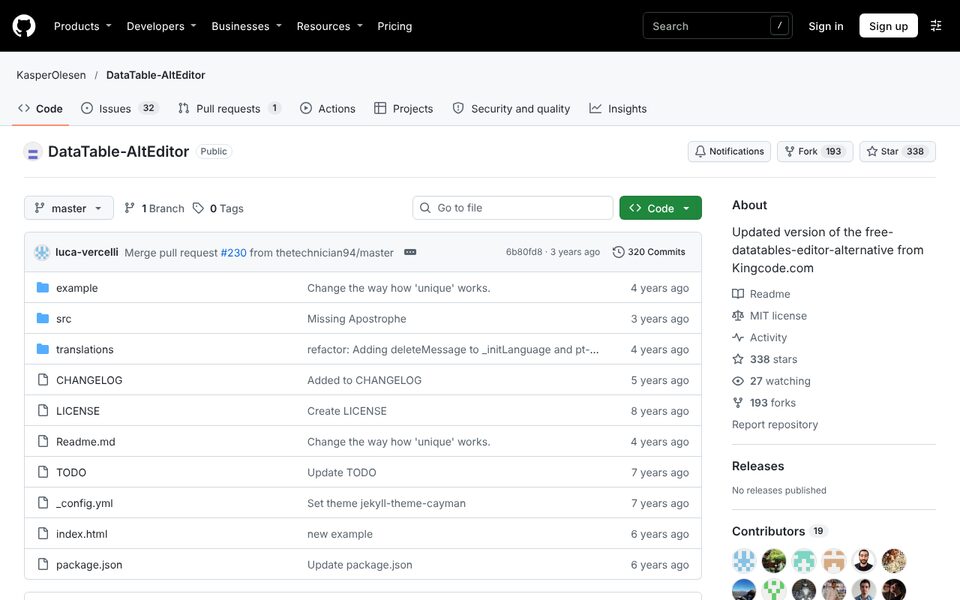
DataTable-AltEditor is the free plugin that appears in search results next to Editor itself. It is MIT licensed, has about 340 stars, and adds add, edit and delete through modal forms with onAddRow, onEditRow and onDeleteRow callbacks for your Ajax calls. Its README says inline editing is not supported. It needs jQuery, the DataTables Buttons and Select extensions, and Bootstrap 4+ or Foundation 6+ for its modals. The last release was in September 2023, so test it against DataTables 2 or 3 before you depend on it.
CellEdit
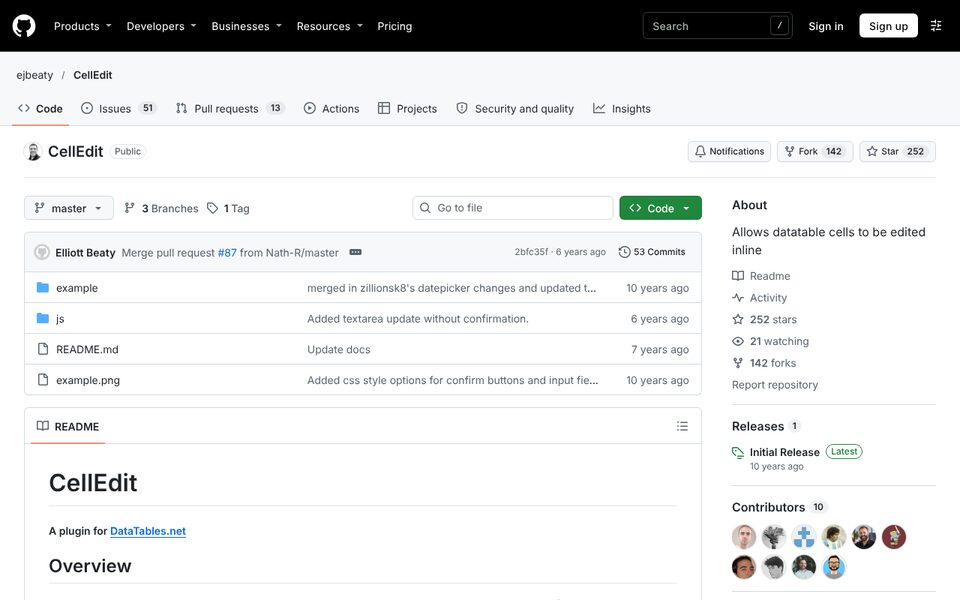
CellEdit adds inline cell editing to DataTables with one call, table.MakeCellsEditable({ onUpdate }). It supports text, list and jQuery UI datepicker inputs, a validation callback and optional confirm and cancel links. It has about 250 stars, but the last commit was about six years ago and the repository does not show a licence, which by default means you have no clear right to use it. Check with the author or your legal team before shipping it.
jQuery Tabledit
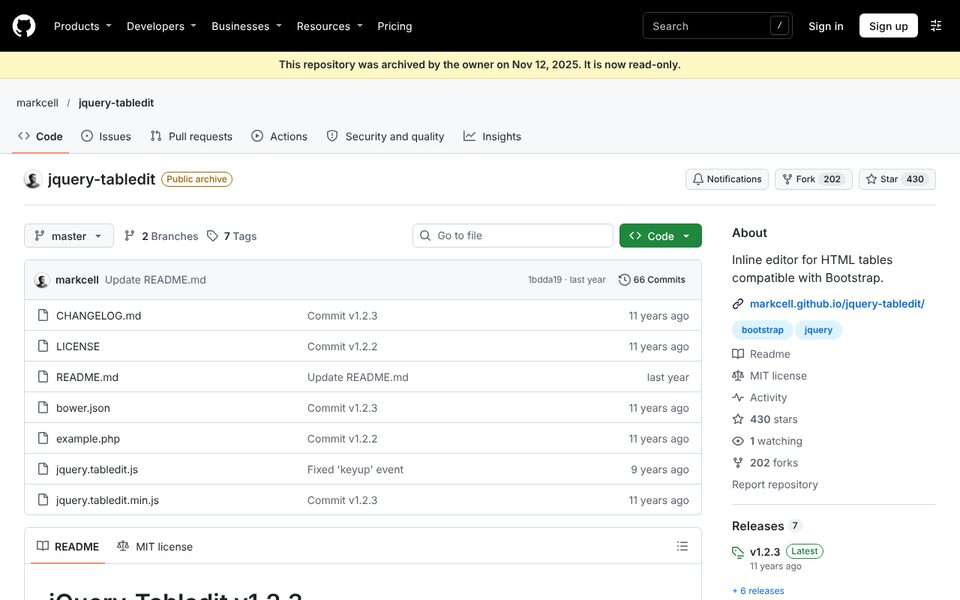
jQuery-Tabledit is an MIT licensed inline editor for Bootstrap styled HTML tables, often paired with DataTables in older tutorials. Its owner archived the repository on November 12, 2025, and the last release (v1.2.3) is about 11 years old. It is fine for reading how inline editing can work, but it is not a base for new work.
Build it yourself
You can also wire editing into DataTables by hand: render inputs in a column, listen for change, update the row with row().data() and send it to your API. It works for one or two editable columns. Past that you are writing editors, validation, keyboard handling and undo yourself, which is the work Editor charges for. Our editable table tutorial walks through where the plain JavaScript approach starts to break.
A free alternative with editing built in: Tabulator
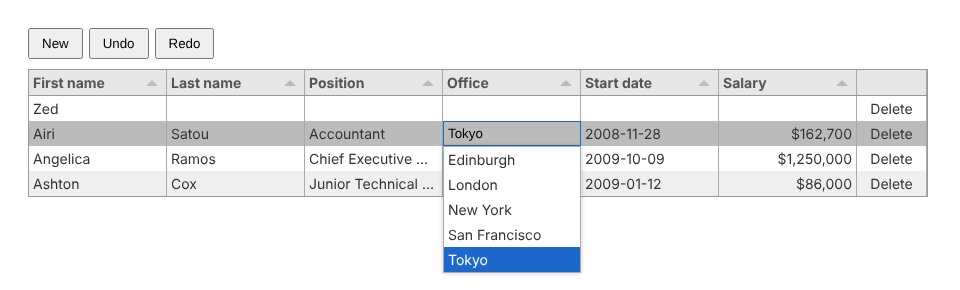
Tabulator is an MIT licensed JavaScript data grid with no dependencies, no paid tier and no licence key. Inline editing, validation, undo and redo, clipboard paste and range editing are all in the free build, for any number of developers, projects and end users, including commercial and SaaS products. Try it below: click a name, progress bar, star rating or tick to edit it.
Here is a CRUD table that covers what most Editor setups do with inline editing: typed editors, validation that keeps the editor open until the value is valid, a New button, a delete column, undo and redo, and each change saved to a REST API as it happens. We ran it in Chromium against Tabulator 6.7.1 with no errors or warnings, and checked that edits sent a PATCH, the new row a POST and the delete a DELETE:
const table = new Tabulator("#staff", {
  data: staff,                 // or ajaxURL: "/api/staff"
  index: "id",
  layout: "fitColumns",
  history: true,               // enables table.undo() and table.redo()
  validationMode: "blocking",  // keep the editor open until the value is valid
  columns: [
    { title: "First name", field: "first", editor: "input", validator: "required" },
    { title: "Last name", field: "last", editor: "input", validator: "required" },
    { title: "Position", field: "position", editor: "input" },
    { title: "Office", field: "office", editor: "list",
      editorParams: { values: ["Edinburgh", "London", "New York", "San Francisco", "Tokyo"] } },
    { title: "Start date", field: "start", editor: "date" },
    { title: "Salary", field: "salary", hozAlign: "right", editor: "number",
      validator: ["required", "min:0"],
      formatter: "money", formatterParams: { symbol: "$", precision: 0 } },
    { title: "", field: "actions", width: 70, headerSort: false, hozAlign: "center",
      formatter: () => "Delete",
      cellClick: (e, cell) => {
        const row = cell.getRow();
        fetch(`/api/staff/${row.getIndex()}`, { method: "DELETE" })
          .then(() => row.delete());
      } },
  ],
});

// Save each edit as it happens
table.on("cellEdited", cell => {
  const row = cell.getRow().getData();
  const method = row.id ? "PATCH" : "POST";
  const url = row.id ? `/api/staff/${row.id}` : "/api/staff";
  fetch(url, {
    method,
    headers: { "Content-Type": "application/json" },
    body: JSON.stringify({ [cell.getField()]: cell.getValue() }),
  })
    .then(res => res.json())
    .then(saved => { if (!row.id) cell.getRow().update({ id: saved.id }); })
    .catch(() => cell.restoreOldValue());
});

// "New" button: add a blank row at the top and open its first cell
document.getElementById("add-row").addEventListener("click", () => {
  table.addRow({}, true).then(row => row.getCell("first").edit());
});
document.getElementById("undo").addEventListener("click", () => table.undo());
document.getElementById("redo").addEventListener("click", () => table.redo());
This is how Editor's features map to Tabulator:
| Feature | DataTables + Editor | Tabulator (MIT) |
|---|---|---|
| Price | From $219 (1 developer), renewals for updates | Free |
| Licence key in code | Yes, DataTable.key() | No |
| Inline cell editing | Yes | Yes (editing) |
| Built in editor types | Text, textarea, select, checkbox, radio, date and time, tags, upload and more | Input, textarea, number, range, list (with autocomplete and multiselect), date, time, datetime, tick, star, progress, plus custom editors |
| Validation | Client side HTML5 attributes plus server side validators | Client side validators (required, unique, min, max, numeric, in, regex and custom functions). Server validation is yours to write |
| Modal create and edit form | Yes (main and bubble modes) | No built in form. Edit in the row, or open your own form from a row click |
| Edit many cells at once | Multi row editing | Range selection with paste from Excel (range selection, clipboard) |
| Undo and redo | No undo method in the Editor API reference | Yes (history) |
| File upload fields | Yes | No. Use your own upload control |
| Server side libraries | PHP, .NET, Node.js, Python (beta) | No. Any REST or GraphQL API via events and Ajax loading |
| Large data | Paging, or the Scroller extension | Built in virtual DOM |
| Frameworks | jQuery optional in v3, React and Vue components (DataTables in React guide) | React, Vue, Angular, Svelte, plain JavaScript and a jQuery wrapper |
| Vendor support | Paid support credits | Community, plus optional commercial support |
What Tabulator does not give you: a ready made modal form, file upload fields, or server side libraries that write to your database. If your spec is a back office CRUD screen on PHP or .NET with forms and uploads, Editor is built for exactly that, and paying for it is reasonable. If the spec is "users edit values in the table and changes save to our API", Tabulator covers it at no cost and in less code than a community plugin plus glue.
Moving from DataTables to Tabulator
Most DataTables options have a direct Tabulator equivalent: columns[].data becomes field, ajax becomes ajaxURL, paging becomes pagination, and Editor's field definitions become an editor and validator on each column. The DataTables alternatives guide has a full option by option mapping and a migration example. For a wider view, see the best JavaScript table libraries roundup and the jQuery data grid comparison, which covers other grids that still work in jQuery projects.
Frequently asked questions
How much does DataTables Editor cost?
As of November 25, 2026, Editor is sold as part of DataTables Plus: $219 for 1 developer, $599 for 5, $999 for 10, and a custom price for any count up to 50 developers ($1,999 for 25, $3,099 for 50). Each is a perpetual licence with 12 months of updates. Renewal is 50% of the price, or 40% with automatic renewal.
Is DataTables free?
DataTables core is free and open source under the MIT licence, including for commercial use. The extensions labelled Plus (Editor, CardView, StateRestore and SearchPanes) need a paid DataTables Plus licence.
Is DataTables Editor free?
No. Editor has a 15 day free trial, after which it shows a message asking for a licence key. Its server side libraries are MIT licensed, but they only work with the paid client side Editor.
Can I buy DataTables Editor on its own?
Not any more. Since DataTables 3, Editor is only available as part of DataTables Plus, which also includes CardView, StateRestore and SearchPanes.
Does the DataTables Editor licence expire?
No. The licence is perpetual. After 12 months you stop getting updates, but you can keep using the last version released during your update period.
How do I make a DataTable editable without Editor?
Use a community plugin such as DataTable AltEditor (modal forms) or CellEdit (inline cells), or add your own inputs and save with the DataTables API. All three are older and lightly maintained. If you can change grids, Tabulator includes inline editing, validation and undo in its free MIT licence.
What is the best free alternative to DataTables Editor?
For inline editing in an actively maintained library, Tabulator: set an editor on each column, add validator rules, and save changes with the cellEdited event. For a modal CRUD form on top of an existing DataTables table, DataTable AltEditor is the closest free match.
Get started with Tabulator
Install Tabulator with npm install tabulator-tables, or follow the quickstart guide. The editing docs list every built in editor, and the examples page shows editing, validation and undo running live.